
HexHopper
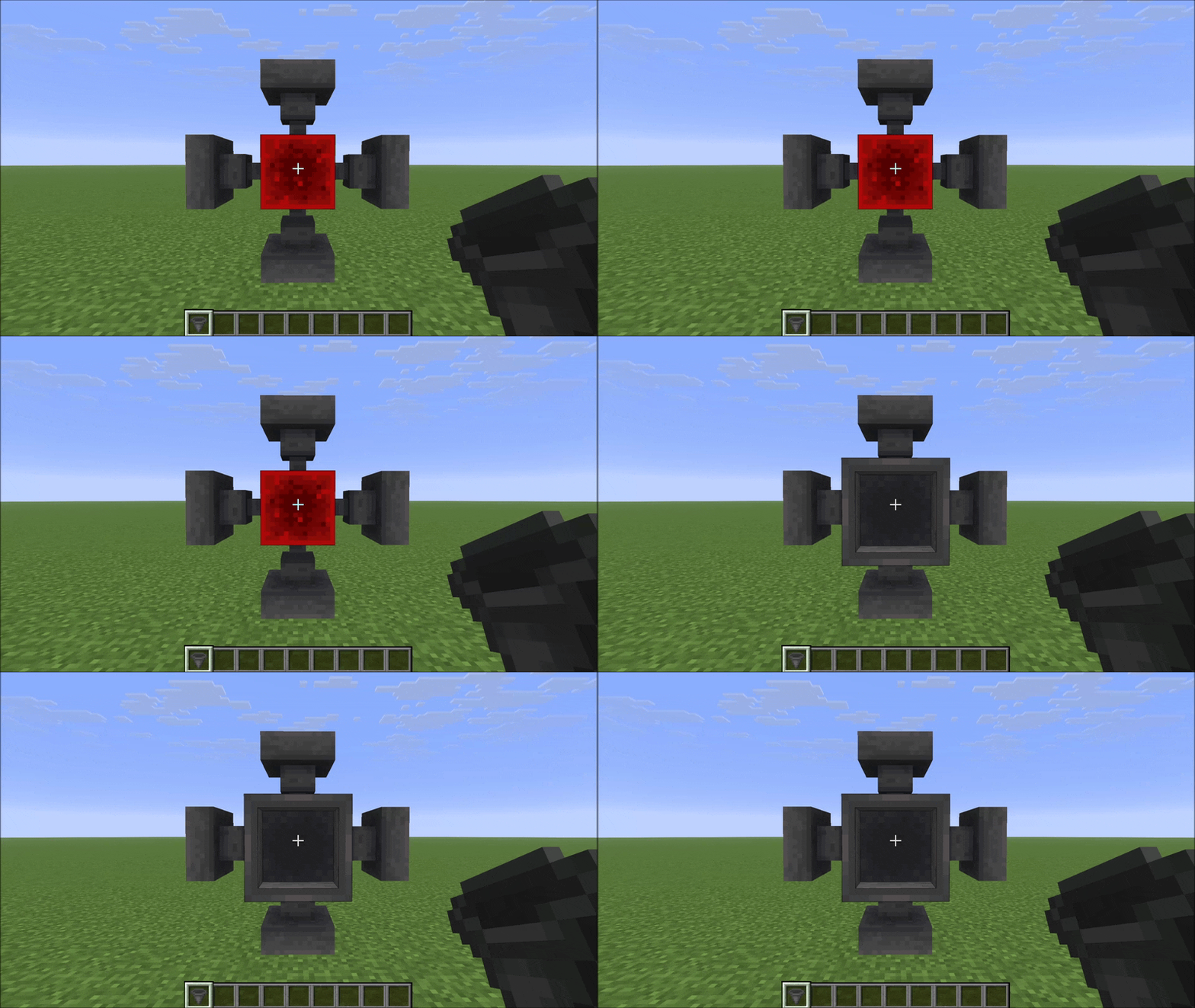
Place hoppers in all 6 directions and rotate both push and pull independently with a compass. Six faces, full control.
介绍
HexHopper
Place hoppers in all 6 directions. Rotate push and pull independently with a compass.
Vanilla hoppers are locked: they always pull from above and can only push downward or sideways. HexHopper removes that restriction. When you place a hopper, it faces the surface you clicked — including up. Use a compass to reconfigure any hopper after placement without breaking it.
How it works
Placement
Hold a hopper and click any face of a block. The hopper’s push direction (the spout) will face the surface you clicked. The pull direction (the funnel opening) is set automatically based on where you’re looking — it picks the closest direction that isn’t already taken by the push.
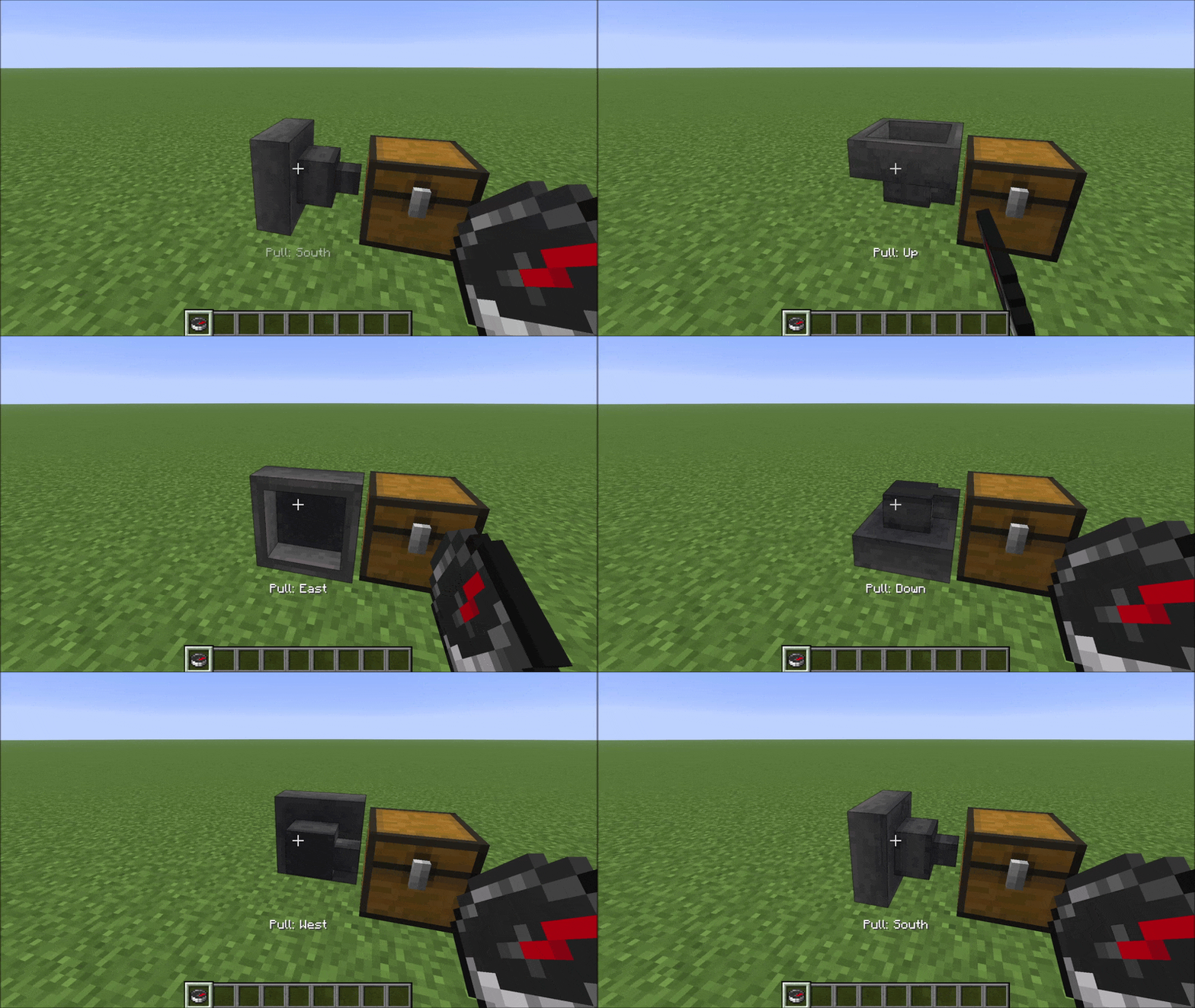
Compass: right-click rotates pull direction
Hold a compass and right-click a hopper to cycle its pull direction (funnel) through the five valid options. A message appears in the action bar after each click showing the current pull direction.
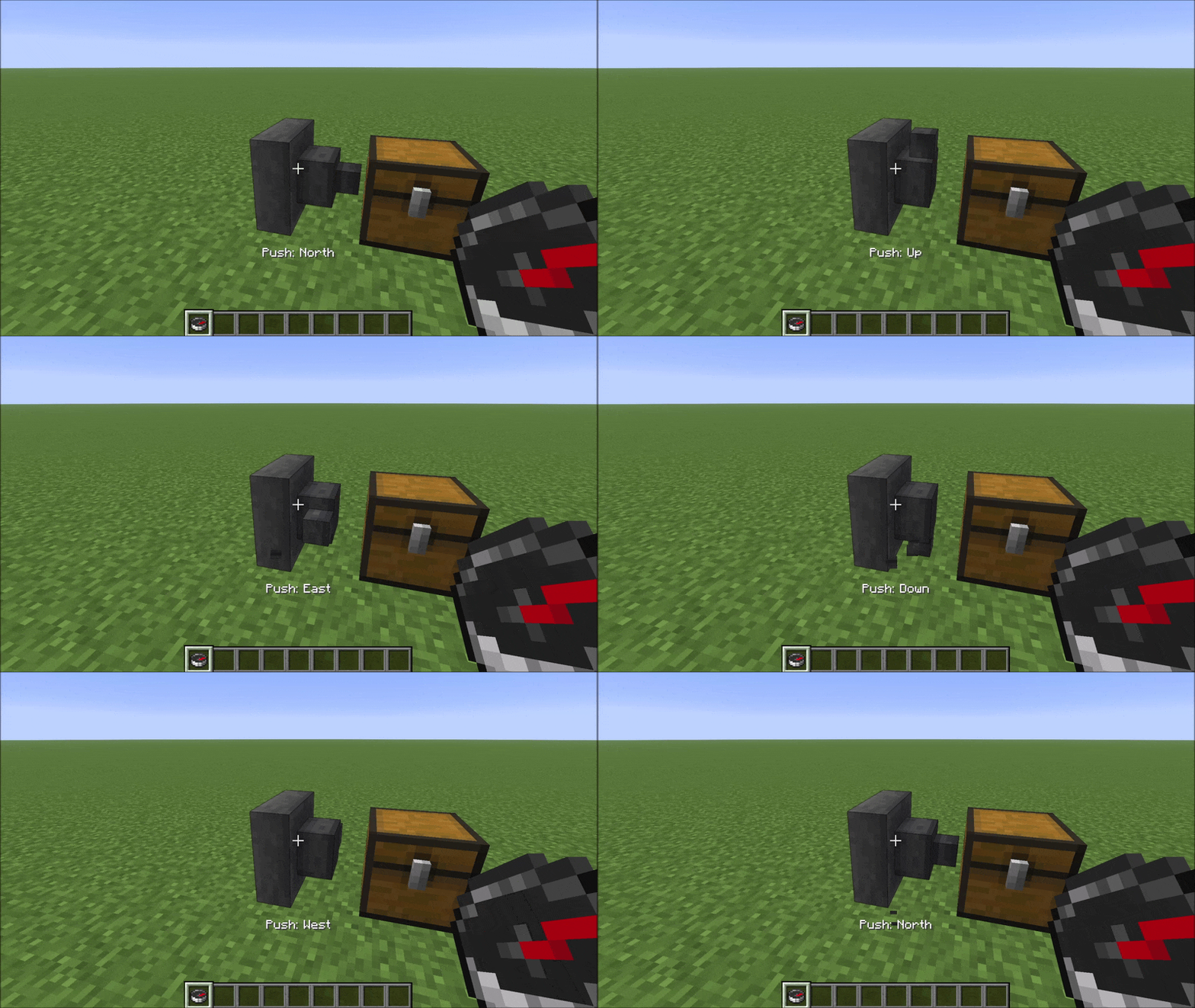
Compass: left-click rotates push direction
Hold a compass and left-click a hopper to cycle its push direction (spout) through the five valid options. The same action bar message appears confirming the new push direction.
Compatibility
HexHopper modifies vanilla HopperBlock and HopperBlockEntity using Mixins. It is compatible with:
- Existing worlds — hoppers placed before installing the mod default to pull=Up, which matches vanilla behaviour exactly
- MinecartHoppers — fall back to vanilla pull=Up behaviour
- Mods that don’t touch hopper logic — storage mods, visual mods, etc.
Not compatible with mods that also modify HopperBlock or HopperBlockEntity (other hopper-direction mods, some deep storage mods). HexHopper also overrides assets/minecraft/blockstates/hopper.json — resource packs or mods that replace the same file will conflict visually.
常见问题
HexHopper 支持哪些 Minecraft 版本?
HexHopper 支持 Minecraft Java 版 26.2–26.3,共 2 个版本,可用的加载器:Fabric。下载时注意选择和你游戏版本一致的文件。
HexHopper 怎么安装?
先用 PCL2 或 HMCL 启动器安装对应版本的 Fabric,再把下载的 .jar 文件放进游戏目录的 mods 文件夹,重新启动游戏即可。开启了版本隔离的,mods 文件夹在 versions/版本名 下面。运行环境:客户端和服务端都要装。
TAPM 的其他作品
查看全部 →
SwapColumn
Quickly swap hotbar items with inventory items directly above them using number keys, a keybind, or hold-and-scroll.

LavaCan
Destroy unwanted items by dropping them onto a Lava Bucket. Fire-resistant items and a configurable protection list keep your valuables safe.

ShulkerLayers
Pack shulker boxes inside shulker boxes. Configurable nesting depth via a layer-based system.
评论
登录后评论和评分