
Item Hunters
Action-packed Runner vs Seekers minigame data pack! The Runner must collect random target items while Seekers track and hunt them down.
截图
介绍
Item Hunt — Runner vs Seekers
Item Hunt is a thrilling Minecraft minigame data pack where one Runner attempts to collect assigned target items while a team of Seekers hunts them down!
Combining classic Manhunt suspense with random item collection challenges, Item Hunt brings fast-paced, highly customizable multiplayer fun to your server.
How It Works
- Assign Roles: One player is chosen as the Runner, and the rest become Seekers.
- Item Roulette: The Runner is assigned target items randomly selected from configured difficulty pools.
- The Hunt Begins: The Runner gets a configurable Head Start to gather resources and start crafting/finding the target item.
- Track & Survive: Seekers receive a Tracker Compass (with cooldowns) pointing toward the Runner.
- Winning Conditions:
- Runner Wins by obtaining the target items before time runs out or being killed.
- Seekers Win by eliminating the Runner before they complete the item goal!
Key Features
* Dynamic Item Pools (3 Difficulties):
* Easy: 80 accessible survival items (Stone, Anvil, Campfire, Bow, etc.)
* Normal: 97 intermediate & rare items (Ancient Debris, Netherite tools, Armor Trims, etc.)
* Hard: 22 endgame items (Beacon, Elytra, Mace, Trident, Conduit, etc.)
* Seeker Compass Tracker: Seekers can locate the Runner with configurable cooldowns.
* In-Game Configuration Menu:
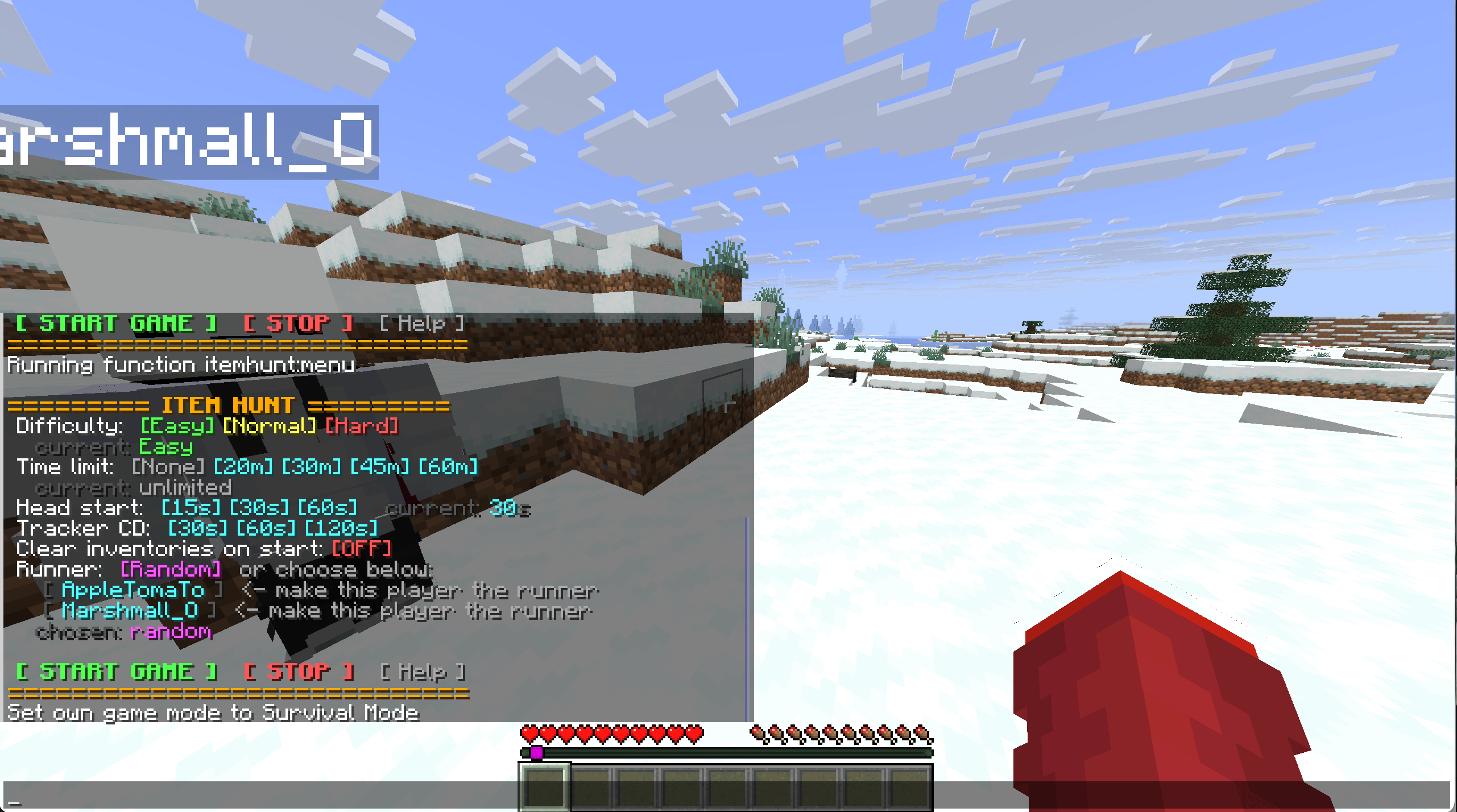
- Interactive chat GUI & Dialog sliders for easy setup.
- Adjust Time Limit (Unlimited, 20m, 30m, 45m, 60m, or custom up to 900 minutes).
- Adjust Head Start (15s, 30s, 60s, or custom).
- Adjust Tracker Cooldown (30s, 60s, 120s, or custom).
- Toggle inventory reset on game start.
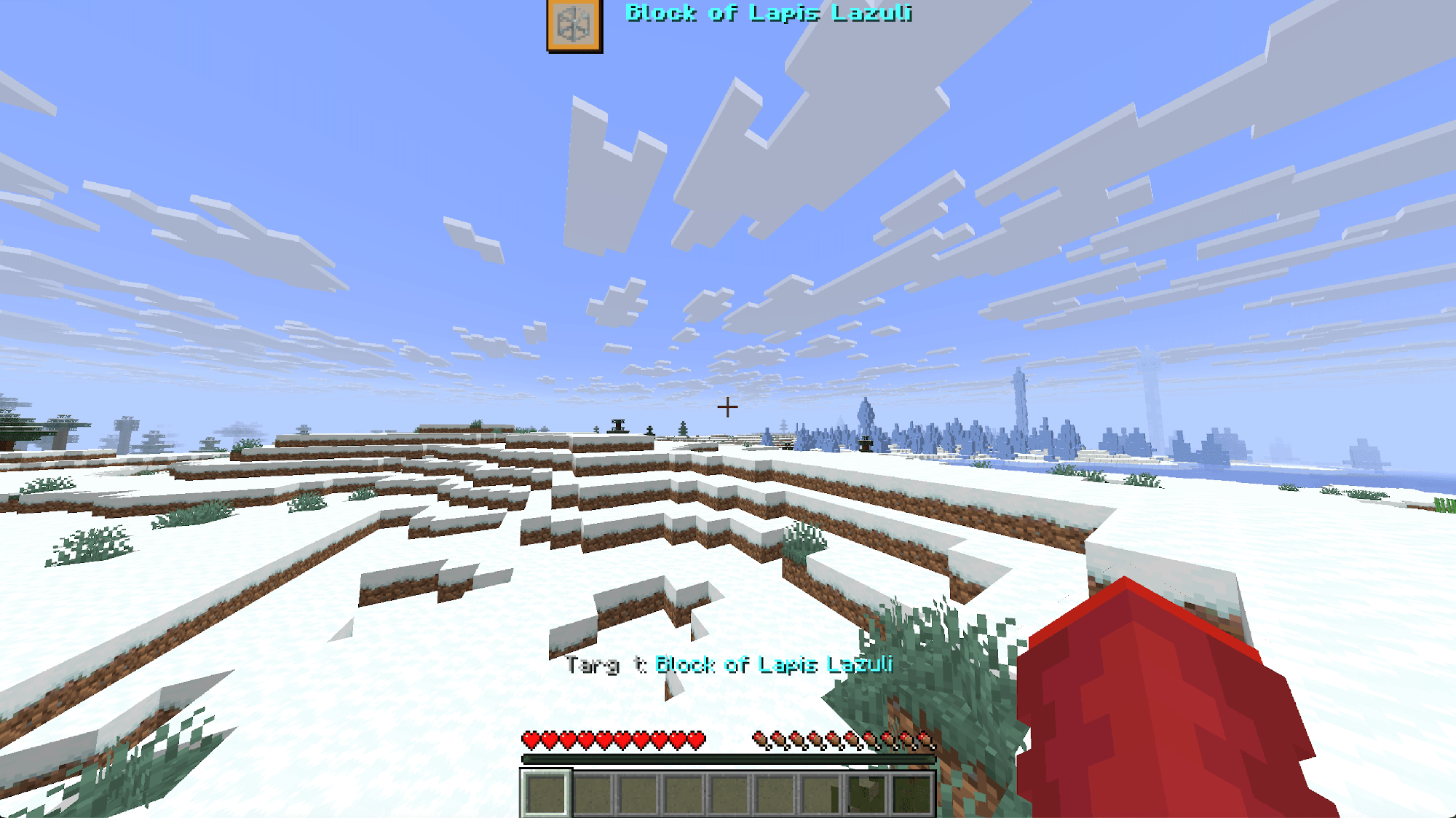
- Custom HUD Integration:** Pair with the official Item HUD Resource Pack to see target item icons and timers right on your screen!
How to Play
1. Installation
- Download the
.zipfile and place it inside your world’sdatapacksfolder (.minecraft/saves/<world_name>/datapacks/). - Run
/reloadin game.
2. Host Menu & Setup
- Run the following command to open the setup menu:
/function itemhunt:menu

### 3. Download Resource Pack
* Download the resource pack and place it inside your `resourcepacks` folder
https://www.curseforge.com/minecraft/texture-packs/item-hud-resource-pack
常见问题
Item Hunters 支持哪些 Minecraft 版本?
Item Hunters 支持 Minecraft Java 版 26.2。下载时注意选择和你游戏版本一致的文件。
Item Hunters 怎么安装?
新建世界时在「数据包」里把下载的 .zip 拖进去;已有的存档,把文件放进存档目录下的 datapacks 文件夹,进游戏输入 /reload 即可生效。服务器同样放在世界目录的 datapacks 里。
AppleTomaTo 的其他作品
查看全部 →
Unlimited Enchant Levels
Removes the level cap on 30+ vanilla enchantments up to level 255 in Minecraft Java Edition 26.2+, while automatically bypassing the "Too Expensive!" prior work penalty in anvils.

AppleTomaTo’s Custom Enchants
Adds 61 unique custom enchantments inspired by Minecraft Dungeons & RPGs! Includes Vein Miner, Tree Chopper, Auto Smelter, Void Strike, and more.

AppleTomaTo Bedwars Pack
AppleTomaTo Bedwars is an optimized 1.8.9 PvP resource pack for Bedwars and SkyWars. Includes short swords, high-contrast wool textures, custom skyboxes, and clean UI.

item Survival
A competitive item-crafting Battle Royale! Each round presents limited target items for survivors. Race to claim an item first!
评论
登录后评论和评分