
Better Nether Bricks
A datapack that makes crafting nether bricks and red nether bricks less painful :D
截图
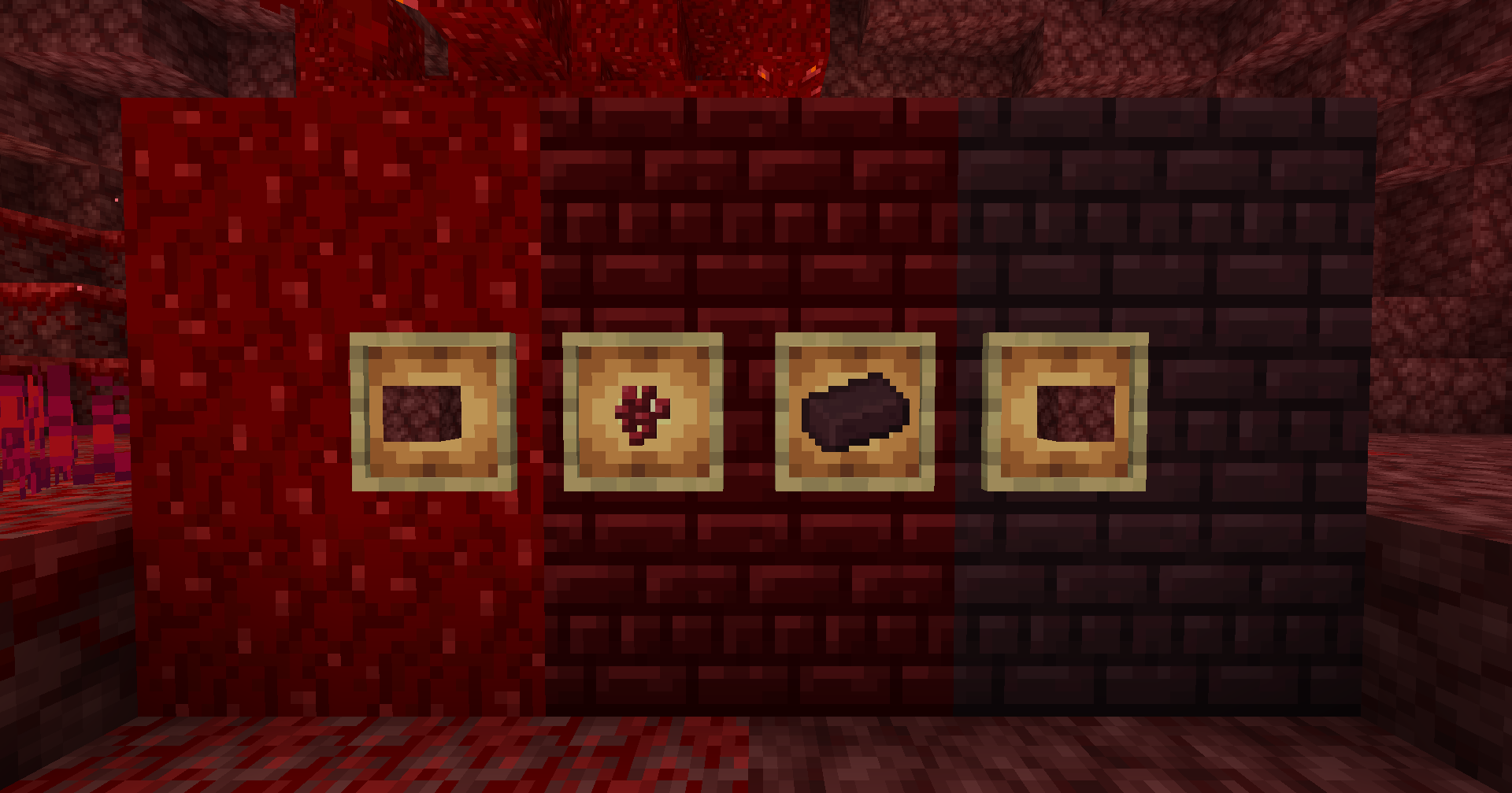


介绍
Ever wanted to build with red nether bricks but found it too expensive? Worry no more! Now nether bricks and nether wart related blocks are much less painful to craft with this datapack! 😀
I had the inspiration to make it not just because I don’t find much data packs / mods that do this, but because of the new cinnabar block, I really wanted to build with cinnabar bricks and red nether bricks because it is such a pretty combination, but I always hated how expensive this block is, as a person who really loves the color red. So, if you want to use these blocks in a balanced and fair way in survival, this datapack aims to do just that! 😀
Also, feel free to use it on any modpacks, multiplayer worlds or servers. I just ask to give credits.
New recipes list:
- nether brick: 4 netherrack in a 4×4 now will result in 2 nether bricks. alternatively, smelting in a furnace like vanilla will yield 1 netherrack for 1 brick, so pick whichever is better for you!

- nether bricks: 4 nether brick’s like vanilla will now output 4 nether bricks instead of 1, or smelting red nether bricks in a regular furnace will turn it back into a nether bricks block.


- red nether bricks: 1 nether bricks block and 1 nether wart now will result in 1 red nether bricks.

- nether wart block: 4 nether warts in a 4×4 now results in 1 nether wart block, making it easier to craft with a nether wart farm.

- nether wart: 1 nether wart block now yields 4 nether warts, making it now farmable in crimsom tree farms, but balanced so that nether wart farms don’t become obsolete.

常见问题
Better Nether Bricks 支持哪些 Minecraft 版本?
Better Nether Bricks 支持 Minecraft Java 版 26.2–26.3,共 2 个版本。下载时注意选择和你游戏版本一致的文件。
Better Nether Bricks 怎么安装?
新建世界时在「数据包」里把下载的 .zip 拖进去;已有的存档,把文件放进存档目录下的 datapacks 文件夹,进游戏输入 /reload 即可生效。服务器同样放在世界目录的 datapacks 里。

评论
登录后评论和评分