Client-Side Color Codes (CSCC)
Allows the use of minecraft color codes on every server completely client-side. Players who don't have the mod will NOT see the colors.
截图




介绍
🎨 Client-Side Color Codes (CSCC)
CSCC allows you to create and see colored texts on every server fully client-side.
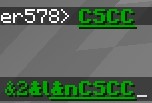
Make fancy texts by using color codes in front of the text, e.g. &a&lHello — the “Hello” will be fat and in green. (standard format used on most servers with colored text support)
⚠️ Important Note: Players who don’t have the mod installed will NOT see the formatted text, they will see
&a&lHelloin the normal formatting.
Why?
Because many servers lock colored texts behind a paywall and I want aesthetic tool names.
Supported Features
Live Preview: Instantly see how your formatted text will look like while typing.
Color Code List: Use the command /cscc to get a list of all working color codes.
Colorable texts include:
- Chat messages
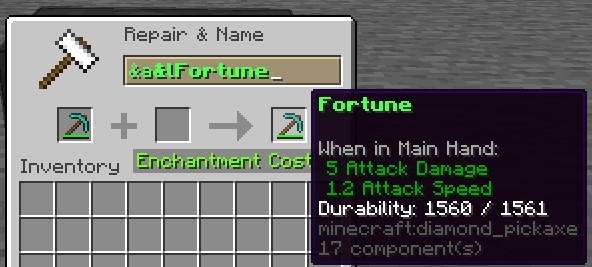
- Item names (renamed in anvil)
- Items in item frames
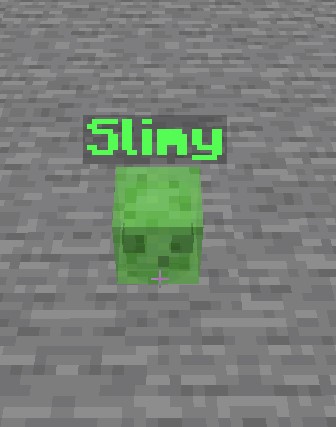
- Entities (renamed with a nametag)
- Signs & Hanging signs (not working with “Better Block Entites”)
Does NOT support text in books
Other missing texts will probably be added (if there are any).
常见问题
Client-Side Color Codes (CSCC) 支持哪些 Minecraft 版本?
Client-Side Color Codes (CSCC) 支持 Minecraft Java 版 1.21.4–26.2,共 5 个版本,可用的加载器:Fabric。下载时注意选择和你游戏版本一致的文件。
Client-Side Color Codes (CSCC) 怎么安装?
先用 PCL2 或 HMCL 启动器安装对应版本的 Fabric,再把下载的 .jar 文件放进游戏目录的 mods 文件夹,重新启动游戏即可。开启了版本隔离的,mods 文件夹在 versions/版本名 下面。运行环境:仅客户端。
评论
登录后评论和评分