
Entity Owner
Shows owners of entities/projecticles and some other features with special entities.
截图
介绍
Entity Owner
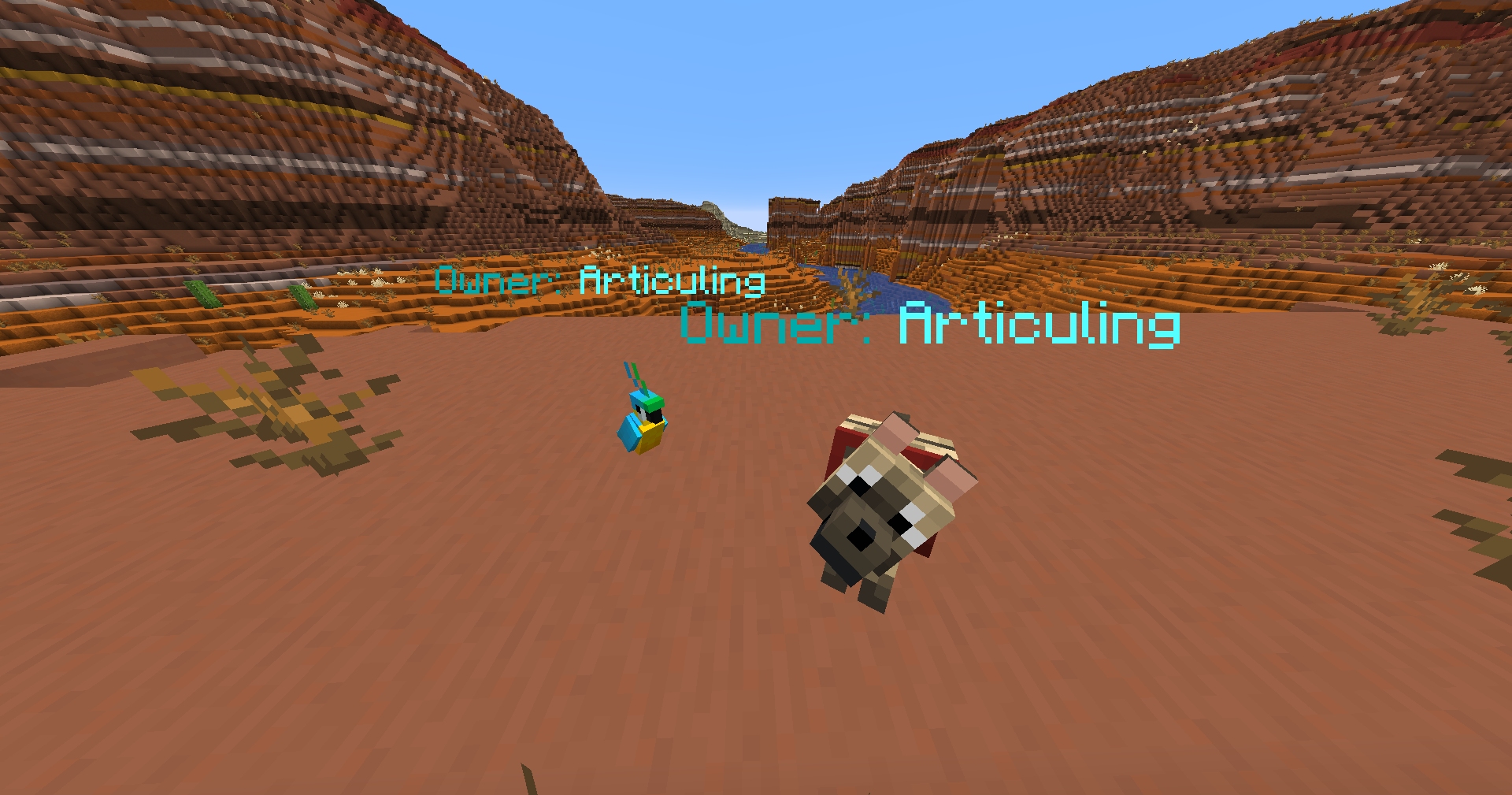
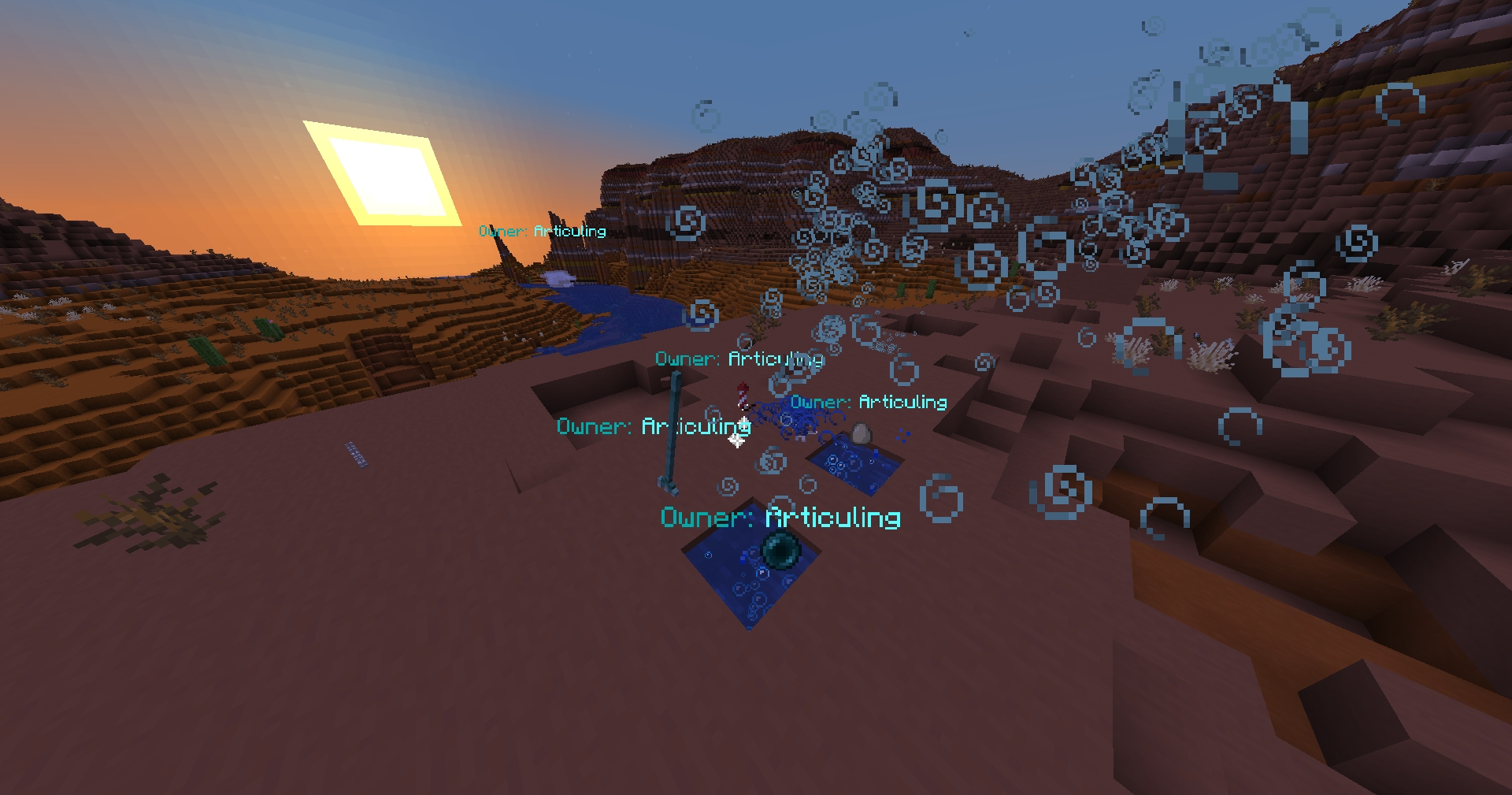
EntityOwner is a client-side Fabric mod that shows useful ownership and source information above entities as clean nametag-style labels.
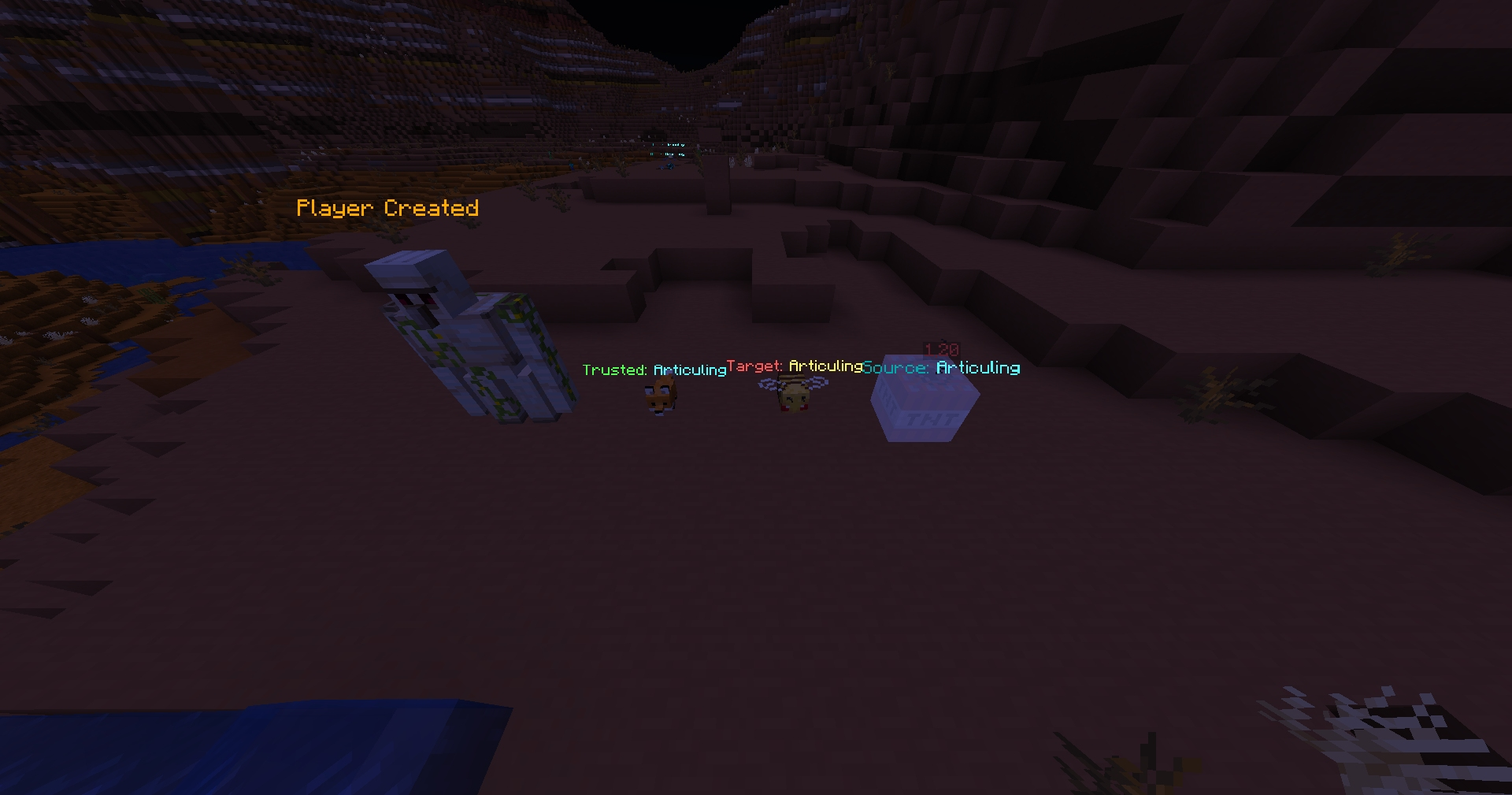
See who owns pets, who fired projectiles, who lit TNT when available, which players a fox trusts, how long a bee stays angry, and whether certain entities are tamed even when the owner cannot be obtained by the client.

Features
- Shows entity owner labels like
Owner: PlayerName - Supports Minecraft color-code formatting in config, such as
&3Owner: &b{name} - Optional always-show mode
- Optional look-at-only mode
- Optional through-walls rendering
- Per-entity toggles
- YACL config screen
- Mod Menu support
- Client-side only
Supported Info
Owned Mobs
Cats, wolves, parrots, nautilus, zombie nautilus, and more.
Horse-family mobs are included but disabled by default because vanilla does not sync their owner data to multiplayer clients. So only works in single player for those.
Projectiles
Shows player owners/sources for projectiles such as arrows, ender pearls, fishing bobbers, tridents, fireworks, snowballs, eggs, splash potions, lingering potions, and wind charges.

Special Entities
- TNT: shows the player source when available. Disabled by default because vanilla does not sync TNT source data to multiplayer clients.
- Foxes: shows trusted players
- Bees: shows anger time. Bee anger target is included but disabled by default because vanilla does not sync target data to multiplayer clients.
- Iron Golems: shows if player-created, but vanilla does not provide the builder name to the client.

This mod uses FastStats Analytics https://faststats.dev/info
常见问题
Entity Owner 支持哪些 Minecraft 版本?
Entity Owner 支持 Minecraft Java 版 1.21.11–26.3,共 6 个版本,可用的加载器:Fabric。下载时注意选择和你游戏版本一致的文件。
Entity Owner 怎么安装?
先用 PCL2 或 HMCL 启动器安装对应版本的 Fabric,再把下载的 .jar 文件放进游戏目录的 mods 文件夹,重新启动游戏即可。开启了版本隔离的,mods 文件夹在 versions/版本名 下面。运行环境:仅客户端。
xcheezie 的其他作品
查看全部 →
Revert Toggle Sneak
Revert Toggle Sneak 恢复了经典的切换潜行行为。安装这个模组后,打开物品栏、菜单或其他界面时,潜行状态也会保持。
GhostBlock
Gives you the ability to give yourself ghost block and other cool features CLIENT-SIDE

GhostBlocks
Gives you the ability to give yourself ghost block and other cool features CLIENT SIDE
Better Potions HUD
Better Potions HUD restores clear, vanilla-style potion effect information on the in-game HUD.
评论
登录后评论和评分