
截图


介绍
中文介绍正在准备中,下面暂时显示原文。
🌾 AutoFeed – Automatic Animal Feeding System
AutoFeed is a Minecraft Data Pack designed to streamline your farming and animal husbandry. Say goodbye to manually right-clicking every single animal—just build a feeding station and let the pack handle feeding and breeding automatically!
✨ Key Features
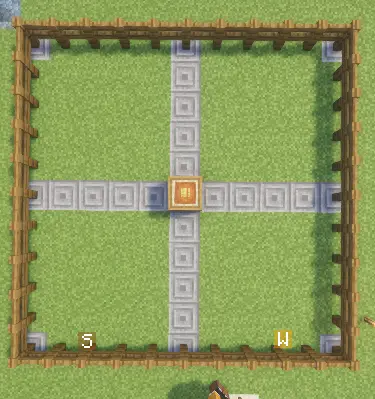
- 📡 10×10 Radius Coverage: Automatically scans and feeds animals within a 10×10 block area around the feeding station.
- 📦 Barrel Container Support: Directly pulls compatible food items stored inside the feeding station’s barrel.
- 🐾 Broad Animal Support: Works with cows, sheep, pigs, chickens, horses, donkeys, camels, llamas, wolves, cats, rabbits, turtles, axolotls, pandas, bees, sniffers, and more.
- ⚙️ Customizable Food Tags: Uses modular JSON item tags for each animal species, allowing you to easily add or modify compatible food items.
🛠️ How to Build & Use the Feeding Station
Setting up an automated feeding area is quick and easy:
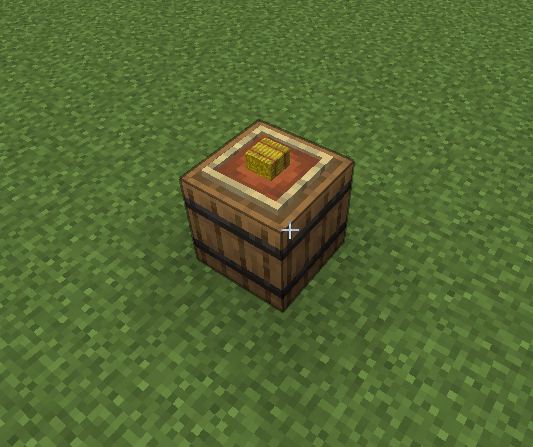
- Place a Barrel: Place a
Barrelon the ground where you want your feeding center to be.
- Attach an Item Frame: Place an
Item Frameon the top surface of the barrel.
- Insert a Hay Bale: Put a
Hay Baleinside the Item Frame to activate the station.
- Stock Supplies: Open the barrel and fill it with various animal foods (e.g., Wheat, Carrots, Seeds).
- Automated Feeding: The system will continuously scan a 10×10 block radius around the barrel and automatically feed matching animals using the stock inside.
⚠️ Important Note
- 🐸 Frog Feeding Disabled: Feeding functionality for Frogs is currently under development and does not work in the current version.
🧹 Uninstallation
To safely remove the Data Pack scoreboards and tags from your world, run:
常见问题
auto Feed (by iPao) 支持哪些 Minecraft 版本?
auto Feed (by iPao) 支持 Minecraft Java 版 26.1–26.3,共 5 个版本。下载时注意选择和你游戏版本一致的文件。
auto Feed (by iPao) 怎么安装?
新建世界时在「数据包」里把下载的 .zip 拖进去;已有的存档,把文件放进存档目录下的 datapacks 文件夹,进游戏输入 /reload 即可生效。服务器同样放在世界目录的 datapacks 里。

评论
登录后评论和评分