
截图


介绍
中文介绍正在准备中,下面暂时显示原文。
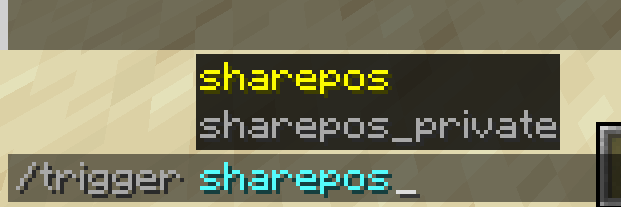
Share your current world position and dimension in chat.
There are three commands in this datapack:
/trigger sharepos– sends your position and dimension to the chat for all players./trigger sharepos_private– sends your position and dimension to the chat only for you./trigger sharepos_all– sends position of all players in the server to the chat.
This is useful when, for example, you play multiplayer and you lost your friend, so you need to send your coordinates to the chat. Instead of going to F3 menu, finding the coordinates, and typing them manually, just use this datapack.
I also wanted the position to be copyable, but unfortunately I couldn’t get it to work.
常见问题
Share Position 支持哪些 Minecraft 版本?
Share Position 支持 Minecraft Java 版 1.20–1.20.1,共 2 个版本。下载时注意选择和你游戏版本一致的文件。
Share Position 怎么安装?
新建世界时在「数据包」里把下载的 .zip 拖进去;已有的存档,把文件放进存档目录下的 datapacks 文件夹,进游戏输入 /reload 即可生效。服务器同样放在世界目录的 datapacks 里。

评论
登录后评论和评分