
截图

介绍
PingItems
Point out items in containers to your teammates – instantly.
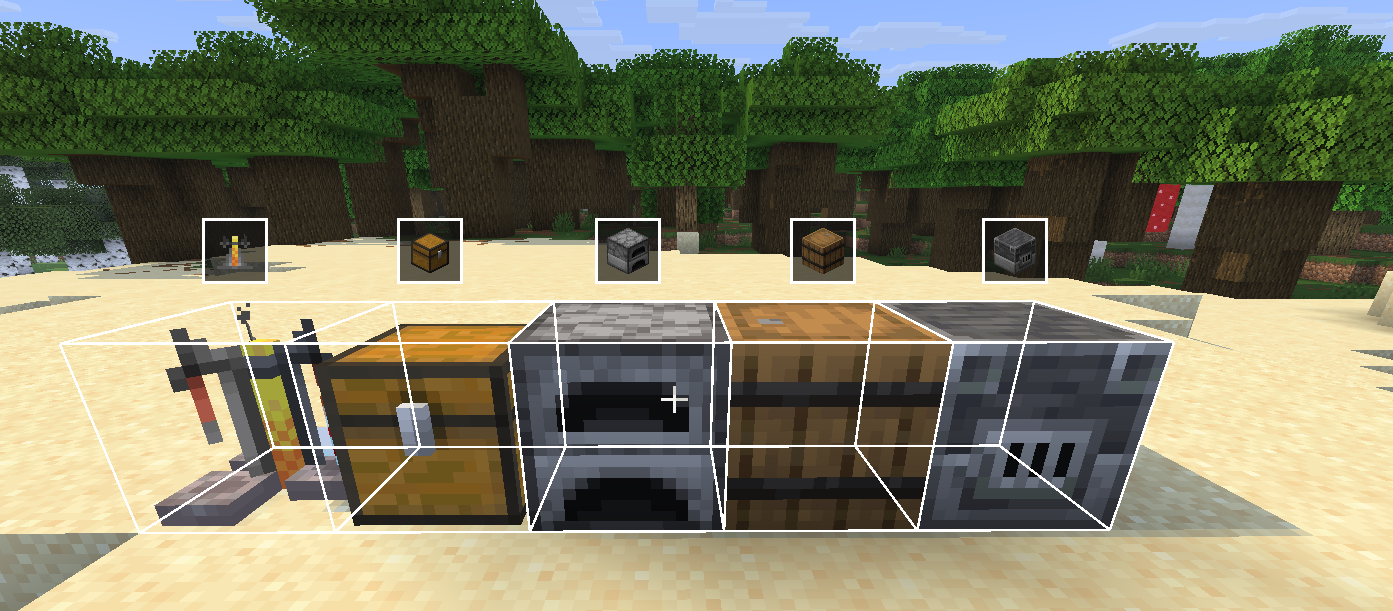
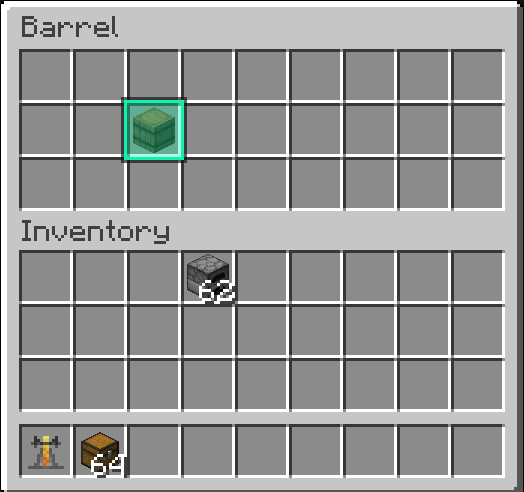
Ever dug through a chest trying to describe where something is? PingItems lets you middle-click any item in a container and ping it – your teammates see a highlight on the item and a glowing outline on the chest in the world.
Features
- Middle-click to ping any item in a chest, barrel, or other container
- Slot highlight – the exact slot you pinged lights up with a gold outline for everyone
- World outline – a glowing box appears around the container in the world so teammates can find it from a distance
- HUD icon – a container icon floats above the block on screen when you’re not looking at it directly
- Multi-ping – ping up to 5 items at once; pings expire after 10 seconds
- Color picker – choose your ping color in the mod settings
- Channel system – filter pings by channel so large servers stay organized
- Configurable keybind – rebind the ping key in Options → Controls → Key Binds under the PingItems category
How to use
- Open any container (chest, barrel, etc.)
- Hover over an item
- Press middle mouse button (rebindable)
- Your teammates see the ping
Requirements
Designed for multiplayer survival and co-op servers.
常见问题
Ping Items 支持哪些 Minecraft 版本?
Ping Items 支持 Minecraft Java 版 1.7.10–26.2,共 12 个版本,可用的加载器:Fabric / Forge。下载时注意选择和你游戏版本一致的文件。
Ping Items 怎么安装?
先用 PCL2 或 HMCL 启动器安装对应版本的 Fabric / Forge,再把下载的 .jar 文件放进游戏目录的 mods 文件夹,重新启动游戏即可。开启了版本隔离的,mods 文件夹在 versions/版本名 下面。运行环境:客户端和服务端都要装。
raskajanie 的其他作品
查看全部 →
Borsch instead of lava
Famous Ukrainian borsch instead of lava,flowing lava and lava bucket!

Newgen Ping Hud
TAB ping and onscreen ping display. fully togglable and customizable.

Visualified
Ultimate Performance & Immersion

Slowness Gamble
Every time you break a block, there's a chance you'll become slower.
评论
登录后评论和评分