
Drone Logistics
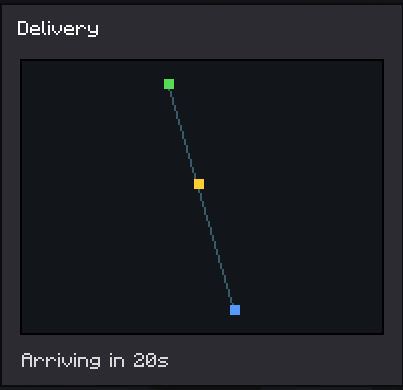
Automate item hauling with flying drones. Place terminals, link a storage and a drone, then order items from another storage; the drone flies over, grabs the cargo and delivers it with a live map and ETA.
截图

介绍
Drone Logistics
Automated item delivery between your storages using flying delivery drones. Built for Minecraft Forge 1.20.1.
Overview
Drone Logistics turns hauling resources between bases into an automated task. Instead of running chests back and forth, you build a network of terminals, attach storages and a drone to them, and order the items you need. A drone then flies to the other storage, picks up the cargo and brings it back to you.
Core parts
- Logistics Terminal. A control block where you browse your storages, place orders and collect deliveries.
- Linking Tool. Used to select a storage area (any chests and containers inside it) and to attach the storage and the drone to a terminal.
- Delivery Drone. A flying entity that physically travels from your terminal to the target storage and back.
How to play
- Craft and place terminals where you need them.
- With the Linking Tool, middle-click two blocks to mark the storage area, then Shift plus right-click a terminal to create and attach the storage.
- Right-click a drone with the Linking Tool to select it, then right-click your terminal to attach the drone.
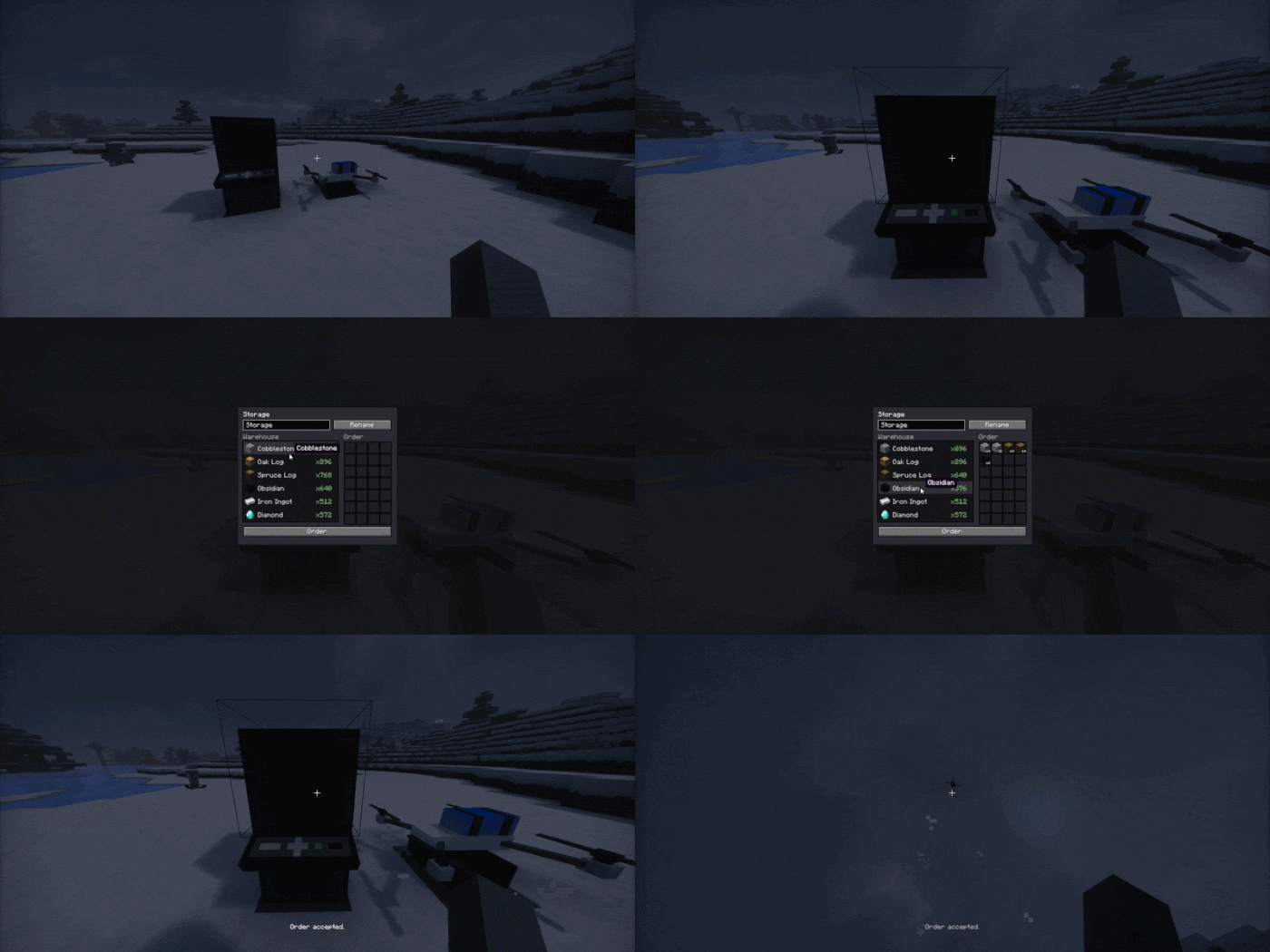
- Open the terminal, pick another of your storages, add the items you want to the order and press Order.
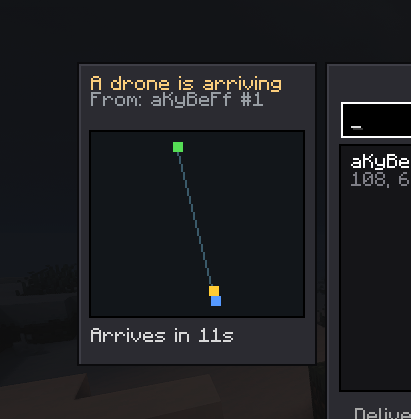
- The drone flies out, collects the cargo and brings it to your terminal buffer. You can watch the route and the arrival time on the map, and the receiving storage shows an incoming drone panel.
Anti dupe and reservation
When you place an order, the items are immediately taken out of the target storage and held by the order, so they cannot be stolen while the drone is in transit. A terminal that has an active delivery cannot be broken until the delivery finishes.
Crafting
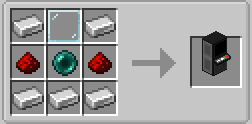
Logistics Terminal:
Linking Tool:
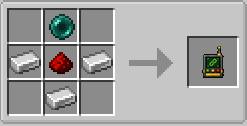
Delivery Drone:
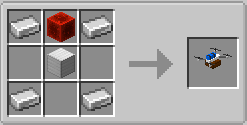
Languages
English and Russian are included.
常见问题
Drone Logistics 支持哪些 Minecraft 版本?
Drone Logistics 支持 Minecraft Java 版 1.20.1–1.21.4,共 3 个版本,可用的加载器:Forge / NeoForge。下载时注意选择和你游戏版本一致的文件。
Drone Logistics 怎么安装?
先用 PCL2 或 HMCL 启动器安装对应版本的 Forge / NeoForge,再把下载的 .jar 文件放进游戏目录的 mods 文件夹,重新启动游戏即可。开启了版本隔离的,mods 文件夹在 versions/版本名 下面。运行环境:客户端和服务端都要装。
aKyBeFf 的其他作品
查看全部 →
DynamicEyes (EyeMod)
EyeMod adds living 3D eyes to player heads. They blink, glance, frown, and peer procedurally. Customize colors and positioning via an in-game screen. Fully client-side—no server mod needed. See others' eyes if they have the mod too!

VanillaPlus Enchants
Adds new vanilla-style utility enchantments you can get right at the enchanting table.

EyeMod
EyeMod adds living 3D eyes to player heads. They blink, glance, frown, and peer procedurally. Customize colors and positioning via an in-game screen. Fully client-side - no server mod needed. See others' eyes if they have the mod too!

VanillaPlus Enchants
Adds new vanilla-style utility enchantments you can get right at the enchanting table.
评论
登录后评论和评分