
lootlock
blocks end crystals and charged respawn anchors for a short configurable moment after every kill so muscle memory doesn't blow up the loot you just earned.
截图
介绍
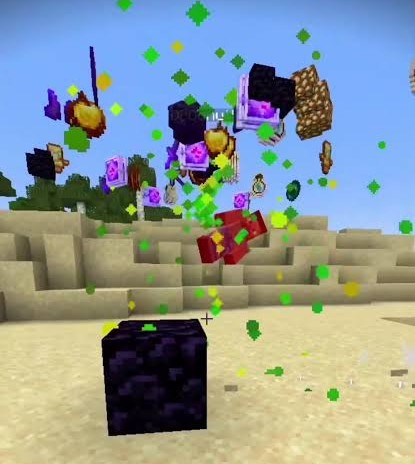
You just won a Crystal PvP fight — your opponent’s crystal popped, and their gear is sitting right there in the crater. Then, out of pure habit, you place one more crystal (or pop a charged anchor) two blocks away and turn the whole drop into confetti. LootLock exists so that doesn’t happen to you.
What it does
Right after you land a kill, LootLock briefly stops you from:
- Placing a new End Crystal
- Attacking (detonating) an existing End Crystal
- Using a charged Respawn Anchor
…for a short, configurable window (1 second by default) — just long enough to walk over and grab the drops before your hands do something you’ll regret.
It’s not a blind, universal block, either. If another player who isn’t on your friends list is still nearby, LootLock stays out of the way completely, so it never costs you a beat during a real group fight. Want it to kick in every single time regardless? There’s a toggle for that too.
Configuration
Everything below is adjustable from an in-game screen — open it from Mod Menu, or bind your own key under Controls.
| Setting | What it does |
|—|—|
| Block duration | How long the block lasts after a kill (0–5s) |
| Enemy detection range | How close a non-friend player needs to be for the block to skip (5–60 blocks) |
| Block mode | “Only when alone” vs. “Always” |
| HUD countdown | Toggle the on-screen bar |
| Block sound | Toggle the short “blocked” cue |
| Accent color | Recolor the HUD bar (presets or custom hex) |
| Friends list | Players who never count as “someone’s nearby” |
Good to know
- 100% client-side. There’s nothing to install on the server — LootLock works on any server, including ones you don’t control, by briefly holding back your own inputs.
- Works with or without Mod Menu installed.
- No dependencies beyond Fabric API.
- Your settings stay in a local config file — nothing is sent anywhere.
License
Released under CC0-1.0 — public domain. Do whatever you want with it.
常见问题
lootlock 支持哪些 Minecraft 版本?
lootlock 支持 Minecraft Java 版 1.19–26.1.2,共 27 个版本,可用的加载器:Fabric。下载时注意选择和你游戏版本一致的文件。
lootlock 怎么安装?
先用 PCL2 或 HMCL 启动器安装对应版本的 Fabric,再把下载的 .jar 文件放进游戏目录的 mods 文件夹,重新启动游戏即可。开启了版本隔离的,mods 文件夹在 versions/版本名 下面。运行环境:仅客户端。
SiemsonG123 的其他作品
查看全部 →
Totemhelper
TotemHelper is a mod designed for players who want to maximize their efficiency when using Totems, especially in Crystal PvP.

LSD Sshader
LSD_Sshader is a chaotic, psychedelic shaderpack designed to completely distort and transform Minecraft’s visuals. It introduces heavy color shifts, RGB lighting, motion warping, breathing exposure, surreal skies
评论
登录后评论和评分