
Console Filter Next
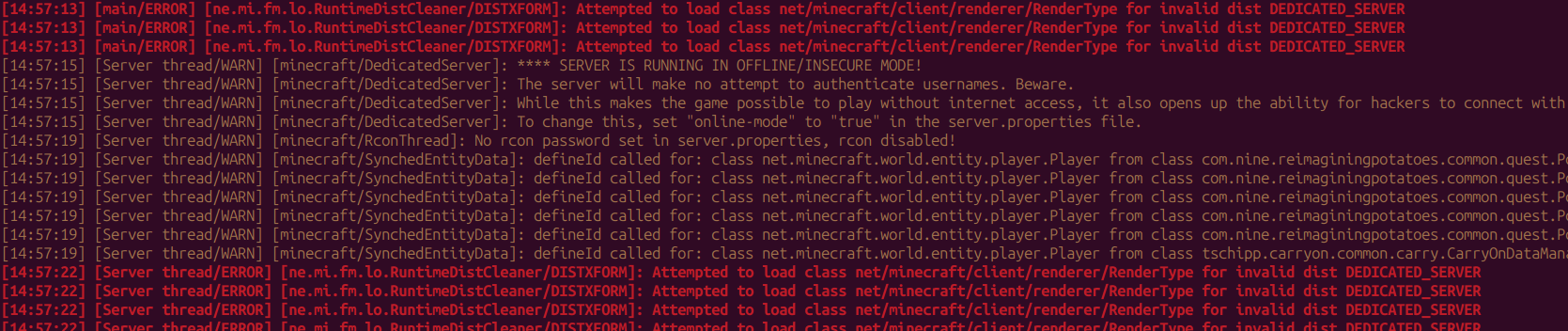
An improved ConsoleFilter mod for Forge, Fabric, and NeoForge that filters log messages by text, regex, log level, thread, source, and mod id. Reduce console noise and focus on what matters — ideal for debugging modpacks and dedicated servers.
截图
介绍
Console Filter Next
An improved fork of ConsoleFilter for Minecraft Forge, Fabric, and NeoForge. Filter console output by text, regex, log level, thread, logger/source, and mod id — not just plain text. Reduce noise on the client or dedicated server while debugging modpacks and development environments.
Loaders: Forge · Fabric · NeoForge (separate JAR per loader)
Discord: discord.gg/CcUNTJjPD · Issues: GitHub · Releases: GitHub Releases
Install on either or both sides (optional on client and server): use it only where you read logs.
Features
- Filter types: basic text, regex, log level, thread, logger/source, mod id
- Profiles:
default,debug,production— switch in-game, via TOML, or/consolefilter profile(persisted) - Modes: blacklist (hide matches) or whitelist (show only matches); optional
ignoreCase - In-game editor (Forge/NeoForge Mods → Config; Fabric Mod Menu): paginated lists, regex validation, presets, import/export
- Commands (OP 2):
reload,list,status,export,import,profile filterLatestLog— apply filters tolatest.logand other Log4j file appendersskipMessagesWithStackTrace— never hide lines with exceptions or stack traces- Statistics: per-filter-type hit counts in
/consolefilter status - Hot reload from file, commands, or Save & Apply in the config UI
Configuration
In-game
- Go to Options → Mods
- Find Console Filter Next
- Click Config
- Edit filters and options; Save & Apply writes
consolefilternext-common.tomland reloads filters
Config file
Edit config/consolefilternext-common.toml in your instance folder.
Example — filter INFO messages from the Server thread:
[general]
activeProfile = "default"
ignoreCase = false
whitelistMode = false
filterLatestLog = true
skipMessagesWithStackTrace = false

basicFilters = []
levelFilters = ["INFO"]
threadFilters = ["Server thread"]
sourceFilters = []
modIdFilters = []
regexFilters = []
More examples (whitelist mode, mod id filters, profiles, regex): README.
Tips
Filter all DEBUG messages
levelFilters = ["DEBUG"]Filter messages from a specific package
sourceFilters = ["com.example.mymod"]Whitelist mode — show only matching messages
whitelistMode = true
basicFilters = ["ERROR", "WARN"]
If any filter matches, the message is filtered out (unless whitelist mode is enabled).
Compatibility
Not every loader exists on every Minecraft version. Pick the file that matches your game + loader. Tags are {mc}-4.2.0.
- 1.8.9 / 1.12.2 — Forge · Legacy Fabric (Java 8; no in-game editor). On Modrinth the Fabric JARs are tagged Legacy Fabric.
- 1.16.1 / 1.16.5 — Forge · Fabric (Java 8)
- 1.19.2 / 1.19.4 — Forge · Fabric (Java 17; no in-game editor)
- 1.20.1 / 1.20.4 / 1.20.6 — Forge · Fabric · NeoForge
- 1.20.2 / 1.20.3 — Forge · Fabric
- 1.20.5 — Fabric
- 1.21.1 / 1.21.3–1.21.5 / 1.21.8 / 1.21.10 / 1.21.11 — Forge · Fabric · NeoForge
- 1.21.2 — Fabric
- 1.21.6 / 1.21.7 / 1.21.9 — Forge · Fabric
- 26.1 / 26.2 — Forge · Fabric · NeoForge (Java 25)
- 26.3 — Fabric · NeoForge (Java 25)
| | |
|—|—|
| Java | 8 (1.16 / 1.12.2 / 1.8.9) · 17 (1.19 / 1.20.1–1.20.4) · 21 (1.20.5+ / 1.21.x) · 25 (26.x) |
| Side | Client and dedicated server (optional on each) |
Migrating from the original ConsoleFilter? See MIGRATION.md.
Support
| | |
|—|—|
| Discord | discord.gg/CcUNTJjPD |
| Issues | GitHub Issues |
| Source | alanjmrt94/ConsoleFilterNext |
| Releases | GitHub Releases |
Credits
| | |
|—|—|
| Console Filter Next | alanjmrt94 |
| Originally based on | ConsoleFilter by Matthew Czyr |
| ConsoleFilter contributors | NgLoader, MarkKoz, ChaosTheDude |
| License | CC BY-NC-SA 4.0 |
Crafted with ❤️ for modders who want a cleaner console.
常见问题
Console Filter Next 支持哪些 Minecraft 版本?
Console Filter Next 支持 Minecraft Java 版 1.8.9–26.3,共 26 个版本,可用的加载器:Fabric / Forge / NeoForge。下载时注意选择和你游戏版本一致的文件。
Console Filter Next 怎么安装?
先用 PCL2 或 HMCL 启动器安装对应版本的 Fabric / Forge / NeoForge,再把下载的 .jar 文件放进游戏目录的 mods 文件夹,重新启动游戏即可。开启了版本隔离的,mods 文件夹在 versions/版本名 下面。运行环境:客户端 / 服务端。
评论
登录后评论和评分