
截图


介绍
Accurate Skies
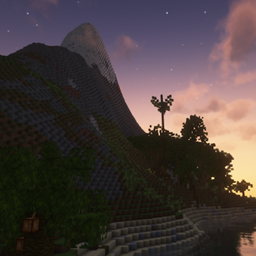
This simple mod turns the overworld’s sky into a more accurate one.
IMPORTANT:
- This mod will turn Minecraft’s default day-night cycle into a 24 hours cycle
- This mod won’t fully work with most shaders, or even any. But some will be more compatible than other (like Bliss Shaders)
There are 2 modes:
- System time (turned on by default, but less accurate)
- Geo localisation
System time
This mode relies on your system’s clock and your timezone. It’s enabled by default.
However, it will prevent you from using the Accurate Celestial Bodies setting.
It’s enabled by default.
Geo localisation
On the other hand, this second mode uses geo localisation to calculate the sun’s position in the sky:
- Your position is found using your ip (using ipify).
- Geo localisation is done on your device (a database gets installed).
- The found location is very inaccurate.
The main advantage of enabling it is to let you have a more accurate sun position
and enable the Accurate Celestial Bodies setting.
You can enable geo localisation via 2 ways:
- The
/adnc enable_geolocalisationcommand - In this mod’s configs:

Accurate Celestial Bodies
IMPORTANT:
- This setting requires the
Use Geo Localisationsetting to be enabled - Once enabled, every player on a server will get receive the server’s inaccurate geolocalisation data and timezone. But this is not possible to see unless a client is using a modified version of this mod.
Once enabled, you will be able to see the sun and the moon like they would in real life !
(And yes, the moon can now appear in the day)


What platforms this mod supports
This mod can be used everywhere. Both on the client and server, or any of those. But:
- Modded server, vanilla client: The
Accurate Celestial Bodiessetting won’t work
but a day will still take 24 hours.
- Vanilla server, modded client: A Minecraft day will now take 12 minutes, like it does normally
but if you wish, you can still enable the Accurate Celestial Bodies setting. The Use Geo Localisation setting won’t work on its own.
Credits
A huge thanks to Richard Körber and their suncalc library for making this possible !
常见问题
Accurate Skies 支持哪些 Minecraft 版本?
Accurate Skies 支持 Minecraft Java 版 1.21.1–1.21.11,共 11 个版本,可用的加载器:Fabric。下载时注意选择和你游戏版本一致的文件。
Accurate Skies 怎么安装?
先用 PCL2 或 HMCL 启动器安装对应版本的 Fabric,再把下载的 .jar 文件放进游戏目录的 mods 文件夹,重新启动游戏即可。开启了版本隔离的,mods 文件夹在 versions/版本名 下面。运行环境:客户端 / 服务端。

评论
登录后评论和评分