
Hold My Button!
Turn any Minecraft control into a toggle: press once to hold it, press again to release it. Configure multiple keyboard and mouse hold bindings in-game.
截图

介绍
Description (English)
Hold My Button
Turn any Minecraft control into a convenient toggle.
Choose a Minecraft key or mouse button to hold, then assign an activator key. Press the activator once to keep the selected control held; press it again to release it.
For example, bind Right Mouse Button to F7: pressing F7 starts holding right-click, and pressing F7 again releases it.
Features
- Configure multiple independent hold toggles in-game.
- Supports keyboard keys and mouse buttons.
- Works with any Minecraft action already bound to the selected key, including attack, use, movement, jump, sneak, and sprint.
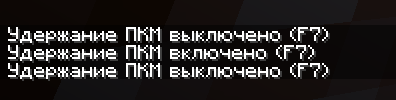
- Displays a chat message whenever a hold is enabled or disabled.
- English and Russian localization.
- Client-side only: install it on the player client; it is not required on a server.
How to use
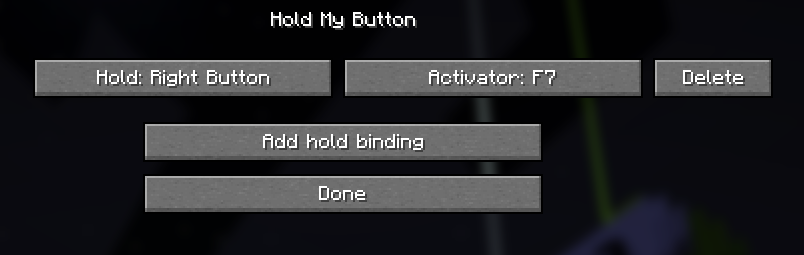
- Press F to open the Hold My Button menu. The menu key can be changed in Minecraft Controls.
- Select Add hold binding.
- Click Hold and press the Minecraft key or mouse button that should stay held.
- Click Activator and press the key that will toggle the hold.
- Press the activator in-game to enable the hold; press it again to disable it.
Requirements
- Minecraft Java 26.2
- Fabric Loader 0.19.3 or newer
- Fabric API 0.154.2+26.2 or compatible newer release
- Java 25
Description (Russian)
Hold My Button
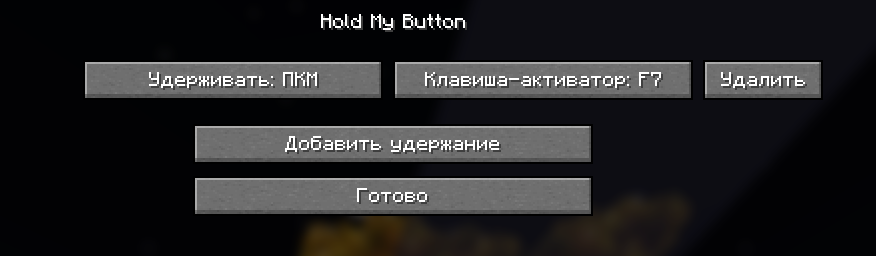
Превращает любую игровую кнопку Minecraft в удобный переключатель удержания.
Выберите игровую клавишу или кнопку мыши, которую надо удерживать, и назначьте клавишу-активатор. Первое нажатие активатора включает постоянное удержание, повторное — выключает его.
Например, можно назначить ПКМ на F7: F7 включит удержание ПКМ, а следующее F7 отпустит его.
Возможности
- Несколько независимых переключателей удержания.
- Поддержка клавиатуры и кнопок мыши.
- Работает с уже назначенными действиями Minecraft: атакой, использованием, движением, прыжком, красться и бегом.
- Сообщение в чате при включении и выключении удержания.
- Русская и английская локализации.
- Только клиентский мод: на сервер устанавливать не требуется.
常见问题
Hold My Button! 支持哪些 Minecraft 版本?
Hold My Button! 支持 Minecraft Java 版 26.2,可用的加载器:Fabric。下载时注意选择和你游戏版本一致的文件。
Hold My Button! 怎么安装?
先用 PCL2 或 HMCL 启动器安装对应版本的 Fabric,再把下载的 .jar 文件放进游戏目录的 mods 文件夹,重新启动游戏即可。开启了版本隔离的,mods 文件夹在 versions/版本名 下面。运行环境:仅客户端。
teiwazik 的其他作品
查看全部 →
Color Correction
Lightweight client-side color correction for Minecraft 26.2 on Fabric

Turn Off Your Lamp!
RP that allows to turn off your lamp, replaces BROWN candle with turned off lamp, and when you light it up it turns into lighted lamp! :D
评论
登录后评论和评分