
截图
介绍
Auto 1e-7 Stepping
Little utility mod to make 1e-7 stepping mechanics easier to use
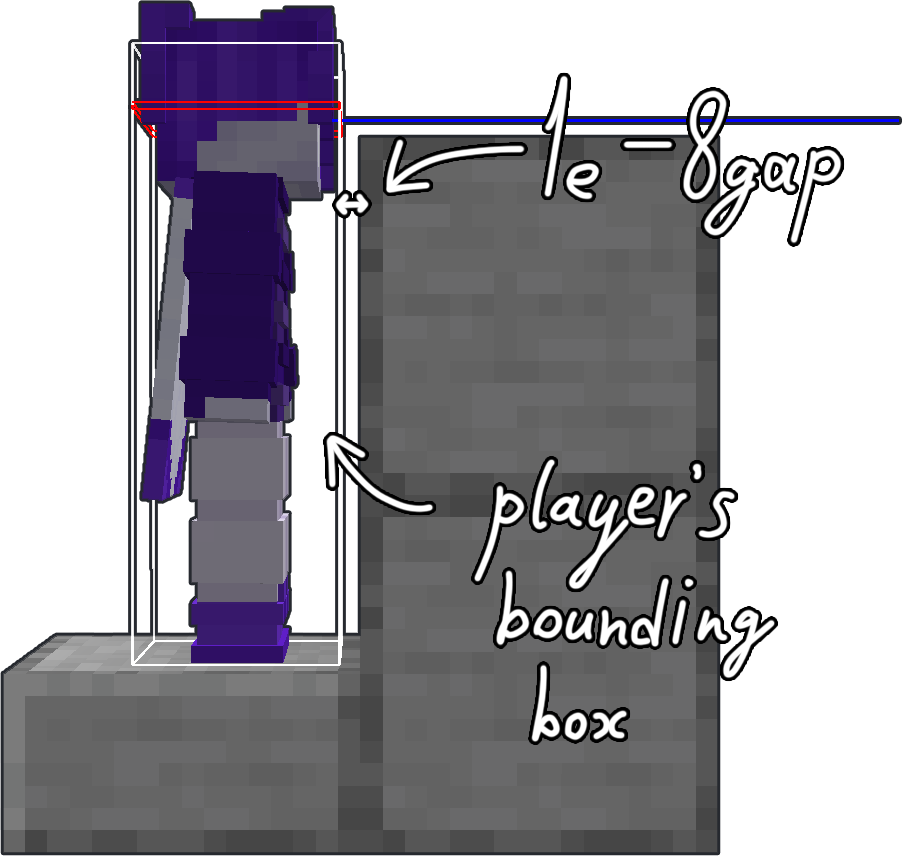
If you don’t know what 1e-7 stepping is, here’s quick (and not the most accurate) explanation to understand the basic principals of this mechanic:
|
If you move along any axis less than the hardcoded value of 1e-7 (or 0.0000001) — the movement gets canceled. This brings us to the collision checks. When you’re about to collide with a block — Minecraft doesn’t let you do it and sets your position next to the edge of a block so the distance to it is about 1e-8. Then the game squares the movement vector and if the result is less than 1e-7 — movement gets canceled. But if you’re about to step (for example, from the slab, or to the slab, or otherwise move up half a block or less), the checks will run like that: First check — sees your movement is greater than 1e-7 -> sees you’re about to collide with the block -> sees that you need to make a step -> sets your position to 1e-8 from the block and makes a step (moves you half a block higher). Second check — sees that your movement vector squared is greater than 1e-7 (since you’re also moving upwards) and doesn’t do anything. Then the game checks the collision with the top block. If there’s nothing — the game lets you move further. If there’s a block, it again sets your position next to the edge, but still thinks that you’re standing on the block that gives you a little time gap to make a jump. Here you can find more detailed explanation of how this mechanics works (click). |
 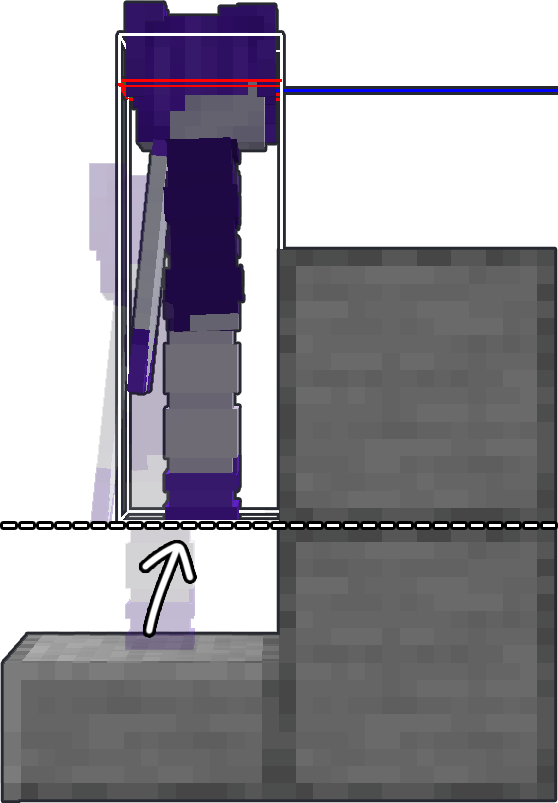
|
ATTENTION
This mod requires Fabric API and Yet Another Config Lib to work correctly!
HOW TO USE
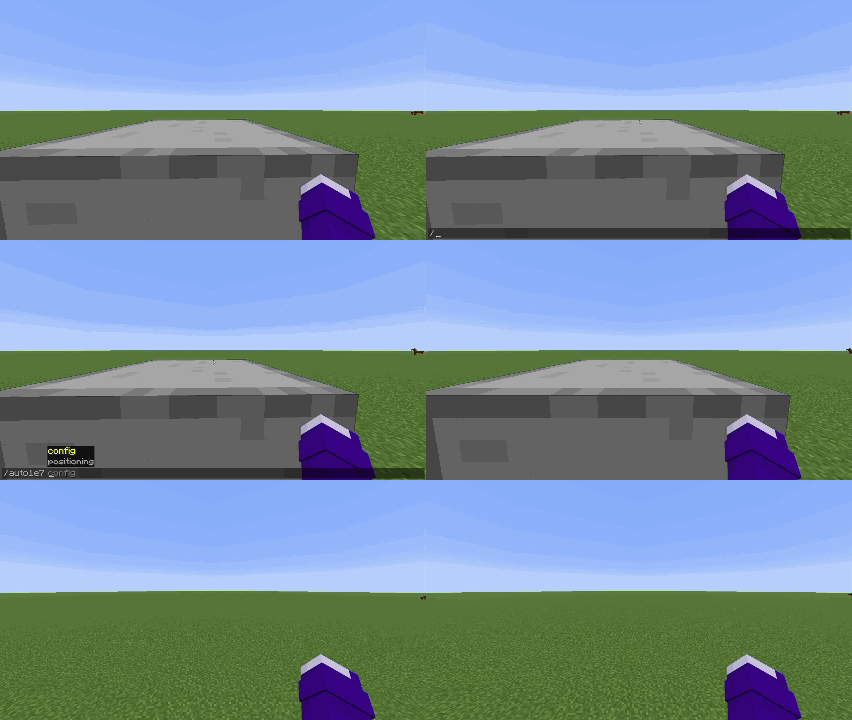
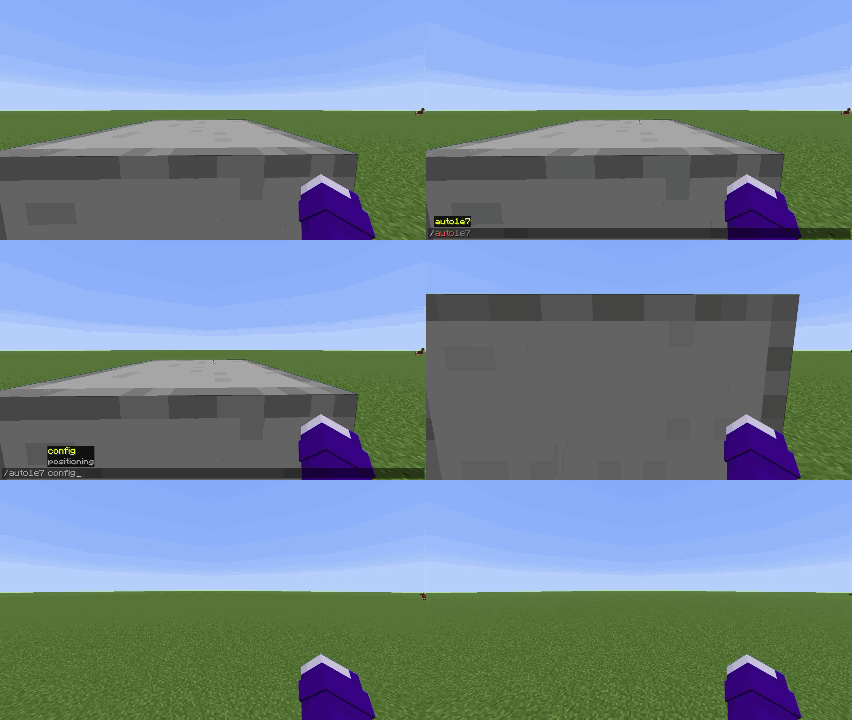
To position yourself you have to hit a wall first.
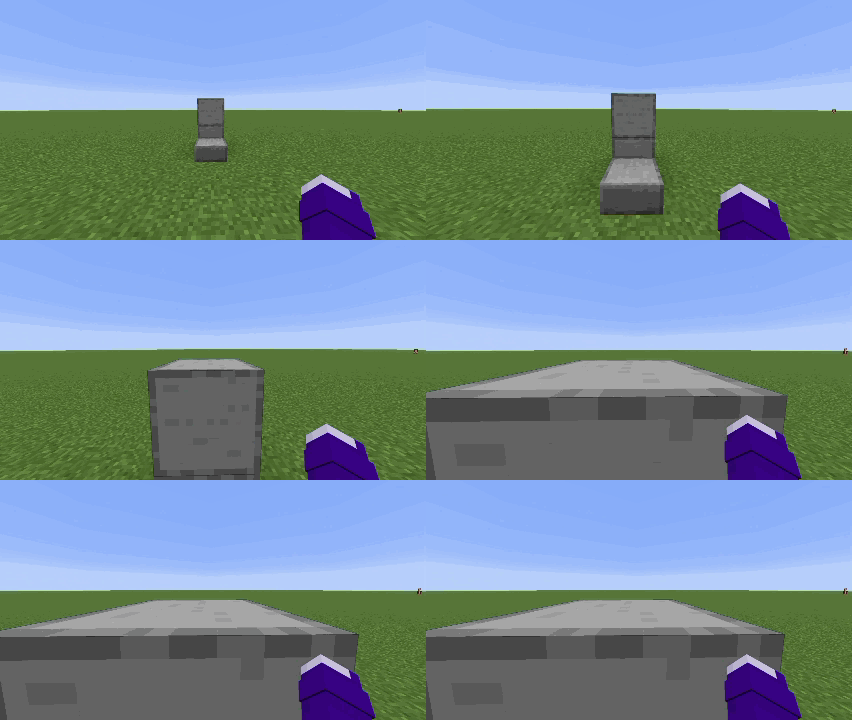
Then press positioning key
By default keybind is set to "O"Or run the command
/auto1e7 positioning
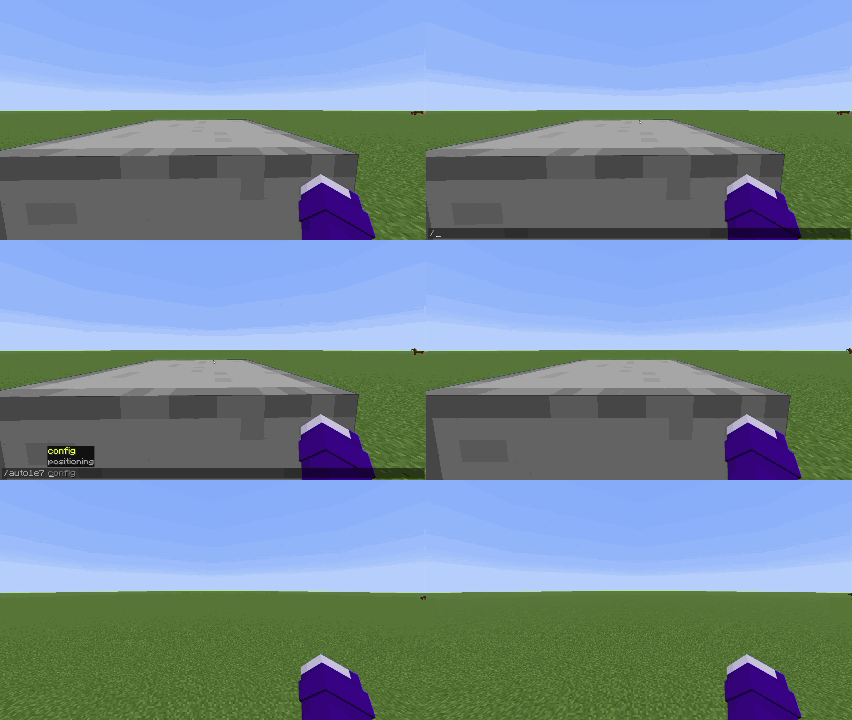
|
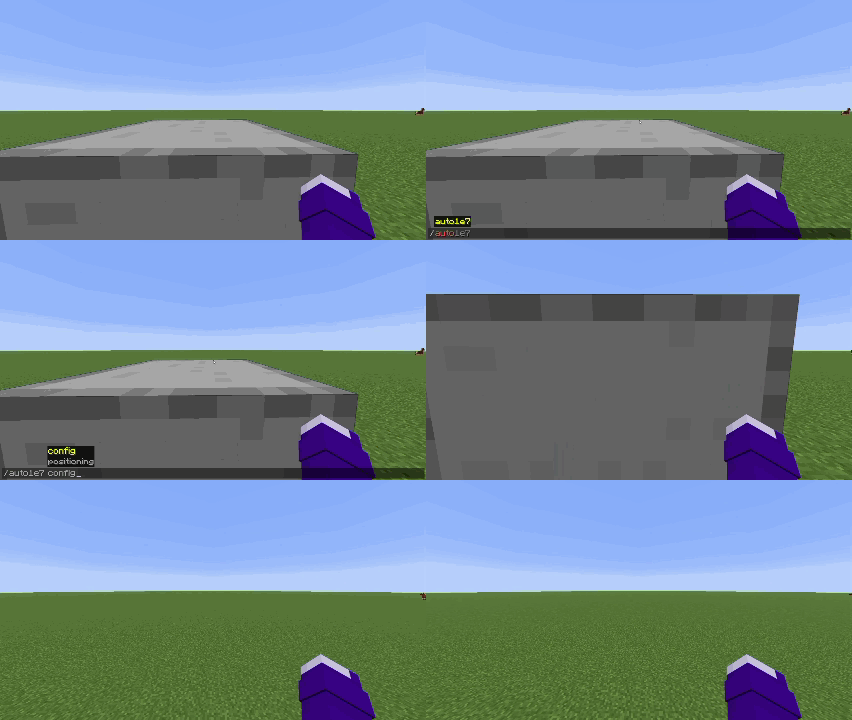
|
|
First positioning mode |
Second positioning mode |
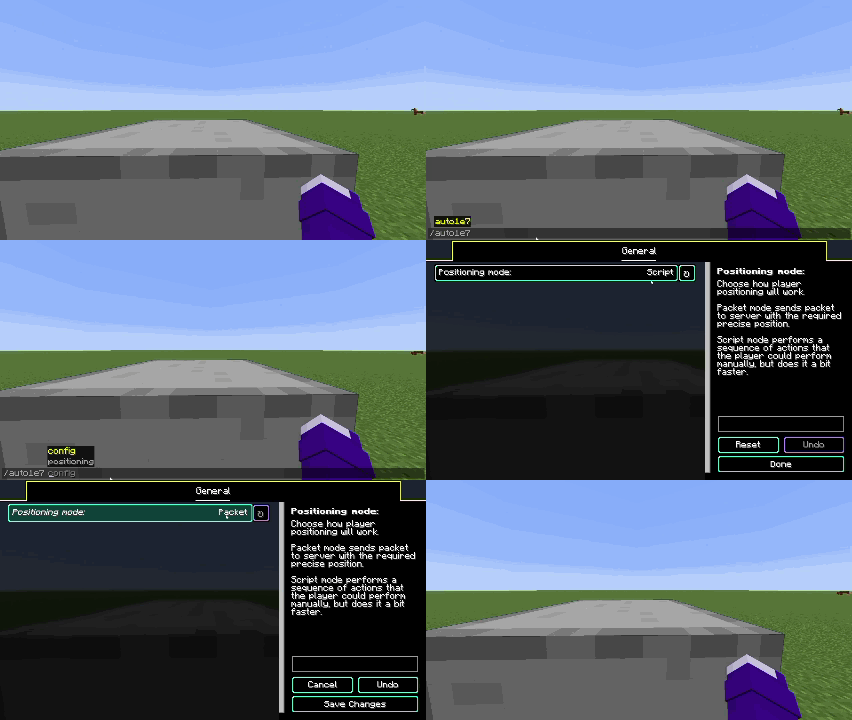
You have two positioning modes:
- Packet (sends packet on server with exact position you need to be moved)
- Script (performs series of actions that player can perform manually, but does it a bit faster)
You can switch between positioning modes by opening the config screen in modmenu tab or by using the command
/auto1e7 config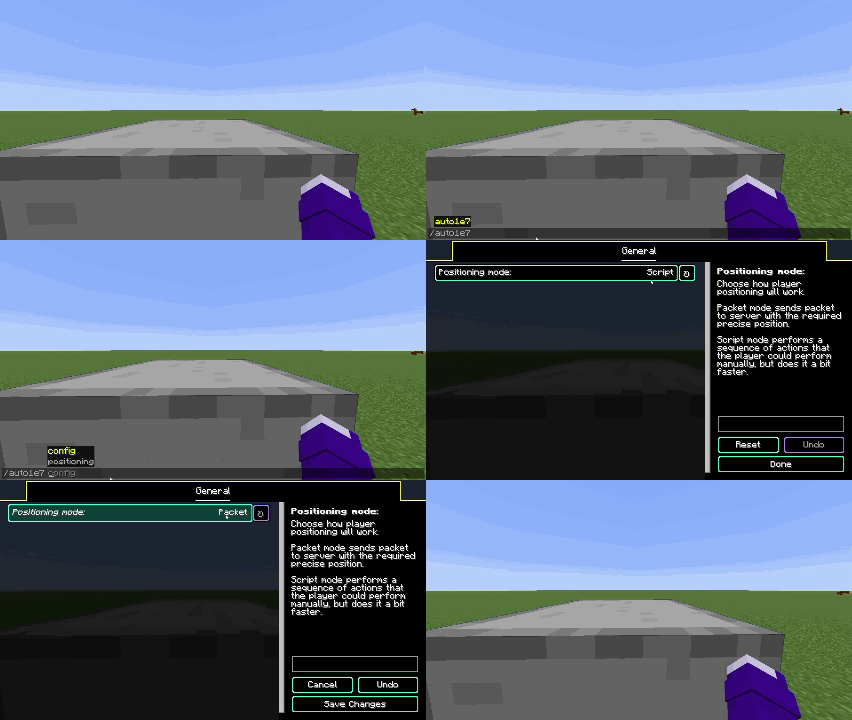
Languages supported
- English
- Russian (may be not 100% accurate)
- Simplified Chinese (may be not 100% accurate)
If you want to help with mod translation — you can contact me on discord scany_alt
If you found a bug — please report it on GitHub’s Issues page
常见问题
Auto 1e-7 Stepping 支持哪些 Minecraft 版本?
Auto 1e-7 Stepping 支持 Minecraft Java 版 1.21.2–26.3,共 15 个版本,可用的加载器:Fabric。下载时注意选择和你游戏版本一致的文件。
Auto 1e-7 Stepping 怎么安装?
先用 PCL2 或 HMCL 启动器安装对应版本的 Fabric,再把下载的 .jar 文件放进游戏目录的 mods 文件夹,重新启动游戏即可。开启了版本隔离的,mods 文件夹在 versions/版本名 下面。运行环境:仅客户端。

评论
登录后评论和评分