
截图
介绍
中文介绍正在准备中,下面暂时显示原文。
MineBench
Test your computer’s performance with Minecraft!
Bench Guide
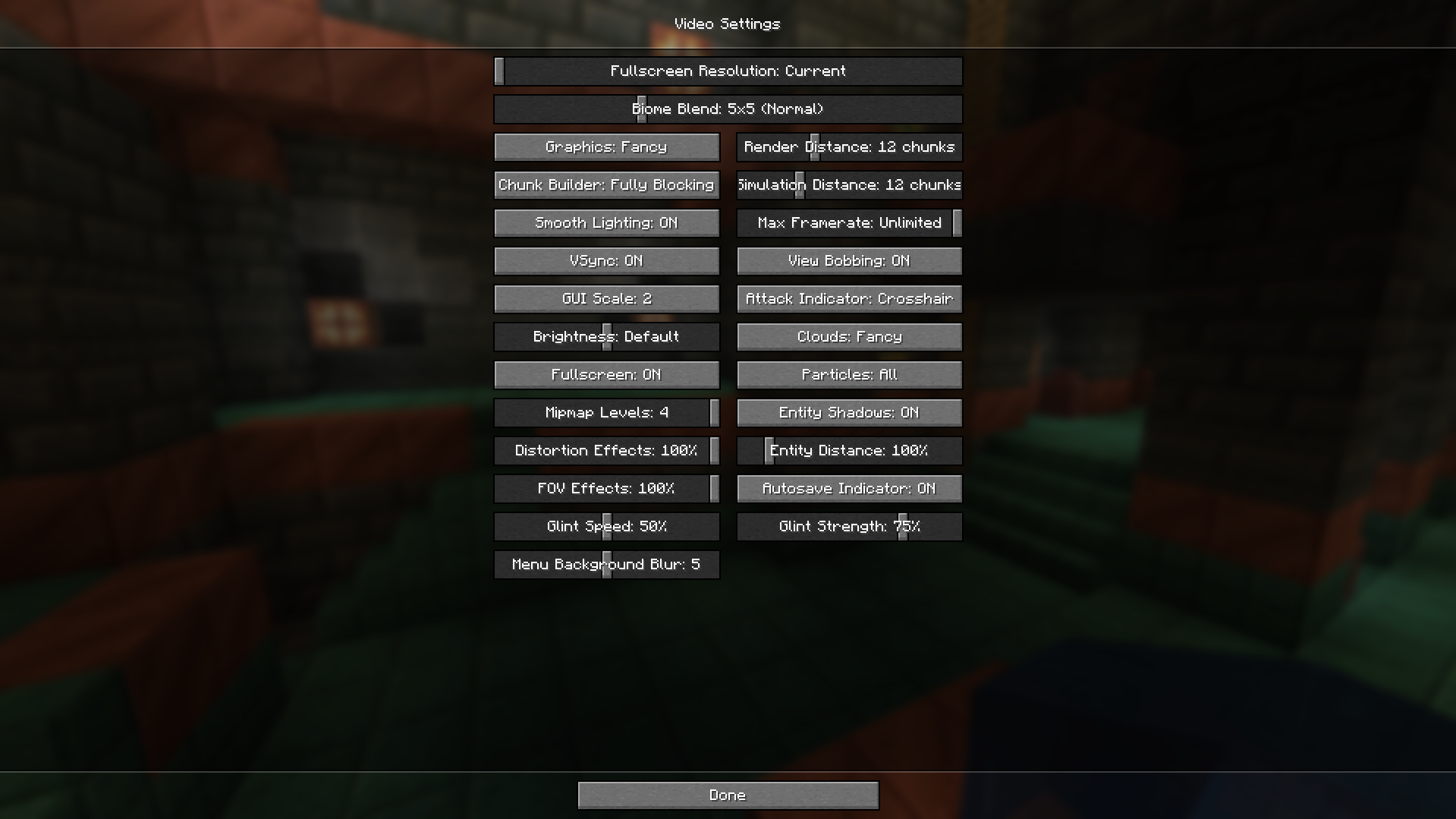
1. First, open NeoForge Minecraft with MineBeench and change the video settings as shown below. (Or use the options.txt to your local Minecraft).
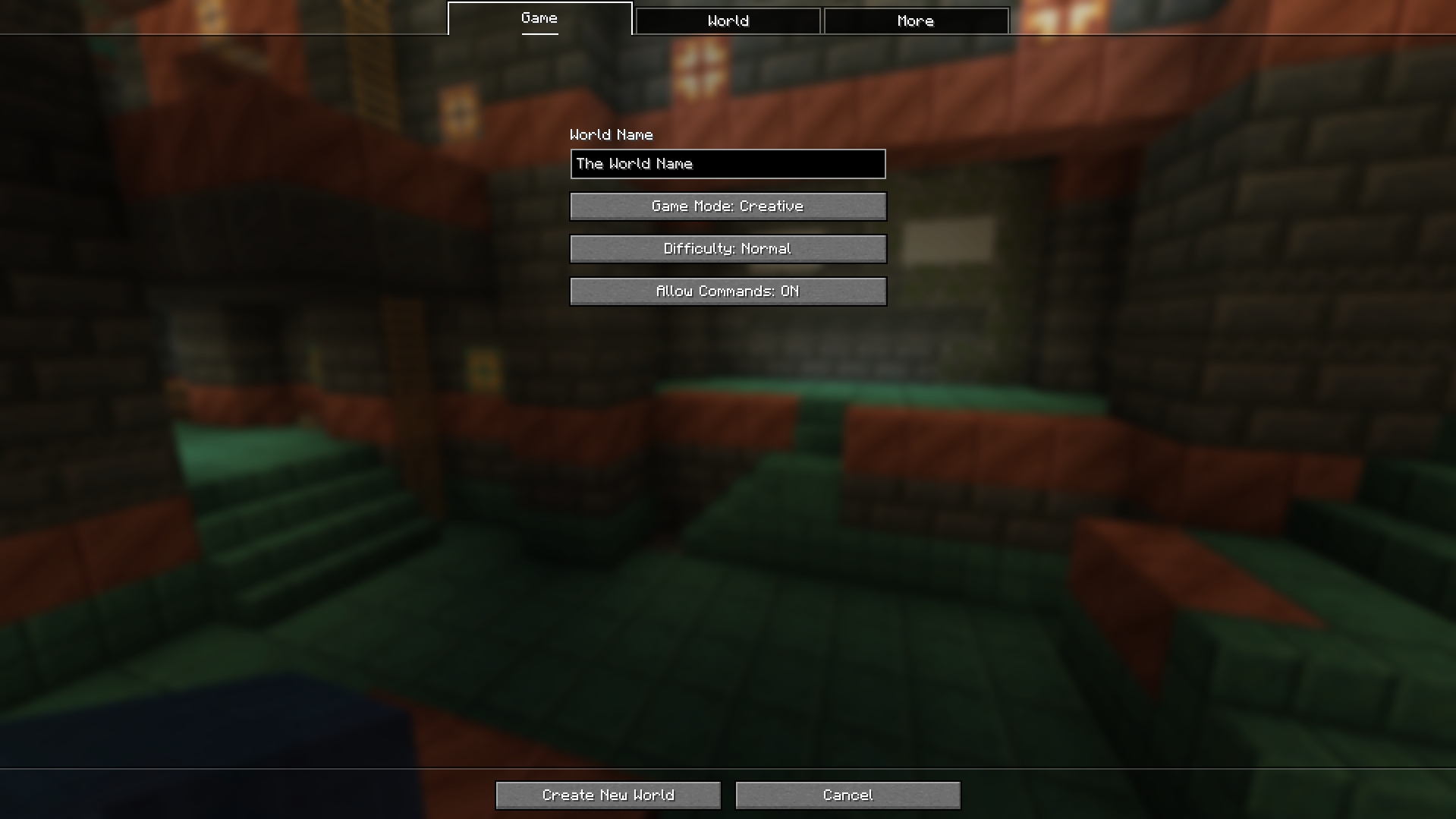
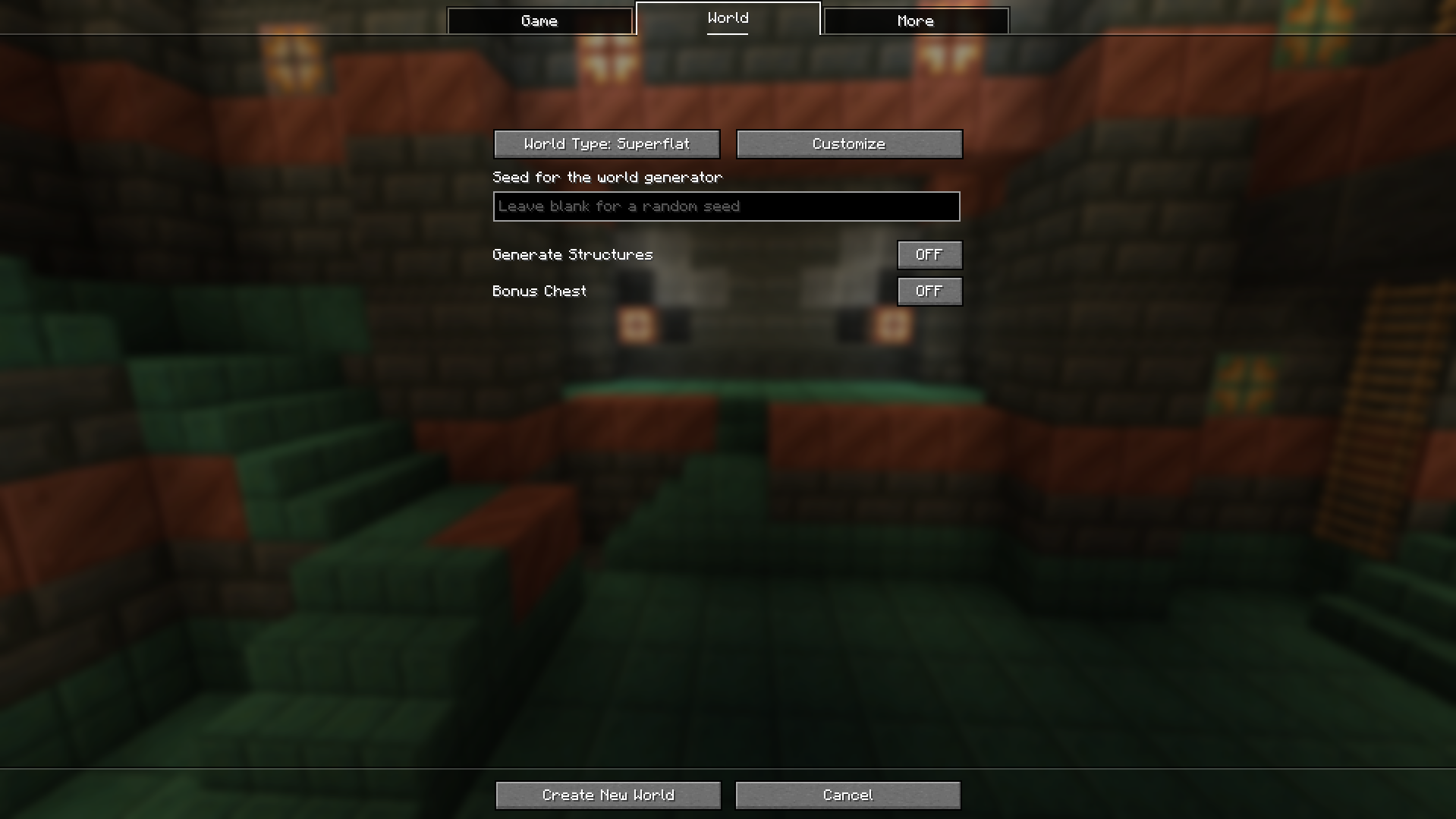
2. Second, create a new world using the settings below.
3. Third, run the command “/setbenchrule”.
4. Fourth, after the message “Setting is done.” is displayed, run the command “/startbench”.
5. Fifth, if Minecraft crashes and shuts down, go to the logs folder in your local Minecraft Log folder and check lastest.log.
(e.g. C:\Users\UserName\AppData\Roaming\.minecraft\logs\latest.log).
6. Finally, the number ending in mbs at the end of latest.log is the benchmark result of your MineBench test.
Warning
PLEASE DO NOT USE ANY OTHER MODS.
The numbers shown in chat may not be accurate. Please check the log for detailed numbers.
Bench score
CPU and video card redirects are not advertisements or solicitations to purchase. This is for reference only.
#### CPU: AMD Ryzen™ 5 9600X, GPU: NVIDA GeForce RTX™ 4070 SUPER, RAM: TeamGroup DDR5-5600 CL46 Elite(16GBx2)), Max RAM: 20GB, MineBeench Version: 1.0.0 => 605,841mbs
常见问题
MineBeench 支持哪些 Minecraft 版本?
MineBeench 支持 Minecraft Java 版 1.20.1–1.21.1,共 2 个版本,可用的加载器:Forge / NeoForge。下载时注意选择和你游戏版本一致的文件。
MineBeench 怎么安装?
先用 PCL2 或 HMCL 启动器安装对应版本的 Forge / NeoForge,再把下载的 .jar 文件放进游戏目录的 mods 文件夹,重新启动游戏即可。开启了版本隔离的,mods 文件夹在 versions/版本名 下面。运行环境:仅客户端。


评论
登录后评论和评分