
介绍
Custom Chest Name
Still getting frustrated because you can’t find things due to too many chests? Custom Chest Name offers you a solution to this problem: by simply naming your chests, you can quickly find sorted items.

How to rename
You only need to open the chest and click on the chest’s name to start renaming. You can also rename it by sneaking and right-clicking the chest with a renamed name tag in hand (and it won’t be consumed).

Compat
When the Jade mod is installed and Tooltips are enabled, Custom Chest Name will automatically disable the Tooltip to the right of the crosshair.

Config
You can change the display mode to one of the following options in the configuration:
- Never
- Always
- Not Default
- Is Crouching
- Is Crouching And Not Default
Neoforge Configuration Screen(The Forge version can only modify the config file)

常见问题
Custom Chest Name 支持哪些 Minecraft 版本?
Custom Chest Name 支持 Minecraft Java 版 1.20.1–1.21.1,共 2 个版本,可用的加载器:Forge / NeoForge。下载时注意选择和你游戏版本一致的文件。
Custom Chest Name 怎么安装?
先用 PCL2 或 HMCL 启动器安装对应版本的 Forge / NeoForge,再把下载的 .jar 文件放进游戏目录的 mods 文件夹,重新启动游戏即可。开启了版本隔离的,mods 文件夹在 versions/版本名 下面。运行环境:客户端 / 服务端。
westernat233 的其他作品
查看全部 →
GeckoJS
使用 KubeJS 和 GeckoLib 创建可动画的方块、物品和盔甲
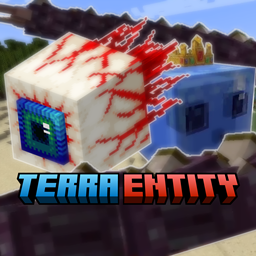
Terra Entity
一个模组,收录了大量《泰拉瑞亚》中的怪物和 Boss,是大型模组 Confluence 整合的子模组之一。
Confluence: Otherworld
一个将泰拉瑞亚内容融入 Minecraft 的模组,旨在打造两款游戏浑然一体又乐趣十足的组合体验。

Advancement JS
Configure more than advancements by KubeJS
评论
登录后评论和评分