
JourneyMap Ore Heatmap
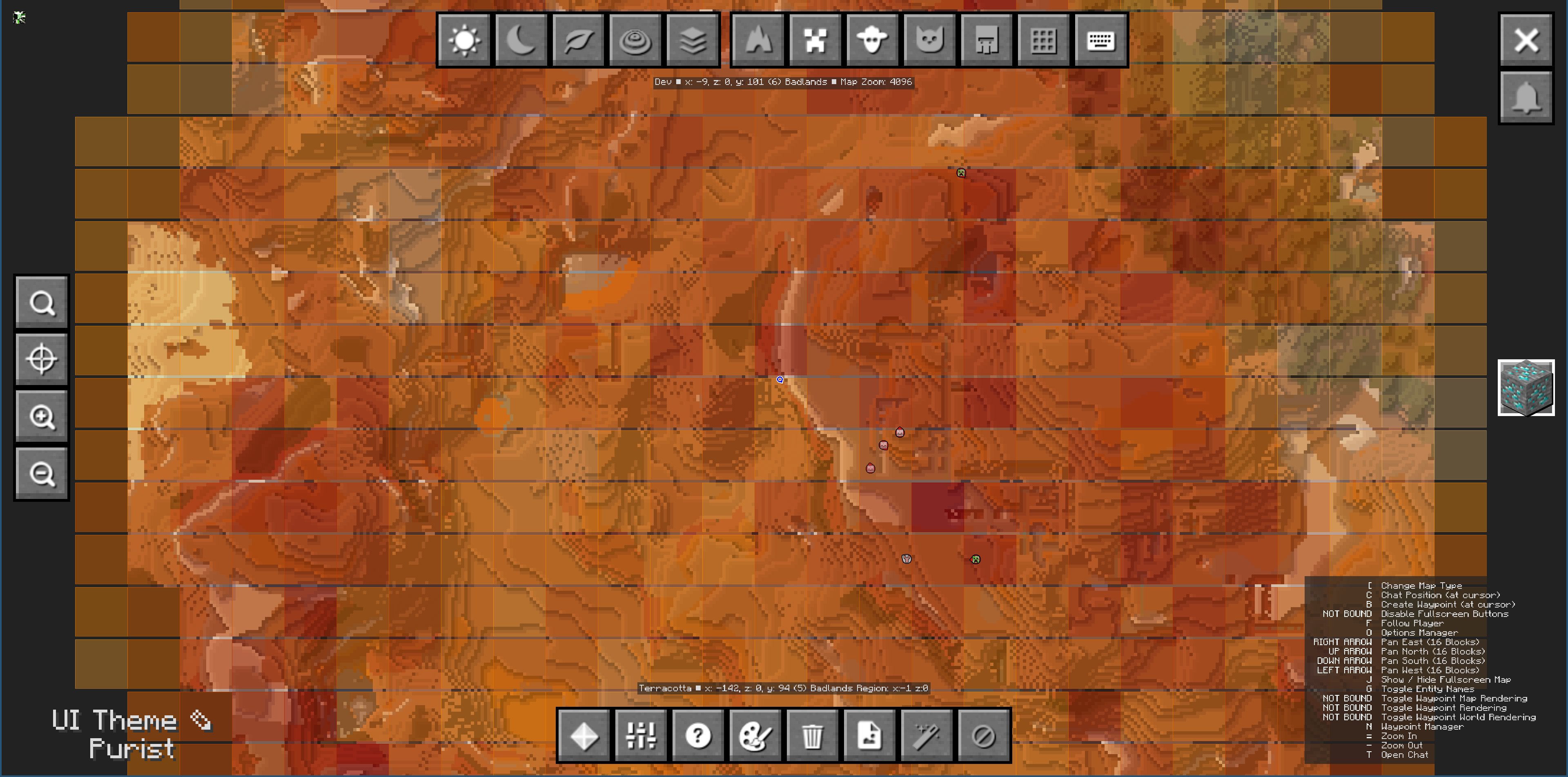
Visualize ore concentrations with color-coded heatmap overlays on JourneyMap. Automatically scans chunks and highlights ore-rich areas.
截图

介绍
中文介绍正在准备中,下面暂时显示原文。
JourneyMap Ore Heatmap
Adds ore density heatmap overlays to JourneyMap. See at a glance where ores are concentrated across your world!
Features
- Heatmap visualization – Chunks colored by ore density: light yellow (low) → orange (medium) → dark red (high)
- Automatic scanning – Chunks scanned in the background when loaded, no performance impact
- Persistent cache – Ore data saved per-world and persists between sessions
- Easy toggle – Press O or click the button in JourneyMap’s fullscreen map
- Mod support – Uses
#c:orestag to automatically track ores from vanilla and modded content
Usage
- Install JourneyMap and this mod
- Press O to toggle the heatmap overlay
- Explore your world – chunks are scanned automatically
- Check the map to find ore-rich areas!
Configuration
Customize in config/journeymap_ore_heatmap-client.toml:
- Overlay opacity
- Update interval
- Custom ore tracking (tags or specific blocks)
常见问题
JourneyMap Ore Heatmap 支持哪些 Minecraft 版本?
JourneyMap Ore Heatmap 支持 Minecraft Java 版 1.21.1,可用的加载器:NeoForge。下载时注意选择和你游戏版本一致的文件。
JourneyMap Ore Heatmap 怎么安装?
先用 PCL2 或 HMCL 启动器安装对应版本的 NeoForge,再把下载的 .jar 文件放进游戏目录的 mods 文件夹,重新启动游戏即可。开启了版本隔离的,mods 文件夹在 versions/版本名 下面。运行环境:仅客户端。

评论
登录后评论和评分