
LowExposure
A post-processing shader that applies a low exposure effect to your game. (completely customizable!)
截图
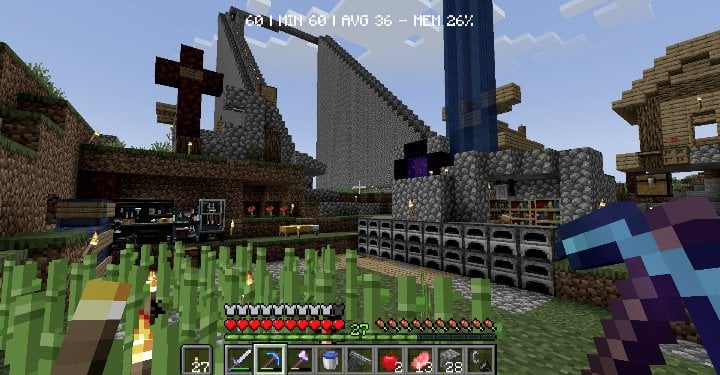

介绍
Low Exposure
Transform your Minecraft world with a moody, cinematic aesthetic inspired by underexposed photography.
What it does
This shader mod applies real-time color grading to create that classic underexposed look – darker tones, enhanced contrast, and desaturated colors for a more dramatic and atmospheric visual experience.
The shader adjusts:
- Brightness – Subtle darkening for richer shadows
- Contrast – Boosted contrast for more dramatic lighting
- Saturation – Muted colors using proper perceptual luminance calculations
Perfect for players who want a more cinematic, moody atmosphere without the performance impact of complex lighting shaders.
Features
- ⚡ Lightweight post-processing shader
- 🔧 Configurable settings for fine-tuning (down to the luminance perception value [RGB only])
Requirements
- NeoForge 1.21.1
- Veil 1.2.0 or higher (get the veil-bundled version if you don’t want to install Veil)
- Fzzy Config 0.6.0 or higher
Installation
- Install the required dependencies listed above
- Download and place the mod file in your
modsfolder - Launch the game and enjoy the new atmospheric look!
Best used with The Broken Script
常见问题
LowExposure 支持哪些 Minecraft 版本?
LowExposure 支持 Minecraft Java 版 1.21.1,可用的加载器:NeoForge。下载时注意选择和你游戏版本一致的文件。
LowExposure 怎么安装?
先用 PCL2 或 HMCL 启动器安装对应版本的 NeoForge,再把下载的 .jar 文件放进游戏目录的 mods 文件夹,重新启动游戏即可。开启了版本隔离的,mods 文件夹在 versions/版本名 下面。运行环境:仅客户端。
ThatMG393 的其他作品
查看全部 →
AutoSystemGC
Automatically calls System.gc() to free-up memory on your server and client.
TPA4Fabric
A simple TPA mod for Fabric

SpawnerLoader9000
Loads your spawner even if you're far away.

UsefulHUDs
Just some useful huds for Minecraft
评论
登录后评论和评分