
boti_timer
A Minecraft timer for use on multiplayer servers. It has count up and count down functionality and displays on the action bar.
截图
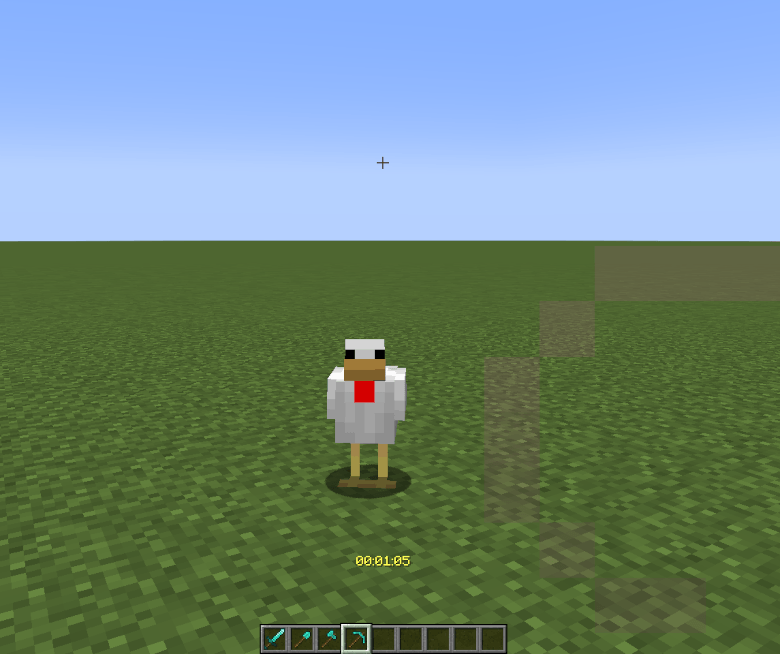
介绍
🕒 boti_timer — Global Countdown / Count-Up Timer (v0.1.0)
A lightweight, fully-vanilla Minecraft timer datapack that displays a running timer on the actionbar.
Designed for operators who need a simple, server-side stopwatch or countdown for events, speedruns, or minigames.
✨ Features
- ⏱️ Count up or down (configurable)
- 🎨 Selectable display colors (gold, yellow, purple, green, aqua, red, gray)
- 🧠 Built entirely with functions and scoreboards
- ⚙️ Operator-controlled start/stop/toggle functions
- 🔔 Real-time actionbar display (
HH:MM:SS) - 🧩 Works in vanilla, Paper, Fabric, or Forge servers — no mods required
🧭 Installation
- Place the
boti_timerfolder (zipped or unzipped) into your world’sdatapacks/directory. - Run
/reloadin-game.
⚙️ Initialization
The timer is initialised with the command /function boti_timer:init (see below). This will:
- Create required scoreboard objectives,
- Set defaults:
- mode is set to count up
- display colour is set to yellow
- the timer is made visible and will displays 00:00:00
- Start a repeating schedule every second.
⚙️ Usage
All Modes
The timer is controlled by typing commands into the chat or the server console. Vanilla behaviour is, that only server operators are allowed to use the /function command so other players are not able to start/pause etc. the timer.
| Action | Command |
|———–|————–|
| initialise the timer | /function boti_timer:init |
| start the timer | /function boti_timer:start |
| pause the timer | /function boti_timer:pause |
| reset the timer | /function boti_timer:reset |
| resume the timer | /function boti_timer:resume |
Countdown Mode
The countdown mode comes with 4 presets, for 5 minutes, 15 minutes, 30 minutes and 1 hour respectively. It can also be used with a custom period of time, which needs to be specified in seconds.
| Action | Command |
|———–|————–|
| initialise the timer | /function boti_timer:settings/preset/5m |
| start the timer | /function boti_timer:settings/preset/15m |
| pause the timer | /function boti_timer:settings/preset/30m |
| reset the timer | /function boti_timer:settings/preset/1h |
| resume the timer | /function boti_timer:resume |
When using the preset countdowns the timer has to be started manually by issuing the following command: /function boti_timer:start
When a different amount of time for the countdown timer is required, this can be done by issuing the comand /function boti_timer:settings/mode/countdown {secs:nnnn} where nnnn is the number of seconds required. If the countdown timer is used this way, it will start immediately. In the following example the countdown timer will run for 90 minutes:
/function boti_timer:settings/mode/countdown {secs:5400}
Note: This will start the countdown immediately.
🎮 Operator Controls
| Function | Description |
|———–|————–|
| /function boti_timer:display/enable | Show timer on actionbar |
| /function boti_timer:display/disable | Hide timer display |
| /function boti_timer:display/toggle | Toggle show/hide |
| /function boti_timer:settings/mode/countup | Switch to count-up mode |
| /function boti_timer:settings/mode/countdown {secs:3600} | Switch to countdown mode and set seconds (1 h = 3600) |
Note: Only ops can run these functions.
🖌️ Customization
Colours
The timer colour can be one of 7 colours and it defaults to yellow. To change the colour:
| Command | Effect |
|:–|:–|
| /function boti_timer:settings/color.gold | set the display colour to gold |
| /function boti_timer:settings/color.yellow | set the display colour to yellow |
| /function boti_timer:settings/color.purple | set the display colour to light purple |
| /function boti_timer:settings/color.green | set the display colour to green |
| /function boti_timer:settings/color.aqua | set the display colour to aqua |
| /function boti_timer:settings/color.red | set the display colour to text |
| /function boti_timer:settings/color.gray | set the display colour to gray |
© Copyright
© 2025 DocBoti — Licensed under the MIT License.
常见问题
boti_timer 支持哪些 Minecraft 版本?
boti_timer 支持 Minecraft Java 版 1.21–26.1.2,共 14 个版本。下载时注意选择和你游戏版本一致的文件。
boti_timer 怎么安装?
新建世界时在「数据包」里把下载的 .zip 拖进去;已有的存档,把文件放进存档目录下的 datapacks 文件夹,进游戏输入 /reload 即可生效。服务器同样放在世界目录的 datapacks 里。
BlackShadowHRD 的其他作品
查看全部 →
DeathMessages
This project adds a brief private message to a player with their coordinates upon their death.

PlayerTimer
This project adds a timer, which can be started by the player or by a commandblock. The timer is unique to the player and each player can have their own timer running. It is a server-side only installation for running minigames and timed challenges.
评论
登录后评论和评分