
ItemBeacon
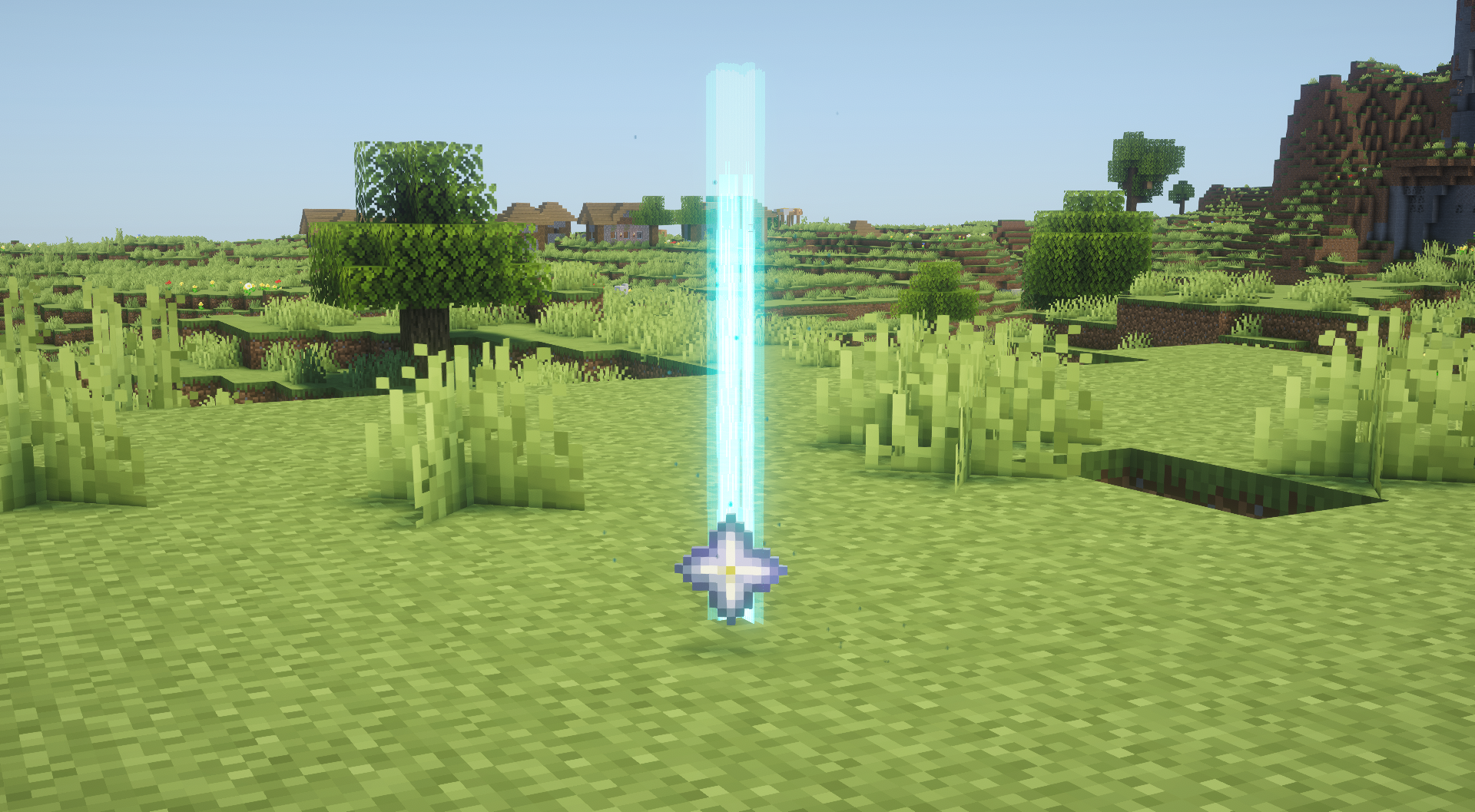
Highlights dropped items with customizable beacon beams and lightweight particles. Fully client-side with rarity, type, count, and item filters.
截图
介绍
ItemBeacon
ItemBeacon makes dropped items easy to find by rendering customizable beacon beams and lightweight particles above them.
Features
- Completely client-side
no server installation or custom network packets required
- Depth-aware rendering
beacon beams stay hidden behind walls instead of acting like X-ray
- Flexible filters
show beacons by rarity, item category, stack count, or a custom item list
- Custom colors
configure colors for each rarity or individual registered items
- Customizable beams
adjust length, inner and outer thickness, opacity, and smooth tip fading
- Two particle styles
rising and wisp particles with adjustable amount, speed, size, and color
- Built-in texture editor
create, import, export, rename, and manage custom beam and particle masks
- Performance controls
configurable render distance, tracked-item limit, particle limit, and frustum culling
Configuration
Press B by default to open the ItemBeacon settings screen.
The settings screen is provided by Simple GUI API and includes dedicated tabs for general settings, display conditions, beacon layers, particles, textures, and individual items.
Requirements
- Simple GUI API 1.5.2 or newer
- A supported Fabric, Forge, or NeoForge client
ItemBeacon and Simple GUI API only need to be installed on the client. They are not required on the server.
常见问题
ItemBeacon 支持哪些 Minecraft 版本?
ItemBeacon 支持 Minecraft Java 版 1.21–26.3,共 17 个版本,可用的加载器:Fabric / Forge / NeoForge。下载时注意选择和你游戏版本一致的文件。
ItemBeacon 怎么安装?
先用 PCL2 或 HMCL 启动器安装对应版本的 Fabric / Forge / NeoForge,再把下载的 .jar 文件放进游戏目录的 mods 文件夹,重新启动游戏即可。开启了版本隔离的,mods 文件夹在 versions/版本名 下面。运行环境:仅客户端。
ProjectMichi 的其他作品
查看全部 →
Simple GUI API
This is a GUI API dedicated to my own project.

DarkGUI
This is a resource pack that is a little darker without changing the look of vanilla

Trajectorys
Display the trajectory of the launch section.

Crops
We'll make it easy to see which vegetables are ready to harvest.
评论
登录后评论和评分