
截图

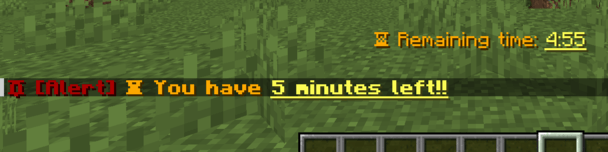
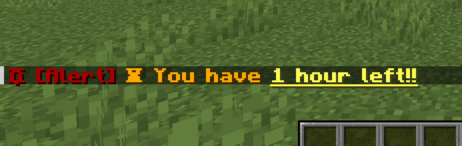
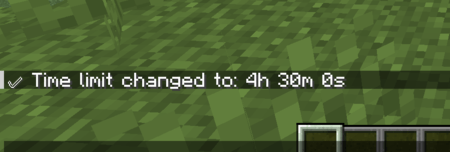
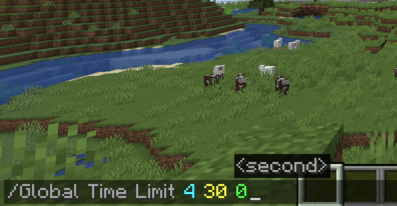
介绍
🇬🇧 英文
⏱ 玩家时间限制模组
PlayerTimeLimit 是一个适用于 Fabric 的服务端(非客户端)Minecraft 模组,允许为每位玩家设置每日游戏时长限制、每天重置,并通过命令和公共 API 管理这些时间。非常适合教育、家庭或受控游玩的服务器。
📌 功能
- ⏳ 可为每位玩家配置每日时长。
- ⚠️ 可自定义时间耗尽前的警告。
- 📤 时间结束时自动踢出。
- 🔁 根据时区每日自动重置。
- 💬 可自定义消息。
- 🧠 支持离线玩家(缓存 UUID)。
- 📊 屏幕上显示信息丰富的 BossBar。
- 🔒 支持 LuckPerms 权限。
- 📦 为其他模组提供公共 API。
🧪 命令
所有命令均以 /plt 开头,并支持 玩家自动补全,即使玩家处于离线状态。
/plt check <player>            # Shows remaining time
/plt info <player>             # Shows detailed status (time, paused, depleted)
/plt addtime <player> <sec>    # Adds time to player
/plt removetime <player> <sec> # Removes time from player
/plt resettime <player>        # Resets time to default value
/plt pause <player>            # Pauses player's time counter
/plt resume <player>           # Resumes time counter
/plt reload                    # Reloads YAML configuration file
🔐 LuckPerms 权限
每条命令都需要特定权限,你可以使用 LuckPerms 等插件来分配:
| 权限 | 描述 |
|————————————–|—————————————-|
| PLimitTime.admin | 访问所有命令 |
| PLimitTime.command.check | 查看玩家时间和信息 |
| PLimitTime.command.addtime | 为玩家增加时间 |
| PLimitTime.command.removetime | 减少玩家时间 |
| PLimitTime.command.resettime | 重置玩家时间 |
| PLimitTime.command.pause | 暂停玩家时间 |
| PLimitTime.command.resume | 恢复玩家时间 |
| PLimitTime.command.reload | 重新加载 YAML 配置 |
✅ 如果 LuckPerms 不可用,将使用
hasPermissionLevel(4)(管理员)作为回退。
⚙️ YAML 配置
路径:config/playertimelimit.yaml
defaultTime: 18000

reset:
  time: "00:00"
  timezone: "America/Mexico_City"

warnings:
  - time: 1800
    message: "⏳ 30 minutes of playtime remaining."
  - time: 900
    message: "⏳ 15 minutes of playtime remaining."
  - time: 120
    message: "⏳ 2 minutes left. Get ready!"

messages:
  timeExpired: " Your playtime for today has ended. See you tomorrow!"
  welcome: " Welcome! You have %time% seconds of playtime remaining."
  timeAdded: " %time% seconds have been added to your session!"
  timeRemoved: " %time% seconds were removed from your session."
  timeReset: " Your time has been reset to %time% seconds."
  paused: "✨ Your time is currently paused."

bossbar:
  message: "Remaining time: %hours%h %minutes%m %seconds%s"
  color: WHITE
🧩 公共 API
该模组公开了一个公共 API,用于与其他模组集成。你可以从这里访问:
import com.TNTStudios.playertimelimit.Playertimelimit;
import com.TNTStudios.playertimelimit.api.PlayerTimeLimitAPI;

PlayerTimeLimitAPI api = Playertimelimit.getAPI();

// Usage examples
api.addTime(uuid, 300);      // Add 5 minutes
api.removeTime(uuid, 60);    // Subtract 1 minute
api.pause(uuid);             // Pause time
api.resume(uuid);            // Resume time
int time = api.getTime(uuid); // Get remaining time
boolean paused = api.isPaused(uuid); // Check if paused
🧩 需求
- Fabric API
- Java 17+
- LuckPerms,用于高级权限管理。
📄 许可证
PlayerTimeLimit 是一个 All Rights Reserved 许可项目。
允许用于私人、教育和个人的服务器。
未经事先授权,不允许公开再分发或修改。
🙌 致谢
由 TNTStudios 开发。
旨在促进 Minecraft 社区中负责任、可控且可自定义的游戏玩法。
感谢使用 PlayerTimeLimit!🎮
🇪🇸 西班牙语
⏱ 玩家时间限制模组
PlayerTimeLimit 是一个适用于 Minecraft Fabric 的服务器(非客户端)模组,可让你为每位玩家设置游戏时间限制、每日重置,并通过命令和公共 API 管理这些时间。非常适合教育、家庭或需要控制游戏时间的服务器。
📌 功能
- ⏳ 可为每位玩家配置每日时间。
- ⚠️ 可配置时间结束前的警告。
- 📤 时间结束后自动踢出。
- 🔁 基于时区的每日自动重置。
- 💬 可配置自定义消息。
- 🧠 支持离线玩家(缓存 UUID)。
- 📊 屏幕上显示信息性 BossBar。
- 🔒 支持 LuckPerms 权限。
- 📦 面向其他模组的公共 API。
🧪 命令
所有命令均以 /plt 开头,并支持玩家自动补全,即使他们处于离线状态。
/plt check <jugador>            # Muestra el tiempo restante
/plt info <jugador>             # Muestra estado detallado (tiempo, pausado, agotado)
/plt addtime <jugador> <seg>    # Agrega tiempo al jugador
/plt removetime <jugador> <seg> # Remueve tiempo del jugador
/plt resettime <jugador>        # Reinicia el tiempo al valor por defecto
/plt pausar <jugador>           # Pausa el contador de tiempo del jugador
/plt reanudar <jugador>         # Reanuda el contador de tiempo
/plt reload                     # Recarga el archivo de configuración YAML
🔐 LuckPerms 权限
每个命令都需要特定权限,你可以使用 LuckPerms 等插件进行分配:
| 权限 | 描述 |
|————————————-|————————————–|
| PLimitTime.admin | 访问所有命令 |
| PLimitTime.command.check | 查看玩家时间和信息 |
| PLimitTime.command.addtime | 为玩家添加时间 |
| PLimitTime.command.removetime | 扣除玩家时间 |
| PLimitTime.command.resettime | 重置玩家时间 |
| PLimitTime.command.pausar | 暂停玩家时间 |
| PLimitTime.command.reanudar | 恢复玩家时间 |
| PLimitTime.command.reload | 重新加载 YAML 配置 |
✅ 如果 LuckPerms 不可用,将使用
hasPermissionLevel(4)(管理员)作为回退机制。
⚙️ YAML 配置
路径:config/playertimelimit.yaml
tiempoPorDefecto: 18000

reinicio:
  hora: "00:00"
  zonaHoraria: "America/Mexico_City"

advertencias:
  - tiempo: 1800
    mensaje: "⏳ Quedan 30 minutos de juego."
  - tiempo: 900
    mensaje: "⏳ Quedan 15 minutos de juego."
  - tiempo: 120
    mensaje: "⏳ Quedan 2 minutos. ¡Prepárate!"

mensajes:
  tiempoAgotado: " Tu tiempo de juego para hoy ha terminado. ¡Nos vemos mañana!"
  bienvenida: " ¡Bienvenido! Tienes %tiempo% segundos restantes de juego."
  tiempoAgregado: " ¡%tiempo% segundos han sido añadidos a tu sesión!"
  tiempoRemovido: " %tiempo% segundos fueron removidos de tu sesión."
  tiempoRestablecido: " Tu tiempo ha sido restablecido a %tiempo% segundos."
  pausado: "✨ Tu tiempo está actualmente pausado."

bossbar:
  message: "Tiempo restante: %horas%h %minutos%m %segundos%s"
  color: WHITE
🧩 公共 API
该模组公开了一个用于与其他模组集成的公共 API。你可以从这里访问:
import com.TNTStudios.playertimelimit.Playertimelimit;
import com.TNTStudios.playertimelimit.api.PlayerTimeLimitAPI;

PlayerTimeLimitAPI api = Playertimelimit.getAPI();

// Ejemplos de uso
api.addTime(uuid, 300);      // Añadir 5 minutos
api.removeTime(uuid, 60);    // Restar 1 minuto
api.pause(uuid);             // Pausar tiempo
api.resume(uuid);            // Reanudar tiempo
int tiempo = api.getTime(uuid); // Consultar tiempo restante
boolean pausado = api.isPaused(uuid); // Verificar si está pausado
🧩 需求
- Fabric API
- Java 17+
- LuckPerms 用于高级权限管理。
📄 许可证
PlayerTimeLimit 是一个采用 All Rights Reserved 许可证的项目。
允许用于私人、教育和个人服务器。
未经事先授权,不得公开再分发或修改。
🙌 鸣谢
由 TNTStudios 开发。
旨在促进 Minecraft 社区中负责任、可控且可自定义的游戏体验。
感谢你使用 PlayerTimeLimit!🎮
常见问题
PlayerTimeLimit 支持哪些 Minecraft 版本?
PlayerTimeLimit 支持 Minecraft Java 版 1.20.1–1.21.1,共 2 个版本,可用的加载器:Fabric / Forge / NeoForge。下载时注意选择和你游戏版本一致的文件。
PlayerTimeLimit 怎么安装?
先用 PCL2 或 HMCL 启动器安装对应版本的 Fabric / Forge / NeoForge,再把下载的 .jar 文件放进游戏目录的 mods 文件夹,重新启动游戏即可。开启了版本隔离的,mods 文件夹在 versions/版本名 下面。运行环境:仅服务端。
tntnetta 的其他作品
查看全部 →
FakeName Fabric
一款 Fabric 模组,可通过命令自定义显示名称;灵感来自 Forge 的 FakeName,并针对 Fabric 重新设计。

PlayerReviveFabric
让玩家能在队友彻底死亡前将其救起。适合生存服务器、冒险地图和 SMP;团队合作比意外死亡后失去一切更重要。

ItemMarket
Mod that adds a GUI for buying and selling items. | Mod que agrega una GUI para compra y venta de artículos.
PlayersTimeLimit
Set daily playtime limits for players on your Minecraft server.
评论
登录后评论和评分