
abc: useless achievements
Adds useless achievements to the game by completing meaningless tasks
截图
介绍

Adds useless achievements to the game by completing meaningless tasks
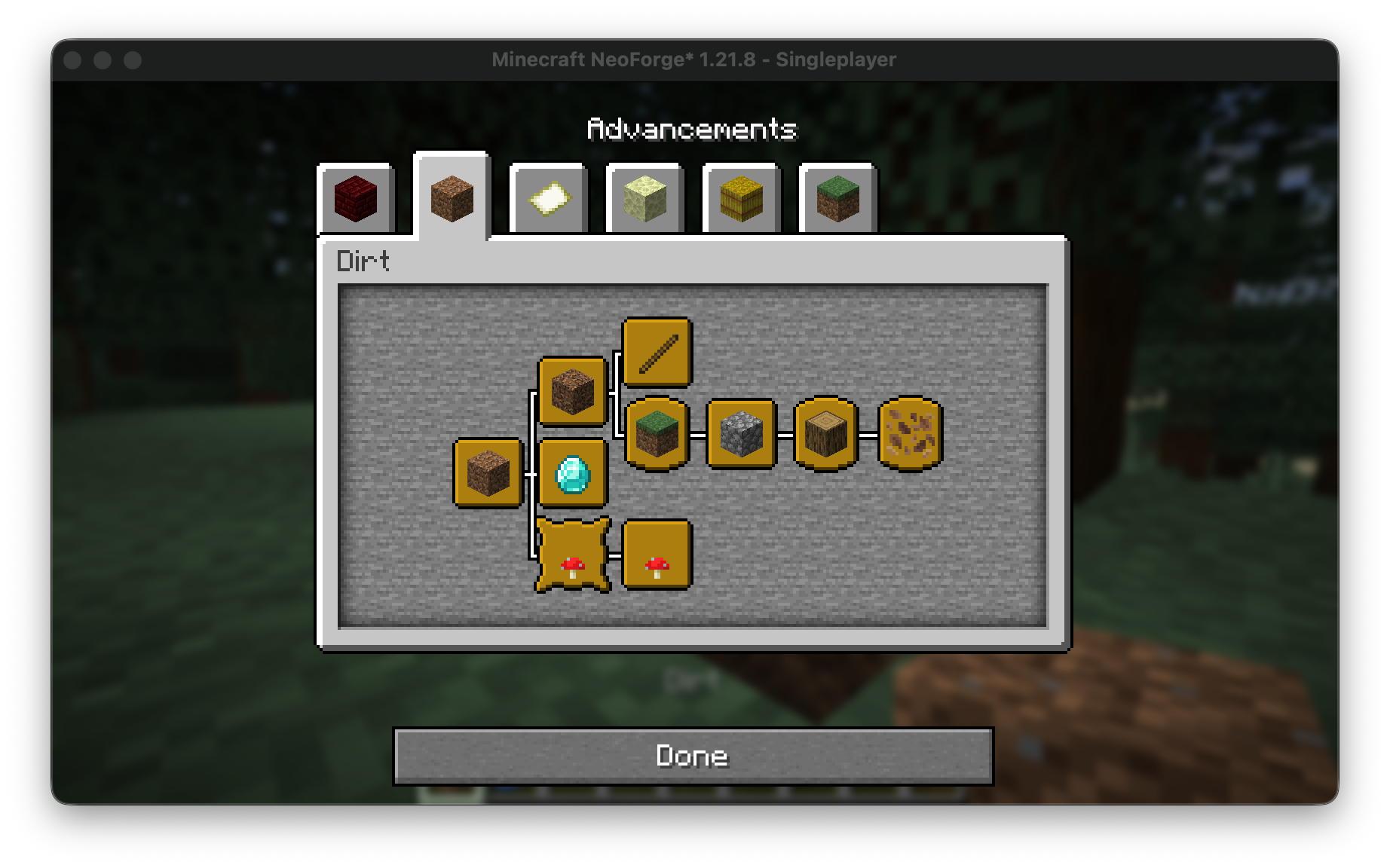
|Name|description|Requirments|Status|
|—-|—-|—-|—-|
|Dirt|dirting it up|
|Diamonds i think|These are diamonds i think…nevermind…|
|Weird dirt|This isnt dirt…|
|Stick collector|Obtain exactly one stick. Not two. One.|
|Bark enjoyer|Appreciate its texture|
|Grass whisperer|have a single grass block (the tall grass, not the dirt). Listen closely.|
|Moo|Enter the mushroom fields biome|
|It’s bitter|Eat a mushroom of both types|
|Rock sniffer|Acquire a cobblestone and pretend it’s fascinating|
|Leaf inspector|Study the complex life-cycle of a leaf. Very scientific|
|Jumping for no reason|N/A|N/A|N/A|

Step-by-Step Guide
- Open the Project Page Visit the Modrinth, CurseForge, GitHub, or project website for the content you want to download.
- Find the Versions or Files Section Look for a tab or section labelled Versions, Files, Releases, or Downloads.
- Select Your Minecraft Version
- Locate a list or dropdown called Version, Game Version, or Supported Versions.
- Pick the version that matches your Minecraft installation (e.g., 1.20.1, 1.19.2).
- Choose the Correct File Type The file type depends on the kind of content:
- Mods:
.jar - Plugins:
.jar - Addons (Bedrock):
.mcaddon/.mcpack - Texture Packs:
.zip - Data Packs:
.zipor extracted folder - Capes / Skin Addons: whichever format the creator provides
- Download the File Click the Download, Get, or File button next to the version you need. Save the file to your device.
- Install According to Content Type
- Mods: place the
.jarinside.minecraft/mods. - Plugins: move the
.jarinto your server’spluginsfolder. - Texture Packs: place the
.zipinto.minecraft/resourcepacks. - Data Packs: put inside
world/datapacks. - Addons (Bedrock): double-click
.mcaddonor.mcpackto import automatically.
- Restart Minecraft or Your Server Reload or restart to apply the new content.
常见问题
abc: useless achievements 支持哪些 Minecraft 版本?
abc: useless achievements 支持 Minecraft Java 版 1.21–1.21.9,共 3 个版本,可用的加载器:Fabric / Forge / NeoForge / Quilt。下载时注意选择和你游戏版本一致的文件。
abc: useless achievements 怎么安装?
新建世界时在「数据包」里把下载的 .zip 拖进去;已有的存档,把文件放进存档目录下的 datapacks 文件夹,进游戏输入 /reload 即可生效。服务器同样放在世界目录的 datapacks 里。
abcxyz 的其他作品
查看全部 →
abc: low fire
Makes the fire texture on screen lower for easier viewing

abc: gold title
Changes the "Minecraft" title to a gold variant!

abc: transparent shields
Reduces or removes the shield view when equipped.

abc: recraftables [DEPRECATED]
Makes some items and blocks easily easily gainable by adding new recipes and loot drops.
评论
登录后评论和评分