
TabbyChat 2 Reforged
TabbyChat 2 is the successor to TabbyChat. This fork fixes a few bugs and change to forge.
截图
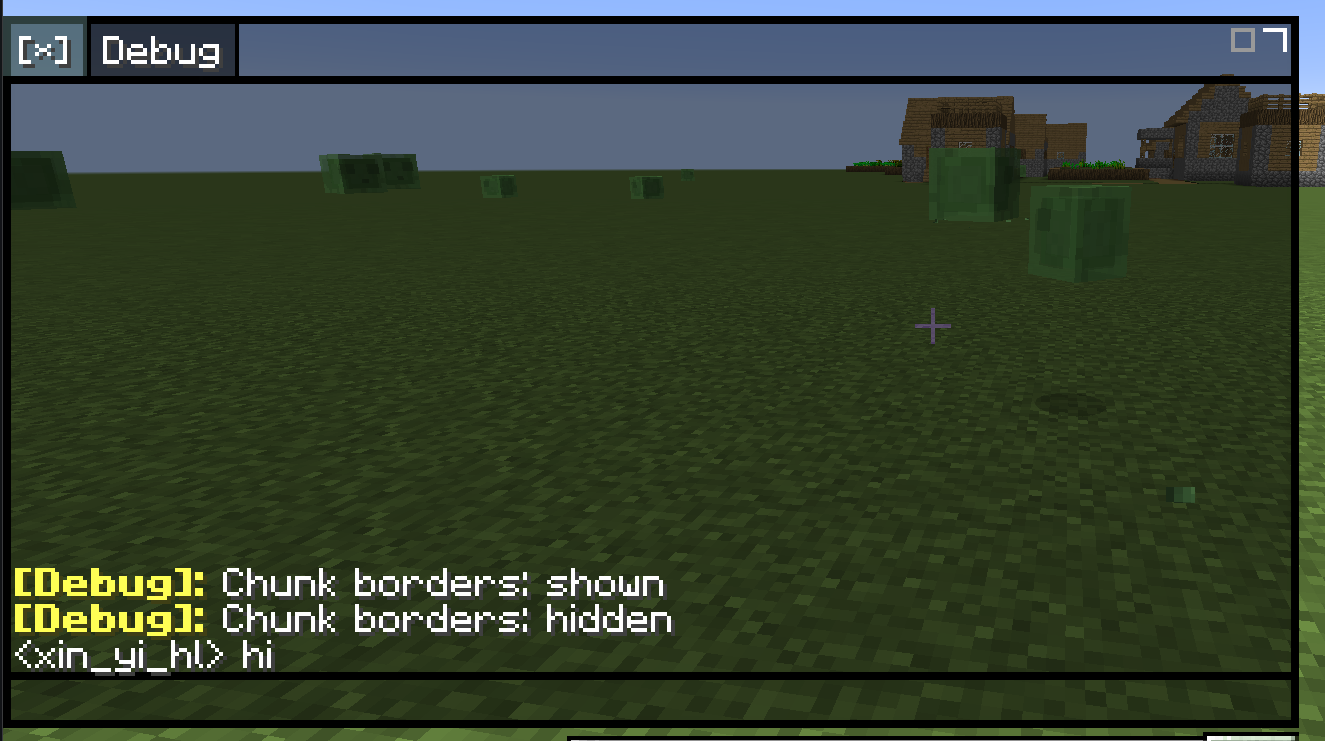
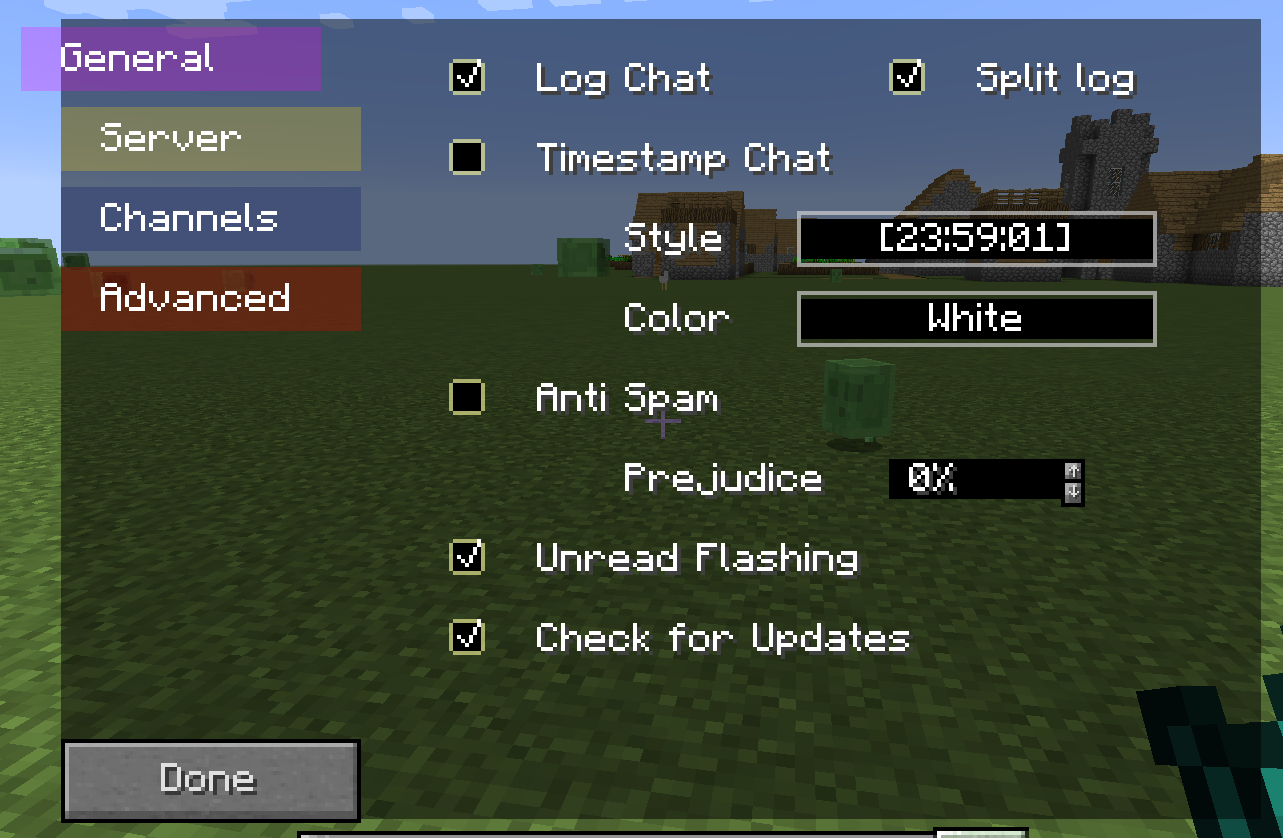
介绍
TabbyChat 2 Reforged
This mod is no longer being maintained. I recommend using NeoFontRender-UIEnhancements instead—it includes all the features of this mod and looks better.
This mod is the 1.12.2 unofficial Forge branch of TabbyChat 2. \
TabbyChat 2 is a client-side module that organises chat messages into separate channel columns, designed to make the multiplayer chat interface more organised, manageable and easy to use.
Features
- Overhauled chat box
- Filters to manually redirect or hide chat messages
- Movable and resizable chat box
- Message timestamps
- Spam prevention
- Spell checking
Quickstart
Upon opening chat, you will see the chat has changed dramatically. Tabs will be on the top of the chat and the text box will be on the bottom of it. Dragging the tab area will move the chat box. Right-clicking on a tab will open it’s settings. Using the default (*) tab will open the settings. Closing a tab can be done by shift clicking or middle clicking.
常见问题
TabbyChat 2 Reforged 支持哪些 Minecraft 版本?
TabbyChat 2 Reforged 支持 Minecraft Java 版 1.12.2,可用的加载器:Forge。下载时注意选择和你游戏版本一致的文件。
TabbyChat 2 Reforged 怎么安装?
先用 PCL2 或 HMCL 启动器安装对应版本的 Forge,再把下载的 .jar 文件放进游戏目录的 mods 文件夹,重新启动游戏即可。开启了版本隔离的,mods 文件夹在 versions/版本名 下面。运行环境:仅客户端。
xinyihl 的其他作品
查看全部 →
BetterBuildersWandsFix
Fix bugs and expand features of "Better Builder's Wands"

YM-Additions
Remote management & access to the AE network.

BetterBuildersWandsFix
Fix bugs and expand features of "Better Builder's Wands"

Construction Wand Legacy
Backport of Construction Wand features for Minecraft 1.12.2.
评论
登录后评论和评分