截图
介绍
中文介绍正在准备中,下面暂时显示原文。
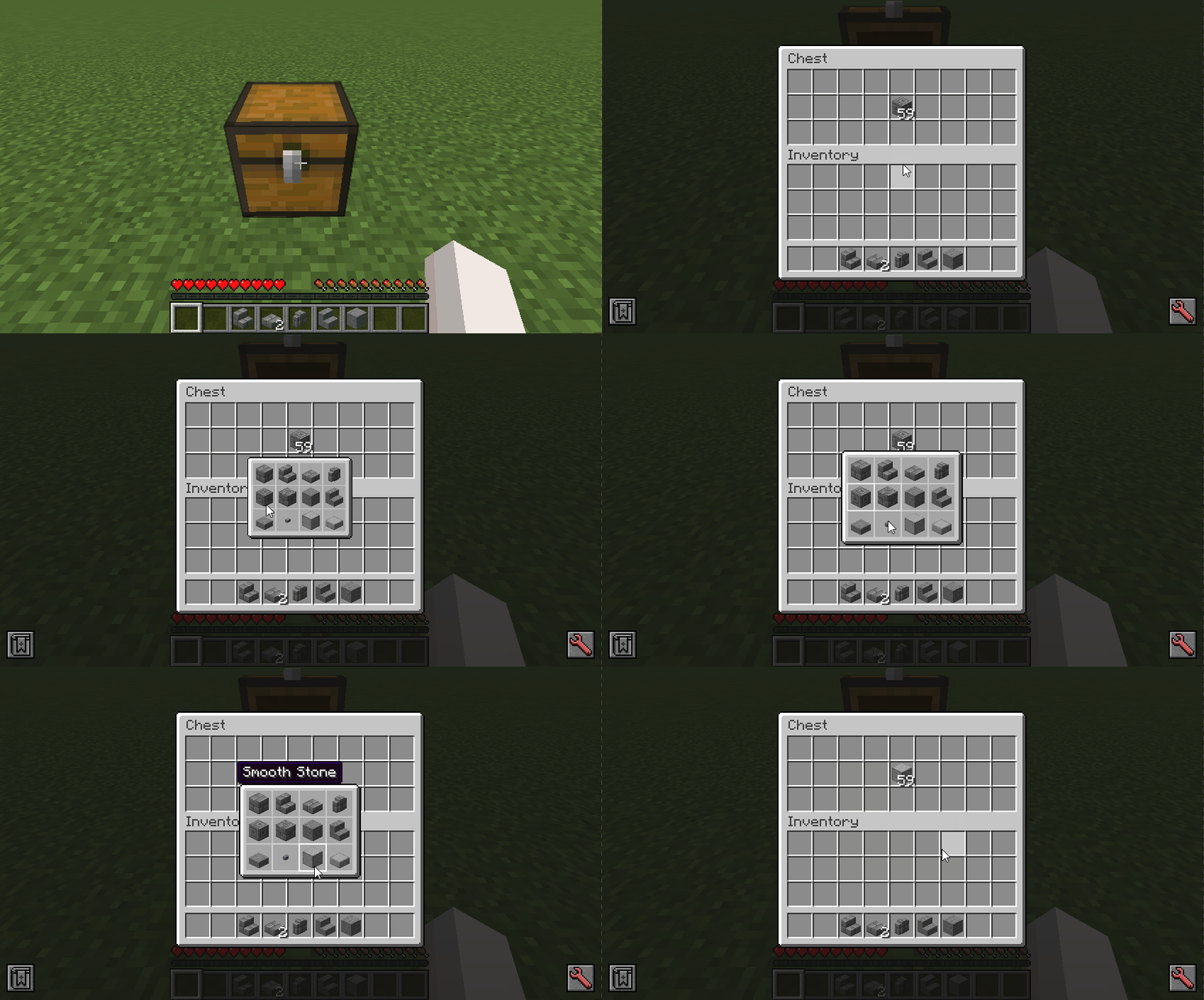
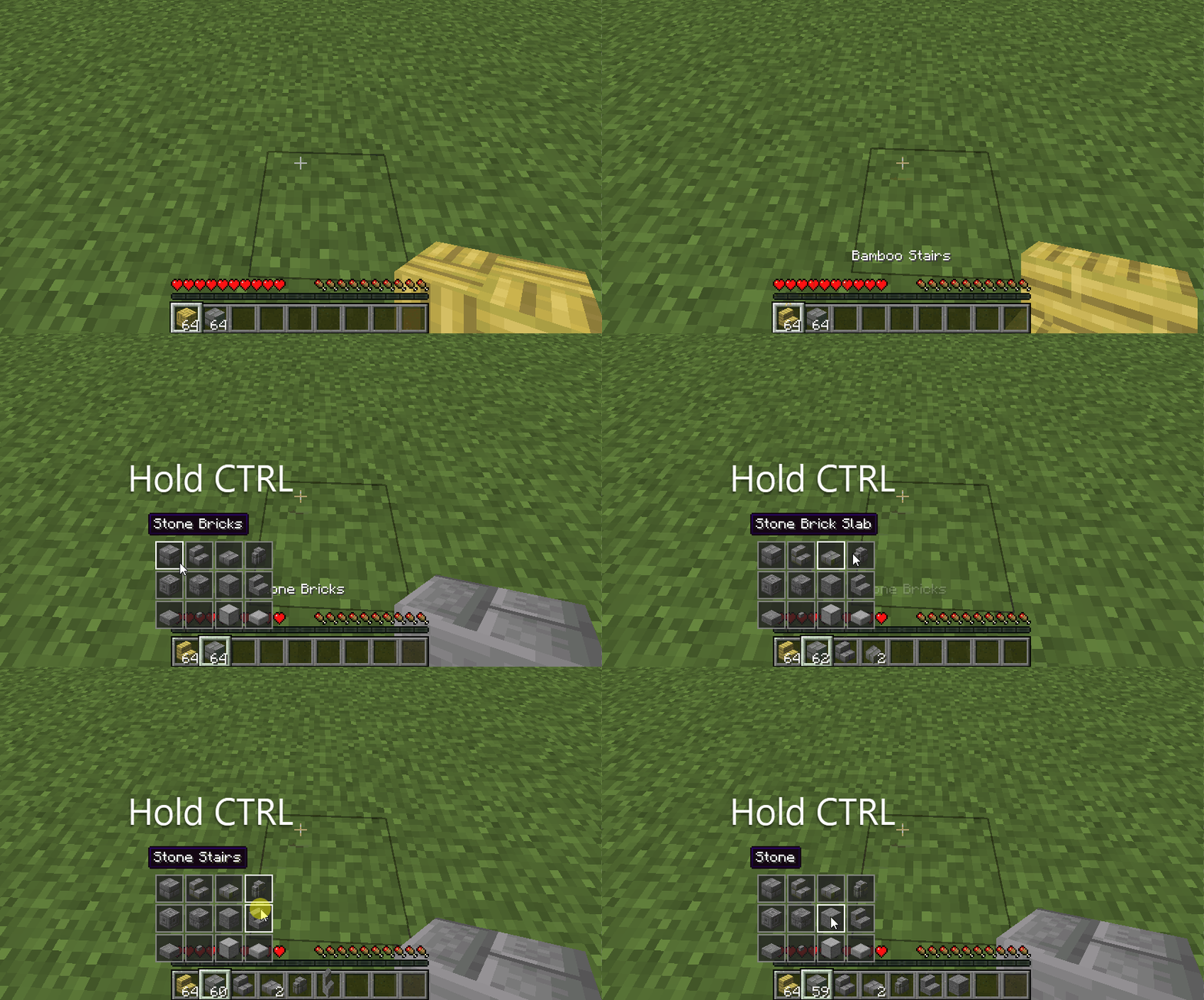
This is a handy tool for switching between different items in the same slot. By default, you can press the Mouse Button 4 to bring up the item-switching HUD. It works in both Hotbar and inventory. Neat for builders.
Instructions for the latest version:
- Click: Convert all items in hand
- CTRL+Click: Convert one item in hand
- Long press: Convert all convertible items in the inventory
- Scroll: Move to the previous/next item
Note: Opening GUI in a container is not supported on Fabric

常见问题
KSwitch 支持哪些 Minecraft 版本?
KSwitch 支持 Minecraft Java 版 1.20–26.1.2,共 6 个版本,可用的加载器:Fabric / Forge / NeoForge / Quilt。下载时注意选择和你游戏版本一致的文件。
KSwitch 怎么安装?
先用 PCL2 或 HMCL 启动器安装对应版本的 Fabric / Forge / NeoForge / Quilt,再把下载的 .jar 文件放进游戏目录的 mods 文件夹,重新启动游戏即可。开启了版本隔离的,mods 文件夹在 versions/版本名 下面。运行环境:客户端和服务端都要装。
Snownee 的其他作品
查看全部 →
Jade 🔍
by Snownee
显示你所注视方块的信息。(Hwyla/Waila 的 Minecraft 1.16+ 分支)
3.6亿
22 天前
Modrinth · CurseForge

Kiwi 🥝 (Neo/Forge)
by Snownee
Minecraft 模组开发库
9834万
17 天前
CurseForge

Jade Addons (Neo/Forge)
by Snownee
Jade 🔍 的 Neo/Forge 额外模组支持
783万
1 个月前
CurseForge · Modrinth

Snow! Real Magic! ⛄ (Neo/Forge)
by Snownee
不是魔法模组。| 雪的重力与堆积 | 积雪方块 | 调整雪的行为
7446万
3 天前
CurseForge
评论
登录后评论和评分