
截图
介绍
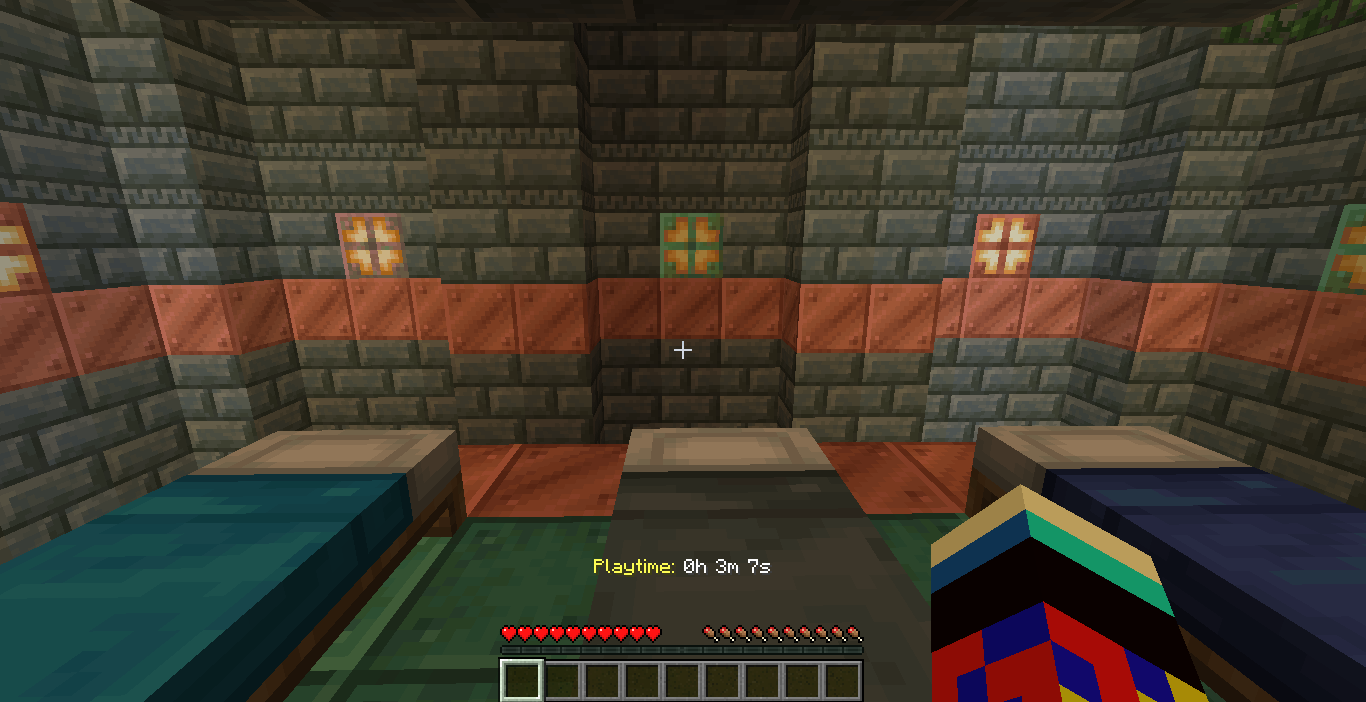
Playtime Tracker This utility is a lightweight, lag-free solution for monitoring player activity. It converts raw game ticks into a readable format without requiring a permanent, clunky scoreboard on the side of your screen.
Players can use these /trigger commands without needing operator (OP) permissions:
/trigger pt_show: This displays the player’s Total World Playtime (Hours, Minutes, and Seconds) directly in the chat. It pulls data from the engine-level statistics, so it includes time spent before the datapack was installed.
/trigger pt_on: This enables a persistent Hotbar Display. The playtime will appear and update in real-time right above the player’s item bar.
/trigger pt_off: This disables the hotbar display and clears the text from the screen if a player prefers a clean UI.
How to Install/Download the File: Ensure you have the Playtime_Datapack_Fixed_V2.zip ready.Navigate to Save Folder: Open your Minecraft directory, go to saves, and select your specific world folder.
Drop in Datapacks: Open the datapacks folder and move the ZIP file inside.Reload the
How to UseThe Command: To see your current time, simply type: /trigger pt_show. The Display: You will see a private chat message formatted as: Your total playtime: 1h 12m 30s.
Caution: This datapack will only show the playtime from the amount of time you have installed this datapack
常见问题
Playtime counter 支持哪些 Minecraft 版本?
Playtime counter 支持 Minecraft Java 版 1.21–26.1.2,共 15 个版本。下载时注意选择和你游戏版本一致的文件。
Playtime counter 怎么安装?
新建世界时在「数据包」里把下载的 .zip 拖进去;已有的存档,把文件放进存档目录下的 datapacks 文件夹,进游戏输入 /reload 即可生效。服务器同样放在世界目录的 datapacks 里。
DJjougo 的其他作品
查看全部 →
A Potato modpack for Potato PC’s
This is a Tiny modpack for potato PC's, This modpack doesnt have much mods, But just enough mods to be able to play minecraft smoothly.

Visible suspicious sand and gravel
Adds a border top suspicious sand and gravel. So you can see them easily
Visible suspicious sand and gravel
Adds a border top suspicious sand and gravel. So you can see them easily

La peace
This project adds a edited version of La peacè meme sound whenever you break lapis lazuli
评论
登录后评论和评分