
LumaLite
作者:Brinehero
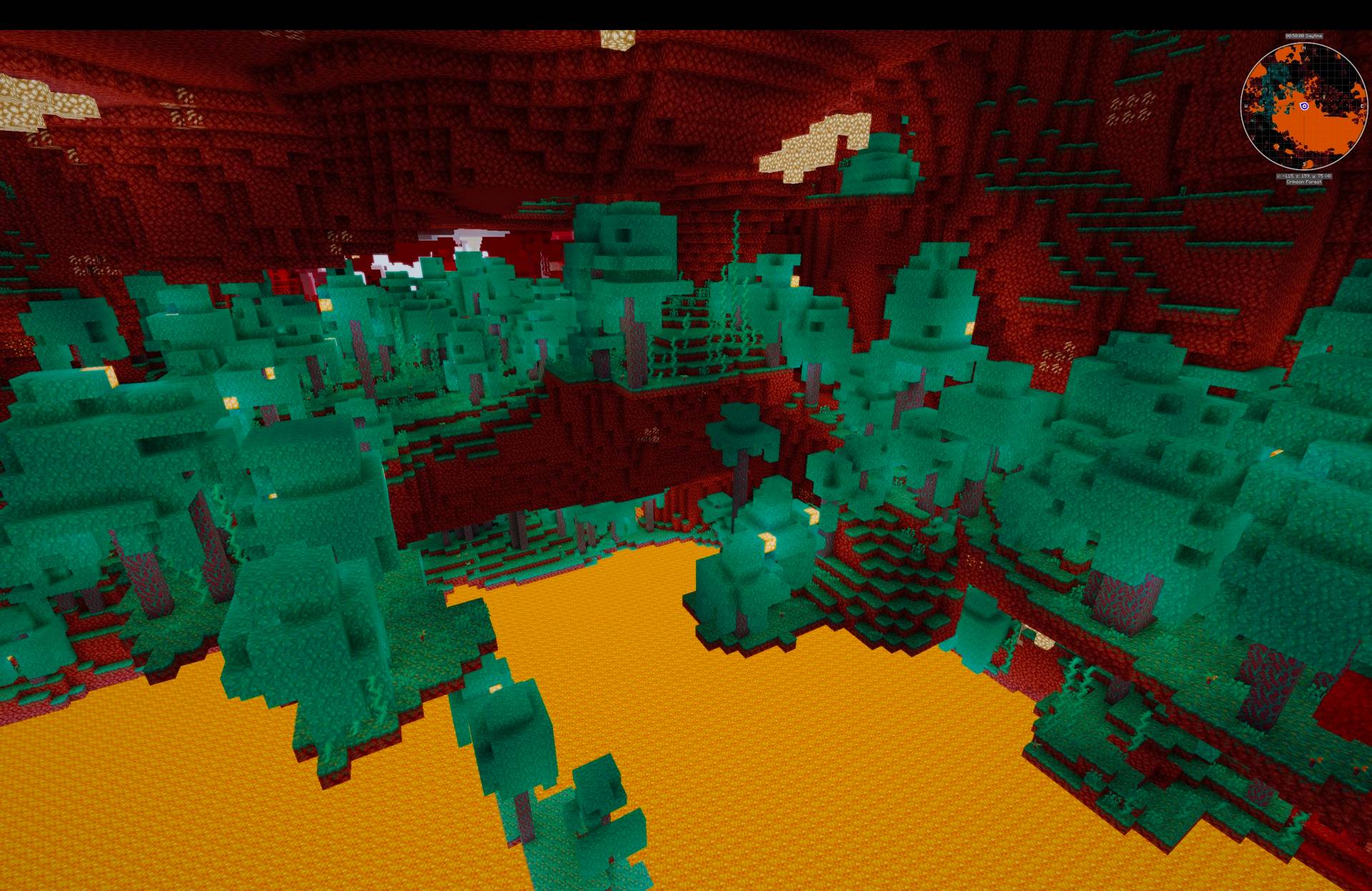
Lightweight, AI-generated shaders with an atmospheric day/night sky, reflective water, drifting clouds, bloom and god-rays. 8 presets from Potato to Ultimate — Apple Silicon friendly and built for high FPS.
截图


介绍
中文介绍正在准备中,下面暂时显示原文。
# LumaLite
**Lightweight, cross-platform Minecraft shaders tuned for high FPS — Apple Silicon friendly.**
> ### 🤖 Fully AI-generated — read this first
> Everything in this pack — all of the GLSL shader code, the preset system, and this
> description — was written by an AI assistant (Claude), directed by me. I’m stating this
> openly and up front. LumaLite is a lightweight, performance-first pack, not a
> photorealistic one. If you want maximum realism, hand-crafted packs like Complementary
> or BSL are made by expert authors and will look better. LumaLite’s goal is different:
> nice visuals that stay fast across a wide range of hardware, including Macs.
## ✨ Features
– ☀️ **Atmospheric sky** — smooth day → sunset → night with a localized sun glow (no harsh transitions)
– 🌤️ **Procedural clouds** — drifting, sun-lit, volumetric-look
– 💧 **Reflective water** — animated waves, moving specular, sky/sunset reflection
– 🍃 **Waving foliage** — leaves, grass, crops and flowers
– 🌑 **Soft sun shadows** (PCF) • ✨ **Bloom** • 🌟 **Volumetric god-rays**
– 🤿 **Underwater fog & tint** • 🎞️ **ACES tone-mapping**
## 🎚️ 8 presets (pick with the “Profile” button)
| Preset | Best for |
|—|—|
| POTATO / VERY_LOW | Old / integrated GPUs, battery |
| LOW / MEDIUM | MacBook Air, entry GPUs |
| HIGH / VERY_HIGH | M1 Max / M-series Pro·Max, mid GPUs (~120 FPS target) |
| ULTRA / ULTIMATE | Desktop dedicated GPUs |
Every effect scales with the preset, and each setting is individually tweakable in **Shader Pack Settings**.
## 📦 Requirements
– Minecraft: Java Edition
– **Iris + Sodium** (recommended) or OptiFine
– Windows, macOS (incl. Apple Silicon), Linux
## 🛠️ Installation
1. Download `LumaLite.zip` (don’t unzip it).
2. In-game: **Options → Video Settings → Shader Packs → Open Shader Pack Folder**.
3. Drop `LumaLite.zip` in, click **Refresh**, select **LumaLite**, enable shaders.
4. Open **Shader Pack Settings** and choose a preset with the **Profile** button.
## 💡 Performance tips
– On Retina/high-res displays, running windowed at ~1080p is the biggest FPS boost.
– If you dip below target FPS, step the Profile down a tier, or turn off god-rays/shadows first.
## 📄 License & credits
– Author/uploader: (your name/handle)
– Written by: AI assistant (Claude), directed by the uploader
– License: All Rights Reserved. You may download and use this shader pack in game.
Do not re-upload, redistribute, modify, or include it in modpacks or other projects
without the author’s written permission.
## 🐛 Feedback
Early release — please report visual glitches or load errors and I’ll fix them.
常见问题
LumaLite 支持哪些 Minecraft 版本?
LumaLite 支持 Minecraft Java 版 26.1.2,可用的加载器:Iris / OptiFine。下载时注意选择和你游戏版本一致的文件。
LumaLite 怎么安装?
光影需要先装 Iris / OptiFine。把下载的 .zip 文件(不用解压)放进游戏目录的 shaderpacks 文件夹,进游戏后在「选项 → 视频设置 → 光影包」里选中它。光影对显卡要求较高,卡顿可以调低光影设置或渲染距离。
评论
登录后评论和评分