
SwapColumn
Quickly swap hotbar items with inventory items directly above them using number keys, a keybind, or hold-and-scroll.
截图
介绍
SwapColumn
A Minecraft Fabric mod that lets you swap items between your hotbar and the inventory slots directly above it — without opening your inventory.
How It Works
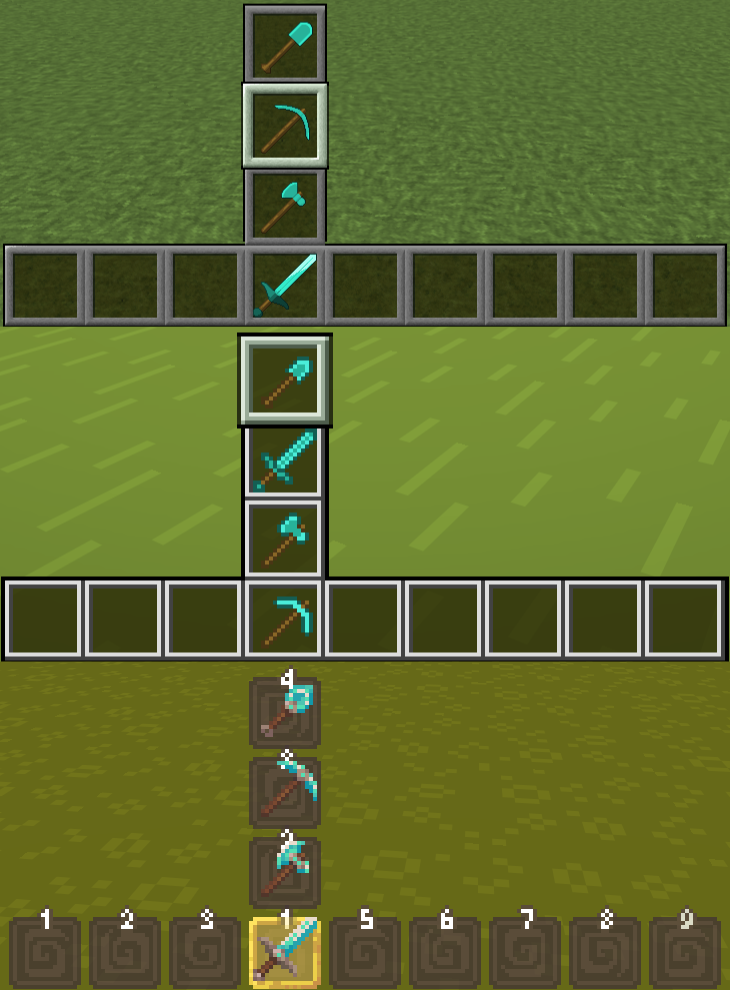
SwapColumn adds a vertical swap column above any hotbar slot. When triggered, a small menu appears showing the items stacked above your selected slot. Choose one and it swaps instantly into your hotbar.
Opening the Menu
Mode 1 — Number Key:
Press the number key of the hotbar slot you are already on.
Example: you are on slot 3, press 3 — the SwapColumn opens above slot 3.
Mode 2 — Keybind:
Press your configured SwapColumn key (unbound by default).
Set it under Options → Controls → SwapColumn.

Selecting an Item
Click mode:
- Mode 1: press
1–4to select a row (1= current hotbar item, cancels the swap) - Mode 2: press
1–3to select a row, press the SwapColumn key again to cancel
Scroll mode:
Hold the opening key and scroll to highlight a row, then release to confirm.
Configuration
The config file is located at .minecraft/config/swapcolumn.json and is created automatically on first launch.
{
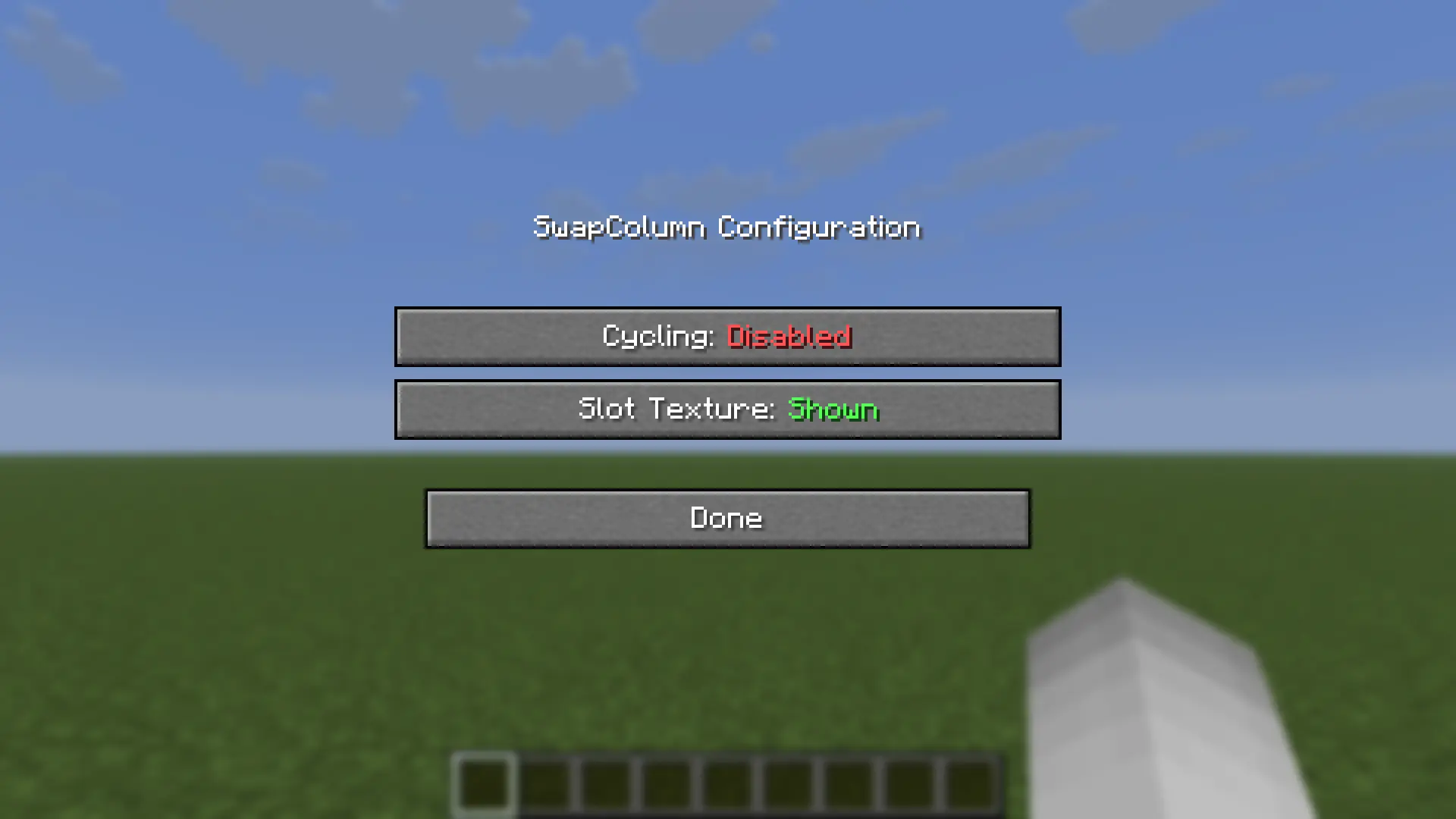
  "enableCycling": false,
  "enableSlotTexture": true
}
| Option | Default | Description |
|—|—|—|
| enableCycling | false | When scrolling, wrap around from top to bottom and vice versa. Note: scrolling down on the first action always wraps regardless of this setting. |
| enableSlotTexture | true | Render slot backgrounds using the vanilla hotbar texture. Disable if your texture pack causes visual issues. |
Mod Menu Support
With Mod Menu installed, both options can be toggled in-game from the mod list — changes apply immediately. Mod Menu is optional: without it, edit the config file directly (file edits take effect on the next game start).
常见问题
SwapColumn 支持哪些 Minecraft 版本?
SwapColumn 支持 Minecraft Java 版 26.2–26.3,共 2 个版本,可用的加载器:Fabric。下载时注意选择和你游戏版本一致的文件。
SwapColumn 怎么安装?
先用 PCL2 或 HMCL 启动器安装对应版本的 Fabric,再把下载的 .jar 文件放进游戏目录的 mods 文件夹,重新启动游戏即可。开启了版本隔离的,mods 文件夹在 versions/版本名 下面。运行环境:仅客户端。
TAPM 的其他作品
查看全部 →
HexHopper
Place hoppers in all 6 directions and rotate both push and pull independently with a compass. Six faces, full control.

LavaCan
Destroy unwanted items by dropping them onto a Lava Bucket. Fire-resistant items and a configurable protection list keep your valuables safe.

ShulkerLayers
Pack shulker boxes inside shulker boxes. Configurable nesting depth via a layer-based system.
评论
登录后评论和评分