
截图
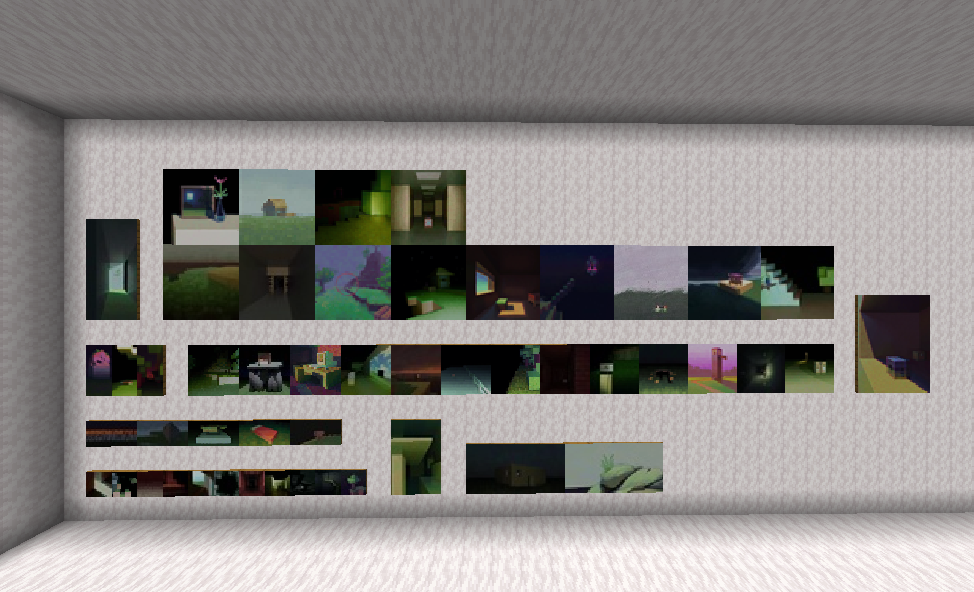
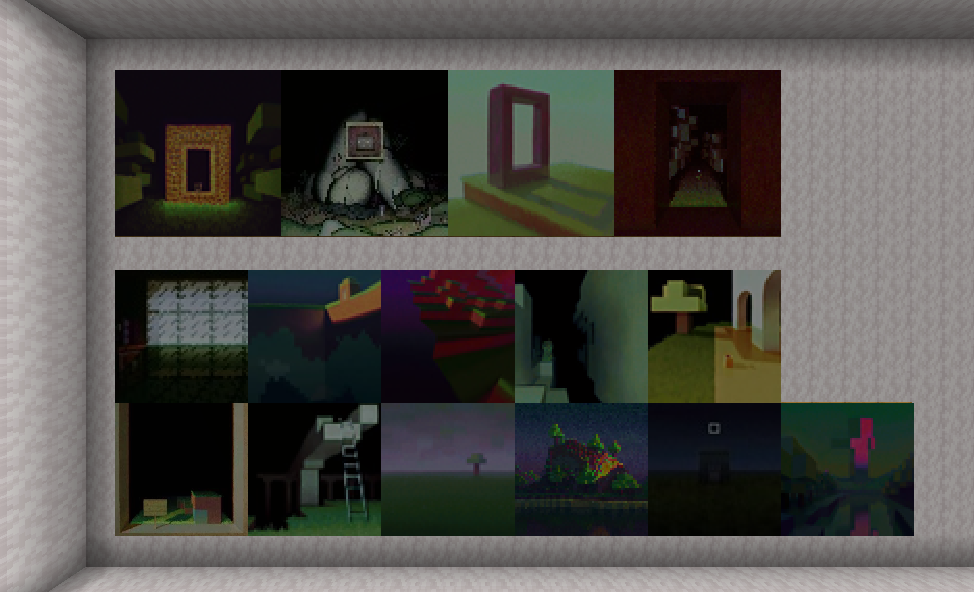
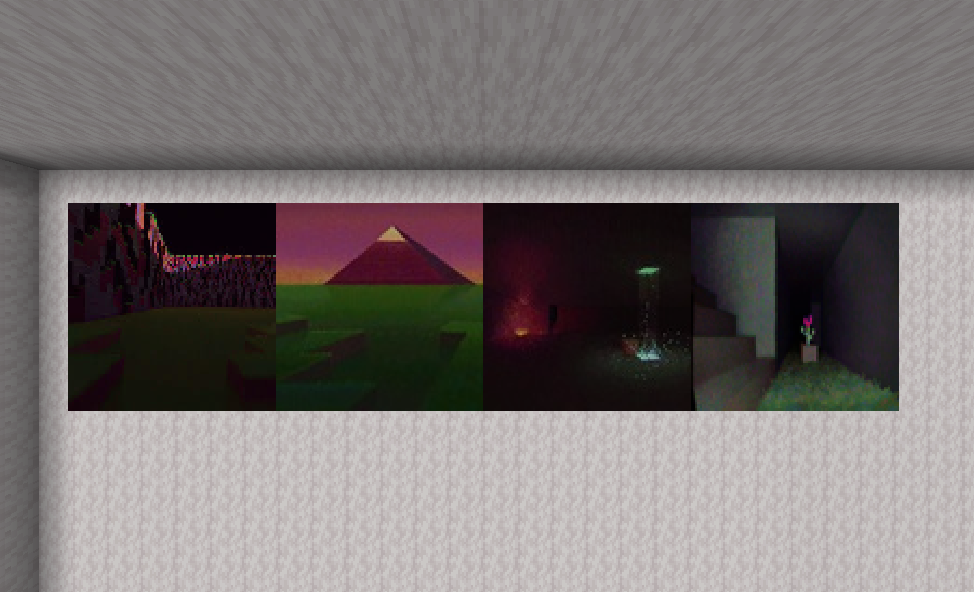
介绍
Warning/Note
If you download the datapack version, a resourcepack is required! If you are planning to use the datapack version, please manually go into the versions tab, choose the version you want, and download BOTH of the TWO attached files! The main one will be the datapack itself, and the “additional” one is the resourcepack required! If you do not do this, all paintings will have no defined texture and turn into pink and black checkerboard patterns!
All links in the sidebar are DyoudiM!’s links, and are not related to me in any way.
DyoudiM!’s liminal-vibe artwork added to Minecraft as paintings!
Currently there are 69 paintings added.
(That number is NOT intentional, it is a coincidence)
For datapack versions below 1.2.30:
To check credits in-game, you can use /function tbdlp:credits.
To give yourself ALL the paintings, use /function tbdlp:all.
For datapack versions 1.2.30 or over:
To check credits in-game, you can use /function liminalpaintings:credits.
To give yourself ALL the paintings, use /function liminalpaintings:all.
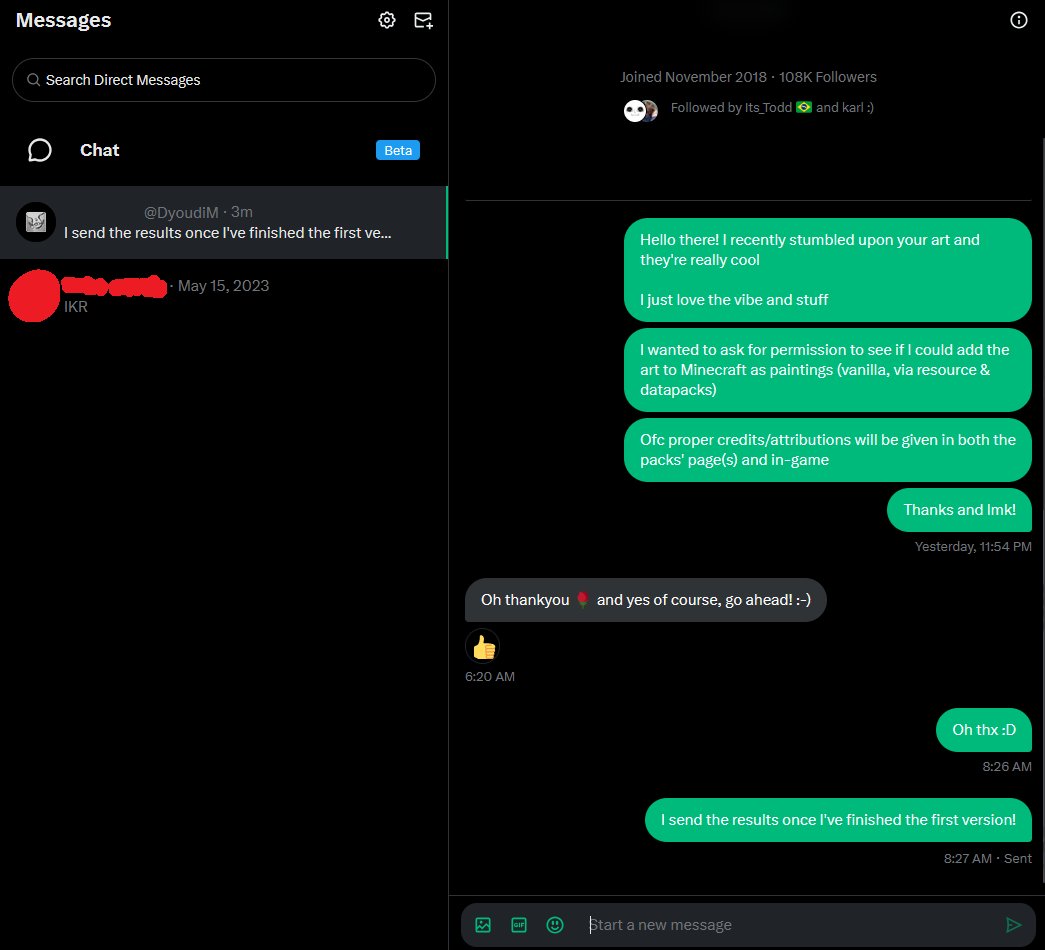
All credits for the artworks go to DyoudiM!.
Versions
- Datapack version: Includes a Datapack & a Resourcepack.
- Custom Paintings version: Includes a Custom Paintings pack that requires the Custom Paintings mod.
Modloader will say Datapack, although it's not. It does not have a resourcepack option as the first uploaded version was a datapack.
Installation
To install the datapack version, first go into the versions tab, choose your version (must be labeled with “Datapack”) and download both files attached, one is the datapack, the other (labeled “Resources” and is “additional”) is a resourcepack.
Put the resourcepack in your resourcepack folder like normal.
Put the datapack in the “datapacks” folder in your already-existing world, or if it’s a new world, add it during world creation.
To install the custom paintings version, first go into the versions tab, choose your version (Must be labled with “Custom Paintings”) and download the file. Next make sure you have the Custom Paintings mod installed. If not, download it at https://modrinth.com/mod/custom-paintings-mod.
To add the custom paintings pack to your world, you can follow the tutorial in the page’s description (https://modrinth.com/mod/custom-paintings-mod).
Simply press U or whatever key you have set for opening the Custom Painting’s mod menu while in a world. Then choose to manage packs, open the folder, and put the file into the folder. You can now close the folder, return to the game and choose to reload packs, ensure that the pack is listed, and done!
Permission:
(Source: https://x.com/error_dev_xt/status/1959745434240655396)
常见问题
Liminal Paintings 支持哪些 Minecraft 版本?
Liminal Paintings 支持 Minecraft Java 版 1.21.7–1.21.8,共 2 个版本。下载时注意选择和你游戏版本一致的文件。
Liminal Paintings 怎么安装?
新建世界时在「数据包」里把下载的 .zip 拖进去;已有的存档,把文件放进存档目录下的 datapacks 文件夹,进游戏输入 /reload 即可生效。服务器同样放在世界目录的 datapacks 里。
error_dev_yt 的其他作品
查看全部 →
Wormhole Items
来自Spoke的Wormhole的所有自定义物品(需要多个命令方块),经过改进并打包为数据包。

Infinilib
所有 Infini 项目所需的前置库。

Infiniresources
所有 Infini 项目所需的资源包。
Infinicrafts
Gain the ability to craft all* uncraftable items or blocks in Minecraft! *most
评论
登录后评论和评分