
No Misclick At All
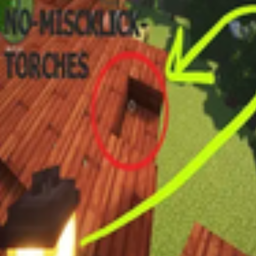
No Misclicks At All — prevents accidental placement of items in the off‑hand; add to the block‑list with the key or use the commands
介绍
Who Is This For?
Perfect for anyone who keeps a light source in their off‑hand (dynamic lighting, flashlight mods, etc.) and wants to avoid unwanted misclicks while exploring, building, or fighting.
Mod Description
This mod has been completely overhauled to give you full control over what can and cannot be used in your off‑hand, preventing any accidental placements.
Features
- Press X to add the item under your crosshair to the block‑list
- Press V to remove the item under your crosshair from the block‑list
- Chat feedback on every action (add, remove, list)
- All blocked items are stored in
config/offhand.tomlunder the[offhand]section and updated automatically - Keybindings can be configured in the Controls menu under the Offhand Blocker category
Commands:
- /offhandblocker add
- /offhandblocker remove
- /offhandblocker list
Examples:
- /offhandblocker add minecraft:torch
- /offhandblocker add Torch
- /offhandblocker remove minecraft:lantern
Configuration (config/offhand.toml):
\[offhand\]
blockedItems = \[
“minecraft:torch”,
“minecraft:soul\_torch”,
“minecraft:lantern”,
“minecraft:soul\_lantern”
\]
Edit this file manually or use the in‑game keys/commands; changes are saved automatically.
Для кого этот мод?
Идеально подходит для тех, кто держит источник света во второй руке (динамическое освещение, моды на фонарики и т.д.) и хочет избежать случайных кликов при исследовании, строительстве или сражениях.
Описание мода
Этот мод был полностью переработан, чтобы дать вам полный контроль над тем, что можно и нельзя использовать во второй руке, предотвращая случайные размещения.
Функции
- Нажмите X, чтобы добавить предмет под перекрестием в список блокировки.
- Нажмите V, чтобы убрать предмет под перекрестием из списка блокировки.
- Обратная связь в чате при каждом действии (добавление, удаление, просмотр списка).
- Все заблокированные предметы хранятся в файле
config/offhand.tomlв разделе[offhand]и обновляются автоматически. - Клавиши можно настроить в меню Управление в категории Offhand Blocker.
Команды:
- /offhandblocker add
- /offhandblocker remove
- /offhandblocker list
Примеры:
- /offhandblocker add minecraft:torch
- /offhandblocker add Факел
- /offhandblocker remove minecraft:lantern
Настройка(config/offhand.toml):
\[offhand\]
blockedItems = \[
“minecraft:torch”,
“minecraft:soul\_torch”,
“minecraft:lantern”,
“minecraft:soul\_lantern”
]
常见问题
No Misclick At All 支持哪些 Minecraft 版本?
No Misclick At All 支持 Minecraft Java 版 1.20–1.21.5,共 11 个版本,可用的加载器:Forge。下载时注意选择和你游戏版本一致的文件。
No Misclick At All 怎么安装?
先用 PCL2 或 HMCL 启动器安装对应版本的 Forge,再把下载的 .jar 文件放进游戏目录的 mods 文件夹,重新启动游戏即可。开启了版本隔离的,mods 文件夹在 versions/版本名 下面。运行环境:仅客户端。
AshPapi 的其他作品
查看全部 →
smoothLight
让各种光照变化都平滑渐变,而不是瞬间切换。

Papi Optimization
自适应全能性能模组:智能剔除实体和声音、降低生物 AI 运算频率、剔除树叶,并根据实时帧率动态调整设置。

interactEntity
Turn any mob into a fully scripted NPC with branching dialogues, quests, and conditions, all through simple JSON files, no coding required
No Misclicks At All
No Misclicks At All — prevents accidental placement of items in the off‑hand; add to the block‑list with the key or use the commands
评论
登录后评论和评分