
shared-folder-skins
Share local PNG skins from config/sharedskins with other players on a Fabric server.
截图
介绍
中文介绍正在准备中,下面暂时显示原文。
Description
# Shared Folder Skins

Shared Folder Skins lets players use a local PNG skin from `config/sharedskins` and share it with other players on the same Fabric server.

It is meant for small servers, friends, private modpacks, LAN worlds, and anyone who wants quick shared skins without external accounts, web services, launchers, or resource pack setup.

## Features

- Loads PNG skins from `config/sharedskins`
- Shares your selected skin with other players who also have the mod installed
- Works on Fabric servers and integrated singleplayer worlds
- Supports classic and slim arm models
- Supports HD skins from `64x64` up to `2048x2048`
- Updates while connected when you replace or remove the PNG
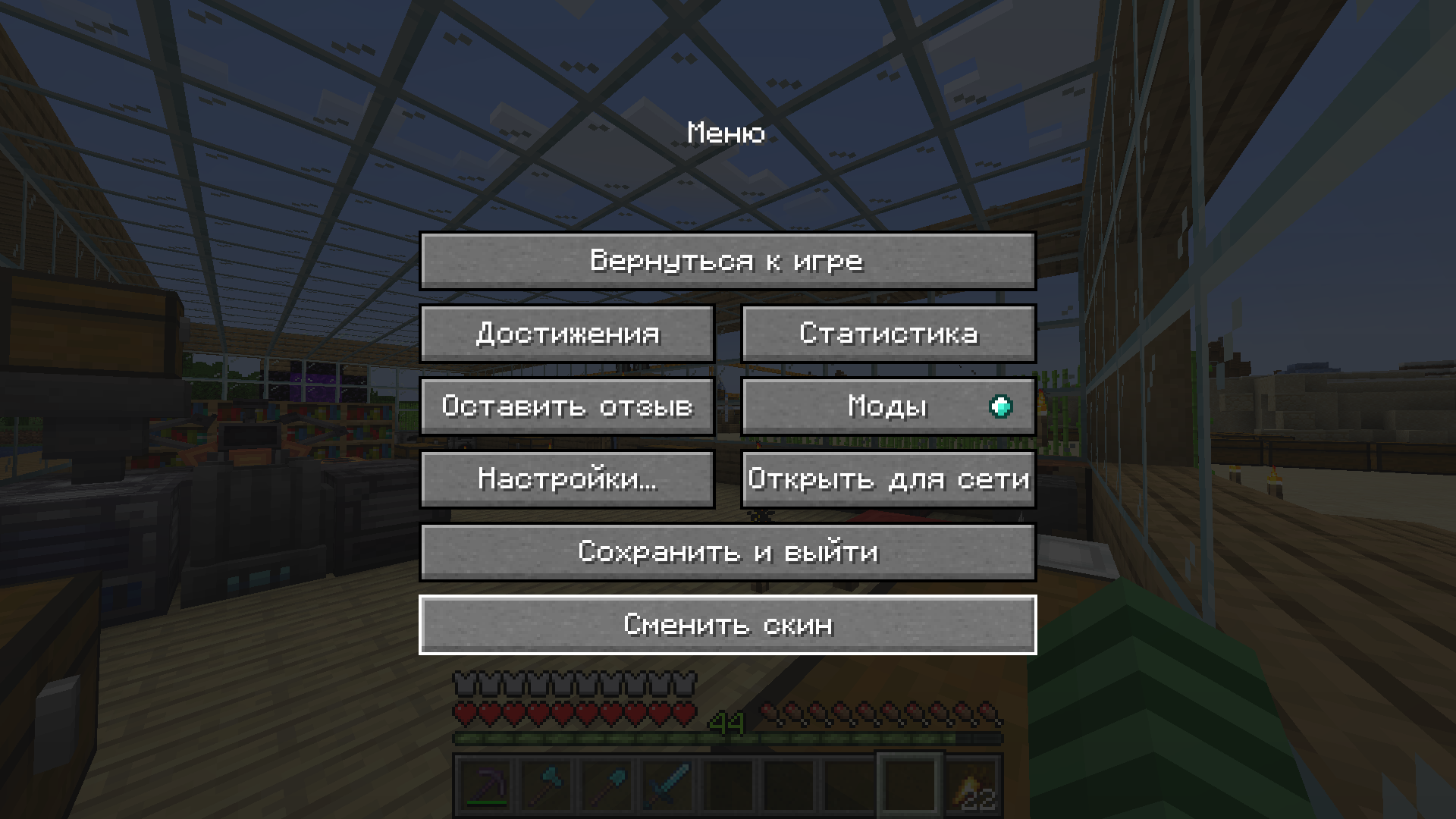
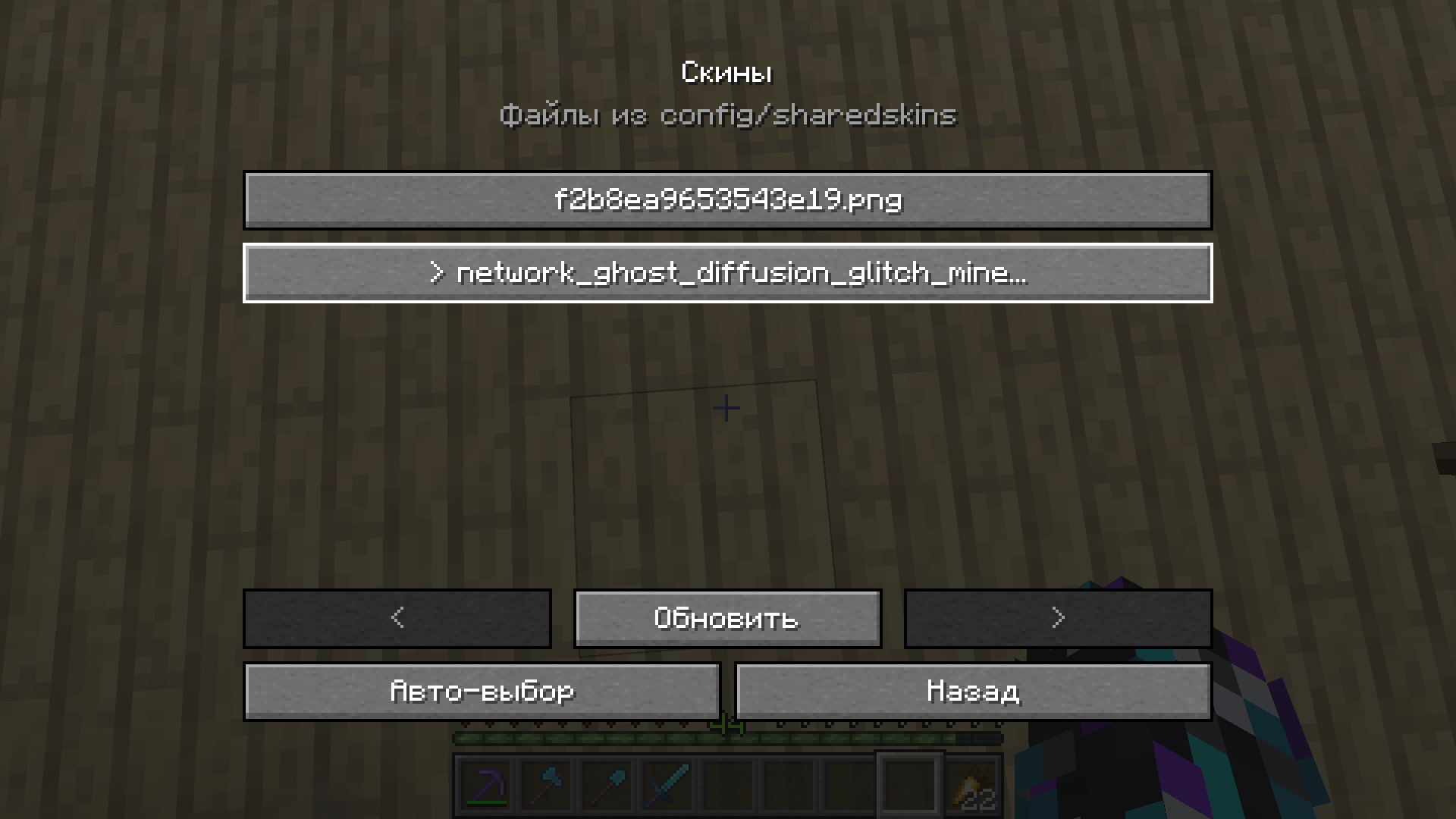
- Includes an in-game skin picker in the pause menu
- Saves the selected skin in `config/sharedskins/selected.txt`
- Preserves capes and elytra textures

## Setup

Install the matching jar on the server and on every client that should send or see shared skins.

Start the client once. The mod creates:
config/sharedskins
Put a PNG skin in that folder.

Recommended file names:
skin.png
skin_slim.png
`skin_slim.png` uses the slim arm model. If no skin is manually selected, the mod checks these names first:
skin_slim.png
slim.png
skin.png
If none of those exist, it uses the first PNG in the folder.

## In-game skin picker

Open the pause menu and press:
Change Skin
Pick any PNG from `config/sharedskins` to apply it immediately.

Use auto-select to return to the default file priority.

## Requirements

- Fabric Loader
- Fabric API
- Java 17 for Minecraft 1.20 to 1.20.4
- Java 21 for Minecraft 1.20.5 and newer

## Supported versions

This release line supports:
1.20 – 1.21.11
Use the jar that matches your exact Minecraft version.

## Notes

- A vanilla server cannot relay shared skins. The server must have the mod installed.
- Other players must also have the mod installed to see shared skins.
- PNG files larger than `8 MiB` are ignored.
- The mod only replaces the player body skin. Capes and elytra textures stay unchanged.
常见问题
shared-folder-skins 支持哪些 Minecraft 版本?
shared-folder-skins 支持 Minecraft Java 版 1.20–1.21.11,共 19 个版本,可用的加载器:Fabric。下载时注意选择和你游戏版本一致的文件。
shared-folder-skins 怎么安装?
先用 PCL2 或 HMCL 启动器安装对应版本的 Fabric,再把下载的 .jar 文件放进游戏目录的 mods 文件夹,重新启动游戏即可。开启了版本隔离的,mods 文件夹在 versions/版本名 下面。运行环境:客户端和服务端都要装。
makarkozyrev14 的其他作品
查看全部 →
Stack Size 1024
by makarkozyrev14
Choose the maximum stack size for normal items, from vanilla up to 8192, with Mod Menu support
1.2万
6 个月前
Modrinth
Stack Size 1024
by makarkozyrev14
Choose the maximum stack size for normal items, from vanilla up to 8192, with Mod Menu support
1.2万
6 个月前
Modrinth

Uncapped Anvil
by makarkozyrev14
Removes anvil limits, allows enchanting up to level 255, and caps the maximum repair/fusion cost at 10 experience levels.
1,721
7 个月前
Modrinth
评论
登录后评论和评分