
Chat Translation Mod
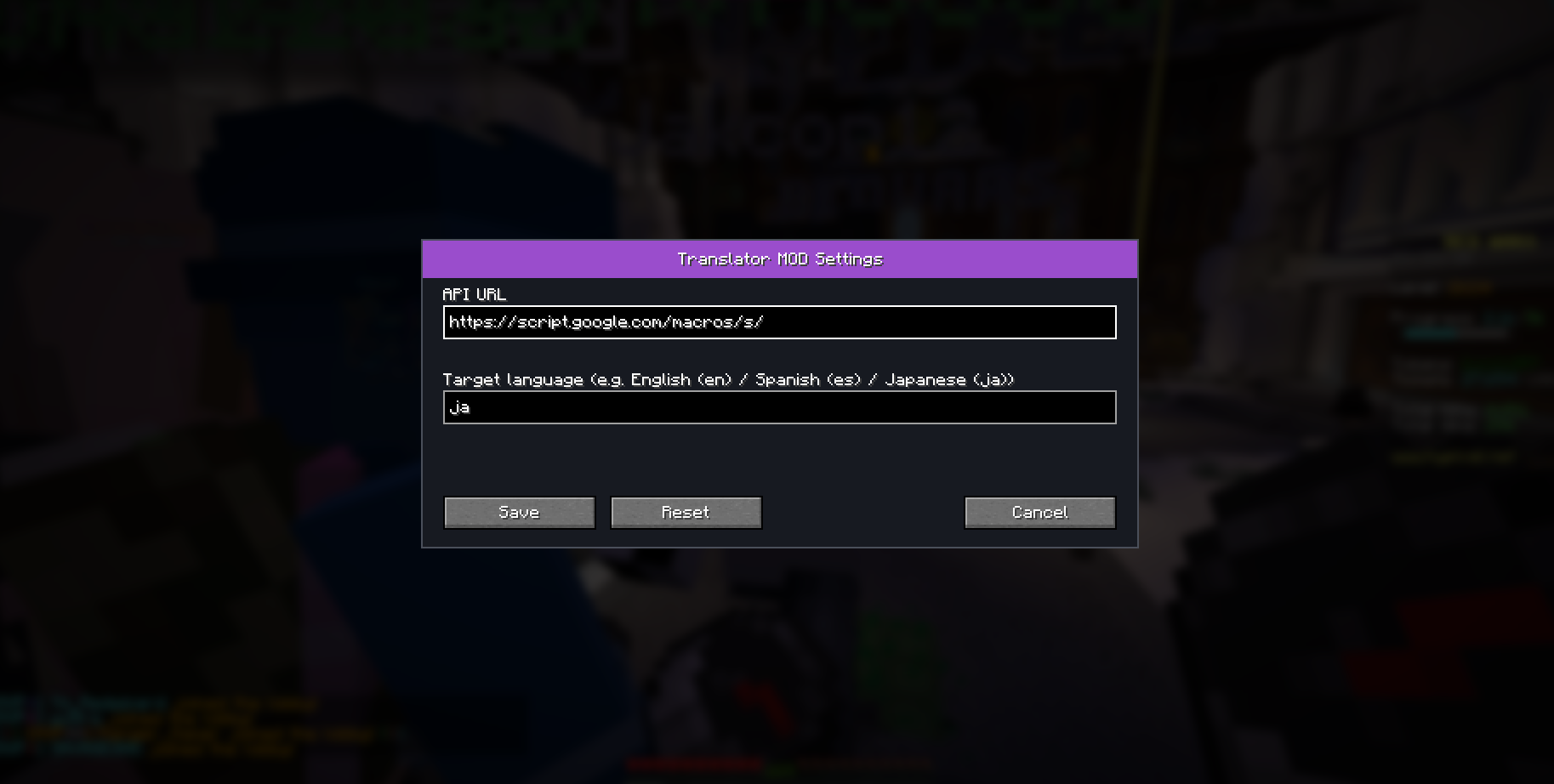
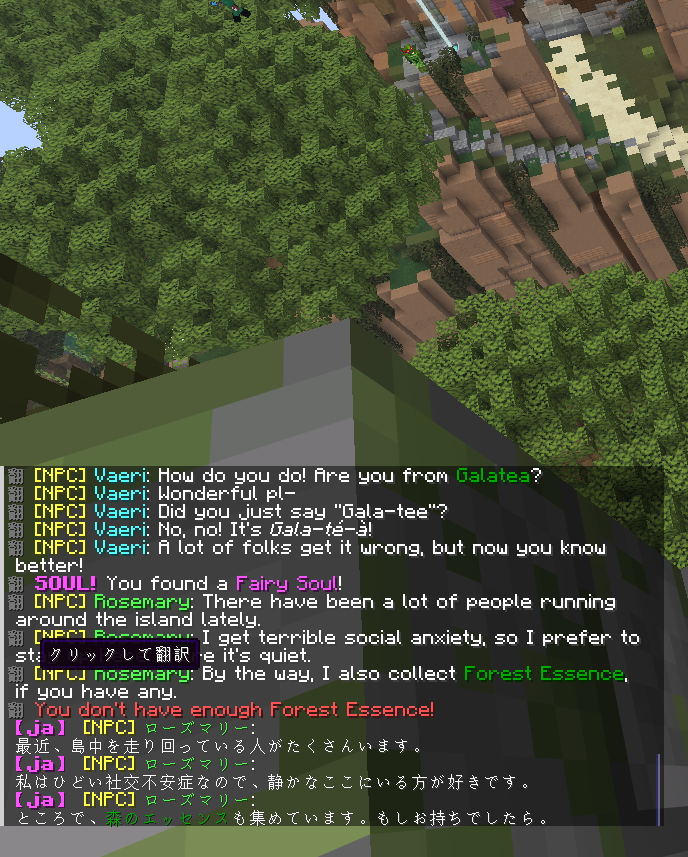
This Minecraft mod translates chat messages into your chosen language with a single click. It uses the Google Apps Script (GAS) API for translation.
截图
介绍
Chat Translation Mod
A mod that translates Minecraft chat messages into your specified language with a single click. The translation is done via the Google Apps Script (GAS) API. It works on the Fabric environment, Minecraft Version 1.21.11 or 26.2.
If setting it up is too much trouble, you can just copy the following link and paste to API URL (config/translator-url.txt):
https://script.google.com/macros/s/AKfycbyoiiASzJr_SNFV9Wn5388f03C8jKuz6IQMrRVt-AejbhKaDjO0BXxvQw_zp2rkv05g-w/execHow to Use
You must complete these steps to enable translations.
Step 1. Log in to your Google account and go to https://script.google.com/.
Step 2. Create a new project. You can name it anything you like, such as “Minecraft Translation API”.
Step 3. Select and delete all the default code, then paste the following code:
function doGet(e) {
  var {text, target = 'ja', source = ''} = e.parameter;
  var translatedText = LanguageApp.translate(text, source, target);
  return ContentService.createTextOutput(translatedText).setMimeType(ContentService.MimeType.TEXT);
}
Step 4. Click the “Deploy” button and choose “New deployment”. Set the type to “Web app”. You can enter any description. Set “Execute as” to “Me” and “Who has access” to “Anyone”, then click the “Deploy” button.
Step 5. Copy the generated Web App URL (which looks like https://script.google.com/macros/s/.../exec) to complete this step. Do not share this URL with anyone!
Step 6. Place the downloaded .jar file into your mods folder.
Step 7. Launch Minecraft once and close it. This will generate the configuration files in your config folder.
Step 8. Open translator-url.txt, paste the translation API URL (GAS, etc.) you prepared in the previous step, and save the file.
Step 9. Open translator-lang.txt to change the target language code (e.g., en for English, ja for Japanese). Default language is Japanese(ja).
- If you have any questions, feature requests, or encounter issues, please send me a DM on Discord.
- Discord Username: @nuyuchi
常见问题
Chat Translation Mod 支持哪些 Minecraft 版本?
Chat Translation Mod 支持 Minecraft Java 版 1.21–26.2,共 13 个版本,可用的加载器:Fabric。下载时注意选择和你游戏版本一致的文件。
Chat Translation Mod 怎么安装?
先用 PCL2 或 HMCL 启动器安装对应版本的 Fabric,再把下载的 .jar 文件放进游戏目录的 mods 文件夹,重新启动游戏即可。开启了版本隔离的,mods 文件夹在 versions/版本名 下面。运行环境:仅客户端。
评论
登录后评论和评分