
截图



介绍

Was inspired by PeenixSC‘s video
This datapack was created for my video to play with friends. Found bug / order datapack / other – Discord.
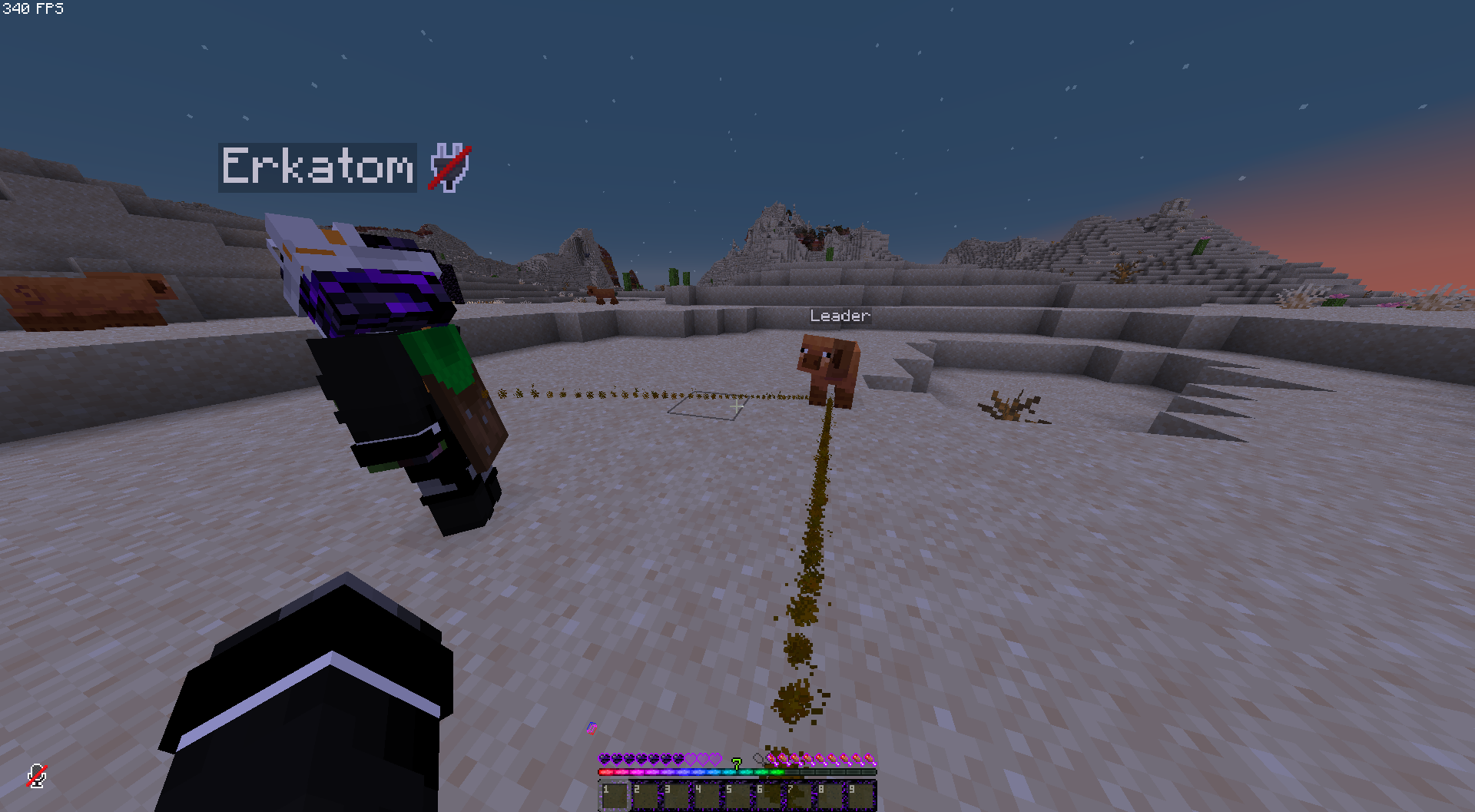
This datapack was intended to add the ability to leash a player to any entity.


Usage explanation:
Using the command, issue yourself a “Self-Lead”, using it you can leash yourself to any entity. Here are all the notes and commands:
- Give “Self-Lead” – /function leashed:give_lead;
- The “Self-Lead” item is not spent when used;
- A leader becomes immortal;
- Visualization of the lead is made by a straight line of particles;
- Which can be switched with – /function leashed:gamerules/visual;
- Up to five players can be leashed to a single entity;
- Because of the modifying and calculating motion, when a player is away from his “Leader”, the game starts to lag decently;
- You can only be unleashed using the command – /function leashed:unleash, it also kills the Leader;
- The current version of the datapack requires the Modify Player Data mod.
FAQ about mod:
Q: Where should I download the mod?
A: If you are playing with friends LAN, only hosting player needs to download. If you play on a server, then only in the server folder. It’s okay if someone also has a mod.
Q: Why do I need to download this mod?
A: This mod allows you to modify the player’s NBT data, and the most important thing is Motion.
Q: What about other alternatives from Minecraft itself?
A: I was shaking my mouth at these alternatives. You can simply push the player only by levitation or invisible slimes, which cannot be normally invisible if summoned for a moment. And in any case, I made this datapack without worrying about optimization, further use after video or about other users, so I think you can accept it.
Video (ru):
常见问题
Leashed 支持哪些 Minecraft 版本?
Leashed 支持 Minecraft Java 版 1.21.5。下载时注意选择和你游戏版本一致的文件。
Leashed 怎么安装?
新建世界时在「数据包」里把下载的 .zip 拖进去;已有的存档,把文件放进存档目录下的 datapacks 文件夹,进游戏输入 /reload 即可生效。服务器同样放在世界目录的 datapacks 里。
erkatom 的其他作品
查看全部 →
LifeSteal datapack
Datapack that adds Heart system from LifeSteal SMP

LifeSteal PVP
Datapack for modified LifeSteal heart system

Luxante Coins
Datapack for roleplay servers that adds unobtainable coins and banker villager who can be summoned by command

Sigillum: Magic Circles
Datapack that adds magic to your wonderful world
评论
登录后评论和评分