
截图


介绍
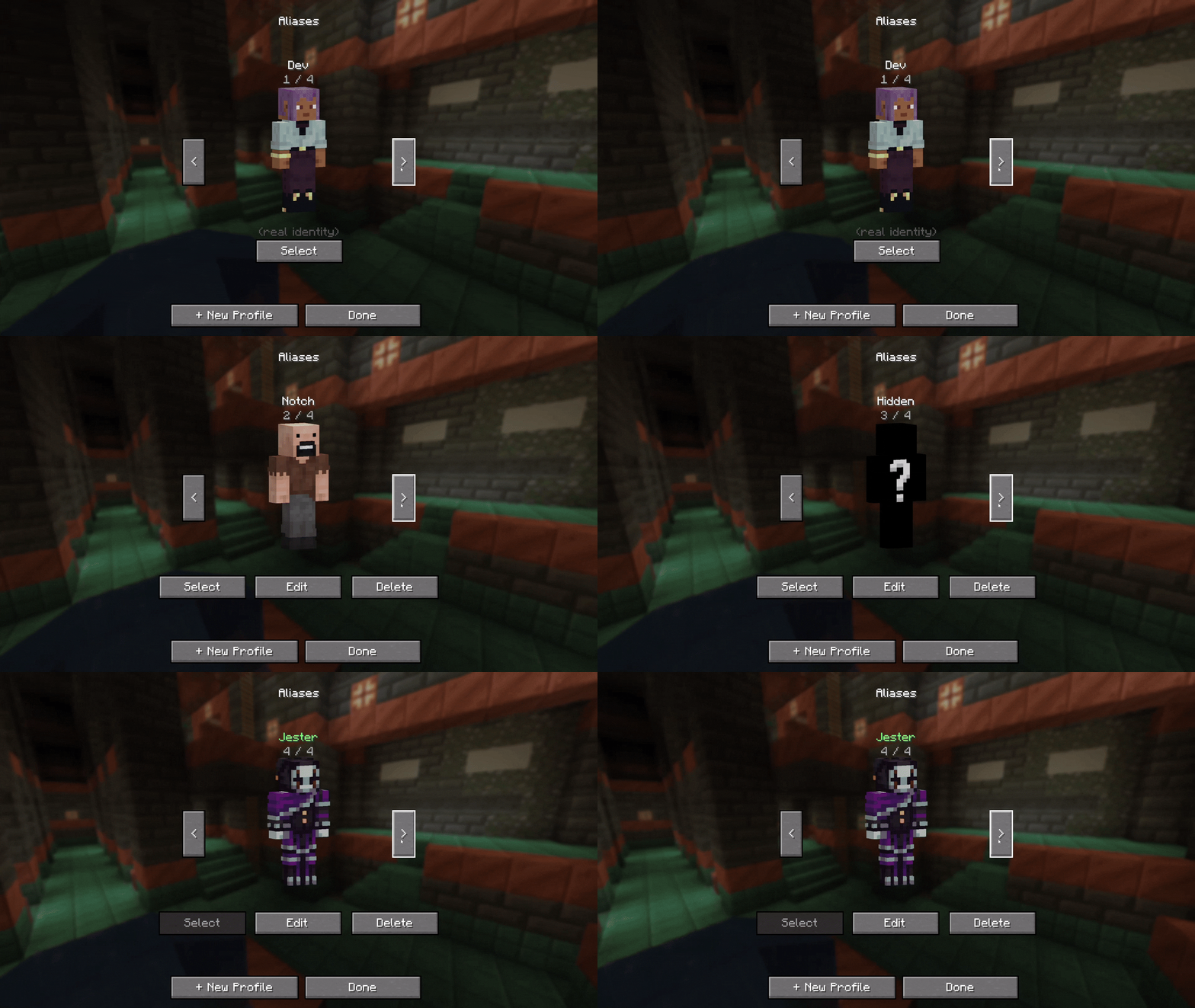


Pick a name. Pick a skin. Step into a new identity on the server, for everyone, in real time.
Player Disguise is a custom-alias system for servers, character-driven worlds, and anyone who wants a fresh identity without leaving their account. Build a book of profiles client-side, then present any one of them to the rest of the server: chat, tab, nameplates, F5 self-view, voice icons, map markers, and more.
Runs on NeoForge 1.21.1. A Fabric port is planned.
What’s in the box
- A profile book. Create profiles with a custom name and skin PNG. Wide and slim model support. Skins are validated against vanilla specs (64×64 or 64×32, ≤64 KB) before they ever touch the server.
- Server-wide visibility. Once you join, everyone on the server sees your alias and skin: chat, tab list, nameplates, F5 self-view.
- Persistent claims. Your alias and skin stay reserved on the server across logouts. Other players can’t snatch a name you’re using.
- Cooldown on release. When you switch profiles, your previous alias enters a per-player cooldown so a quick rejoin doesn’t lose it.
- Efficient skin transfer. Two-step handshake: the server only requests data when it doesn’t already have the skin saved. No re-uploading on every login.
- Storage hygiene. Server-side cleanup routines keep the skin cache bounded.
For server admins
Aliases exist for fun, not for hiding. Operators always have a real-name lookup:
/whois <alias>— name-anchored. Returns every player who has ever used that alias, with timestamps./namehistory <player>— player-anchored. Returns every alias that player has ever held, including their real-name intervals.- Standard moderation commands (
/ban,/kick, etc.) operate on real names, not aliases. - Real-name collision kick. If a player joins under their real Mojang name and someone else is currently disguised as that name, the disguised player is temporarily kicked. Your real name is always your real name.
- Reserved-name list. A player can never claim an alias that matches another player’s real Mojang name.
Compatibility
| Mod | What it does |
| — | — |
| Simple Voice Chat | Voice icons follow the disguised identity |
| BlueMap | Map markers reflect the disguise |
| JourneyMap | Map markers reflect the disguise |
| Chat Heads | Chat avatars match the disguised skin |
Data & privacy
Skin PNGs and aliases travel only between the modded client and the modded server you’re joining. There are no external skin hosts, no third-party APIs, no telemetry. Vanilla servers will still see your real Minecraft identity.
Credits
By WeaversWorkshop. Licensed under MPL-2.0.
Found a bug? Open an issue.
常见问题
Player Disguise 支持哪些 Minecraft 版本?
Player Disguise 支持 Minecraft Java 版 1.21.1,可用的加载器:NeoForge。下载时注意选择和你游戏版本一致的文件。
Player Disguise 怎么安装?
先用 PCL2 或 HMCL 启动器安装对应版本的 NeoForge,再把下载的 .jar 文件放进游戏目录的 mods 文件夹,重新启动游戏即可。开启了版本隔离的,mods 文件夹在 versions/版本名 下面。运行环境:客户端 / 服务端。
weaversworkshop 的其他作品
查看全部 →
Grappling Hook Mod: Skybound
Grapple onto Create contraptions, Sable airships, and everything in between. Classic grappling hook physics, modernized for Fabric & NeoForge 1.21.1+

Grappling Hook Mod: Skybound
Grapple onto Create contraptions, Sable airships, and everything in between. Classic grappling hook physics, modernized for Fabric & NeoForge 1.21.1+
评论
登录后评论和评分