
Textures++
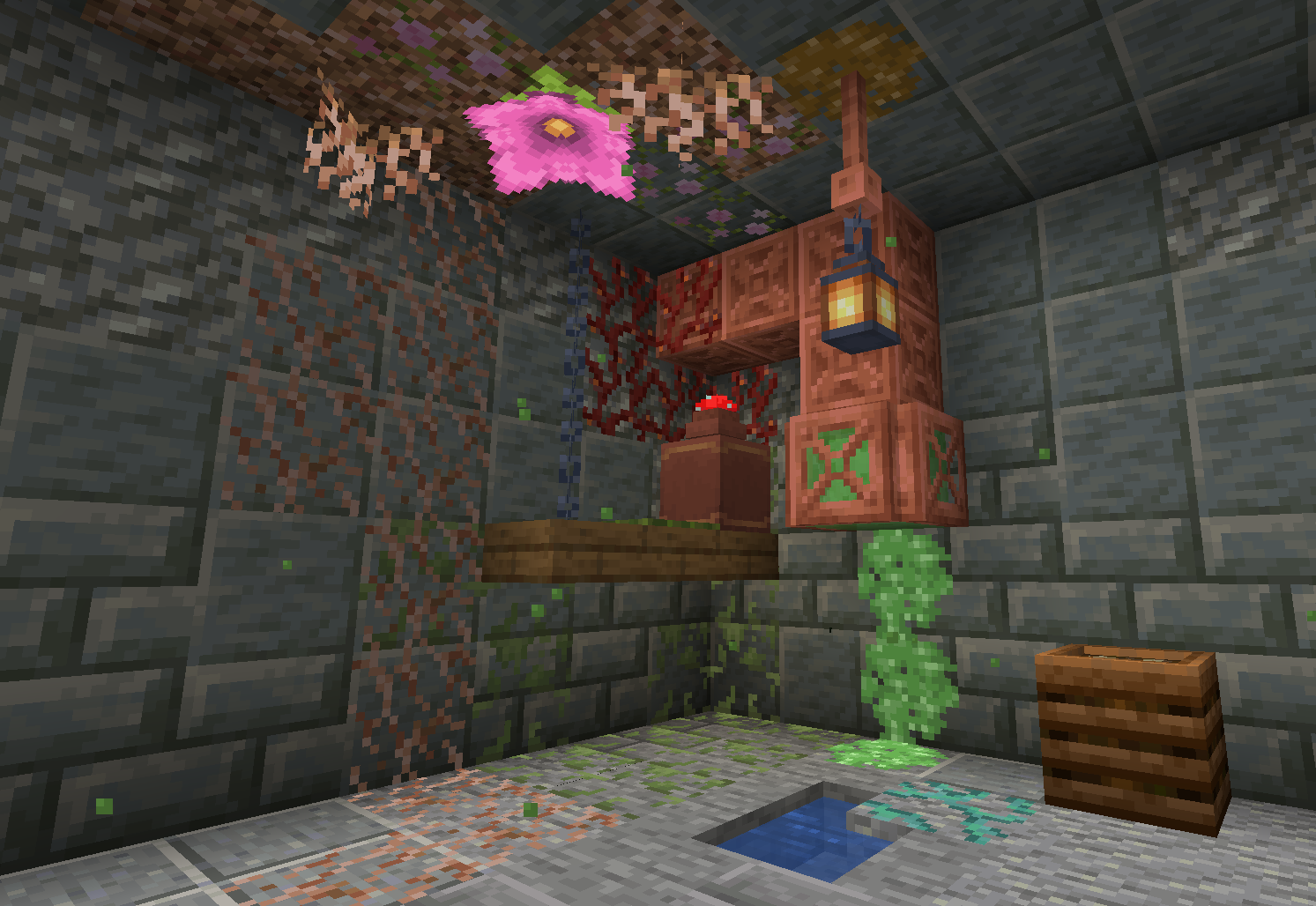
More mossy blocks... and beyond! Add new textures to any face of any full block.
截图

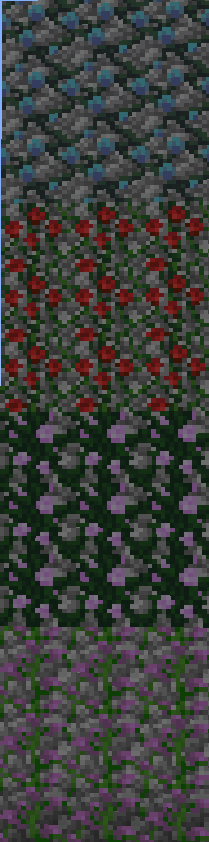
介绍
Textures++ adds over 20,000 combinations of textures to Minecraft in a survival-friendly, true-to-vanilla way. If you try adding multiple textures to a single block, the number of combinations reaches over one googol.

Description
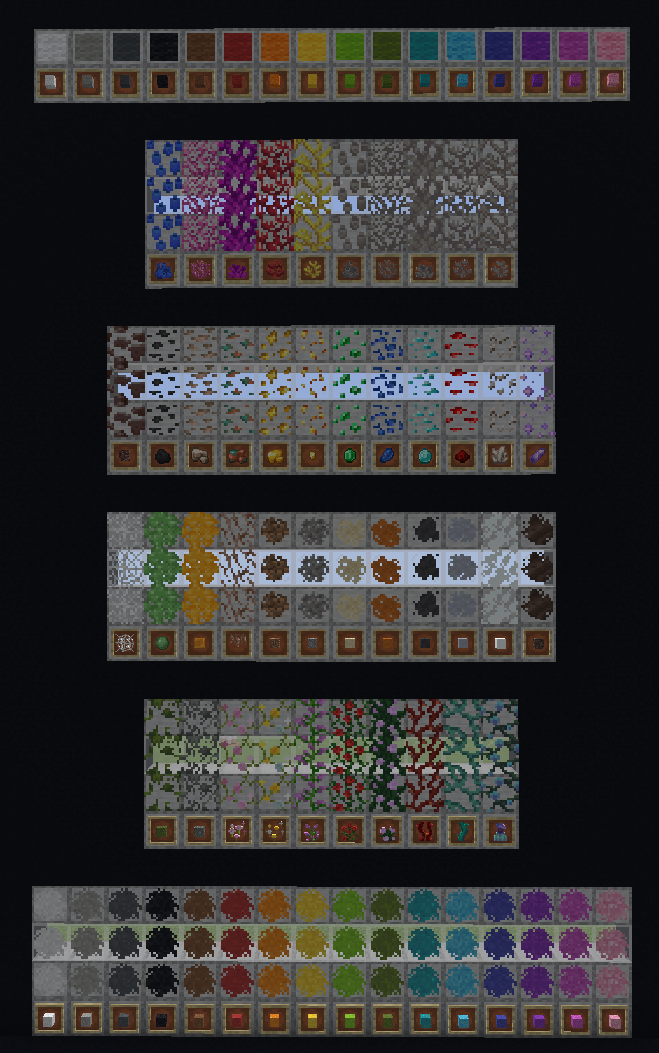
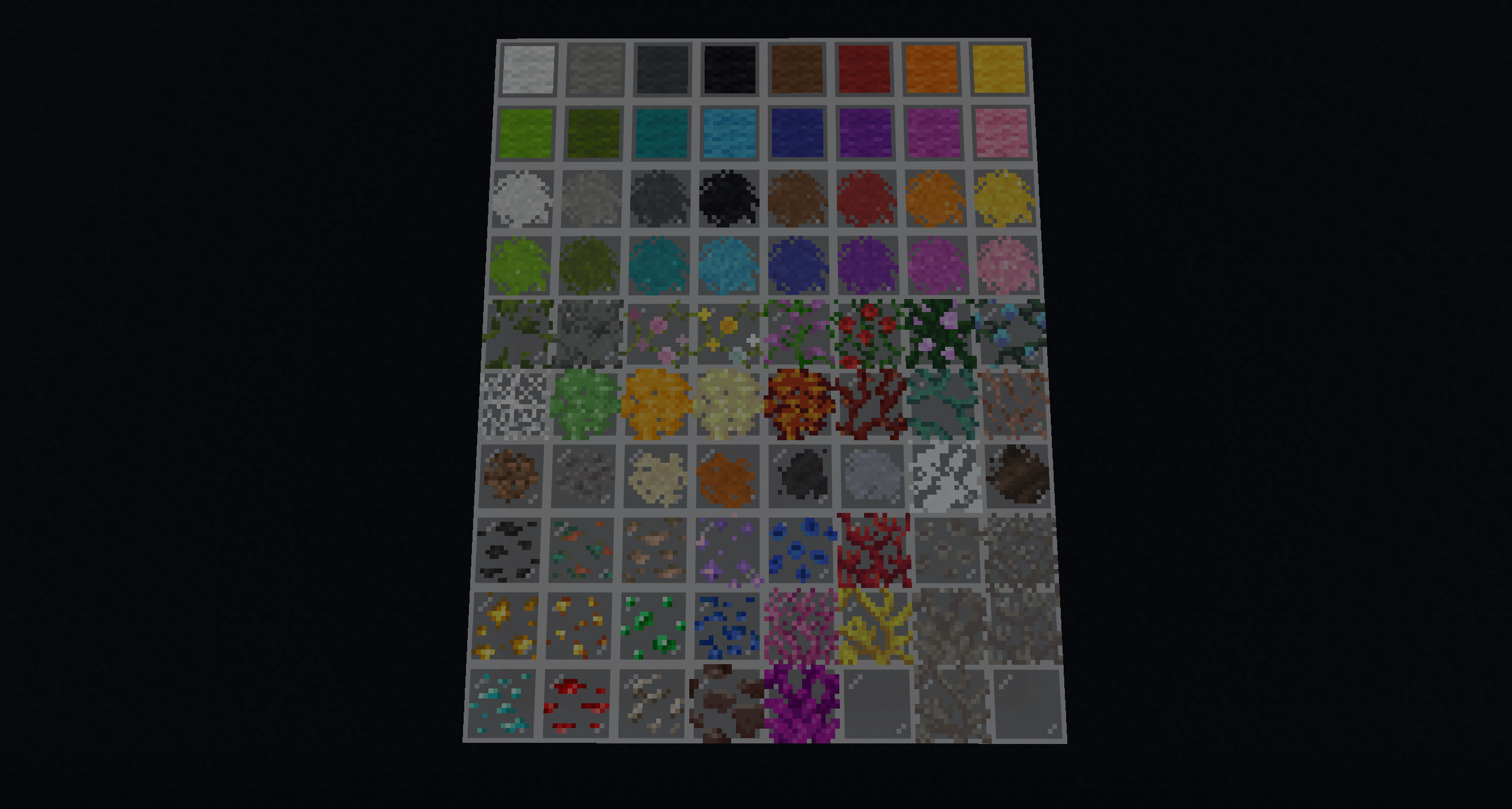
Textures++ adds 78 new textures that work like resin clumps—placed on the sides of a block—to spruce up (or, more accurately, moss up) your builds. Using the pack couldn’t be easier: just hold a valid item and right click the side of a block to apply a texture. Don’t like the texture you placed? Just break the block the texture is sitting on or scrape the texture off with your sword.
The following textures can be added to any full block:
- Moss
- Pale moss
- Pink petals
- Wildflowers
- Lilac vines
- Rose bush vines
- Peony vines
- Weeping vines
- Twisting vines
- Pitcher plant vines
- Cobweb
- Slime ball
- Honey block
- Sulfur spike
- Magma cream
- Hanging roots
- Dirt
- Gravel
- Sand
- Red sand
- Mud
- Clay
- Snow
- Soul Sand
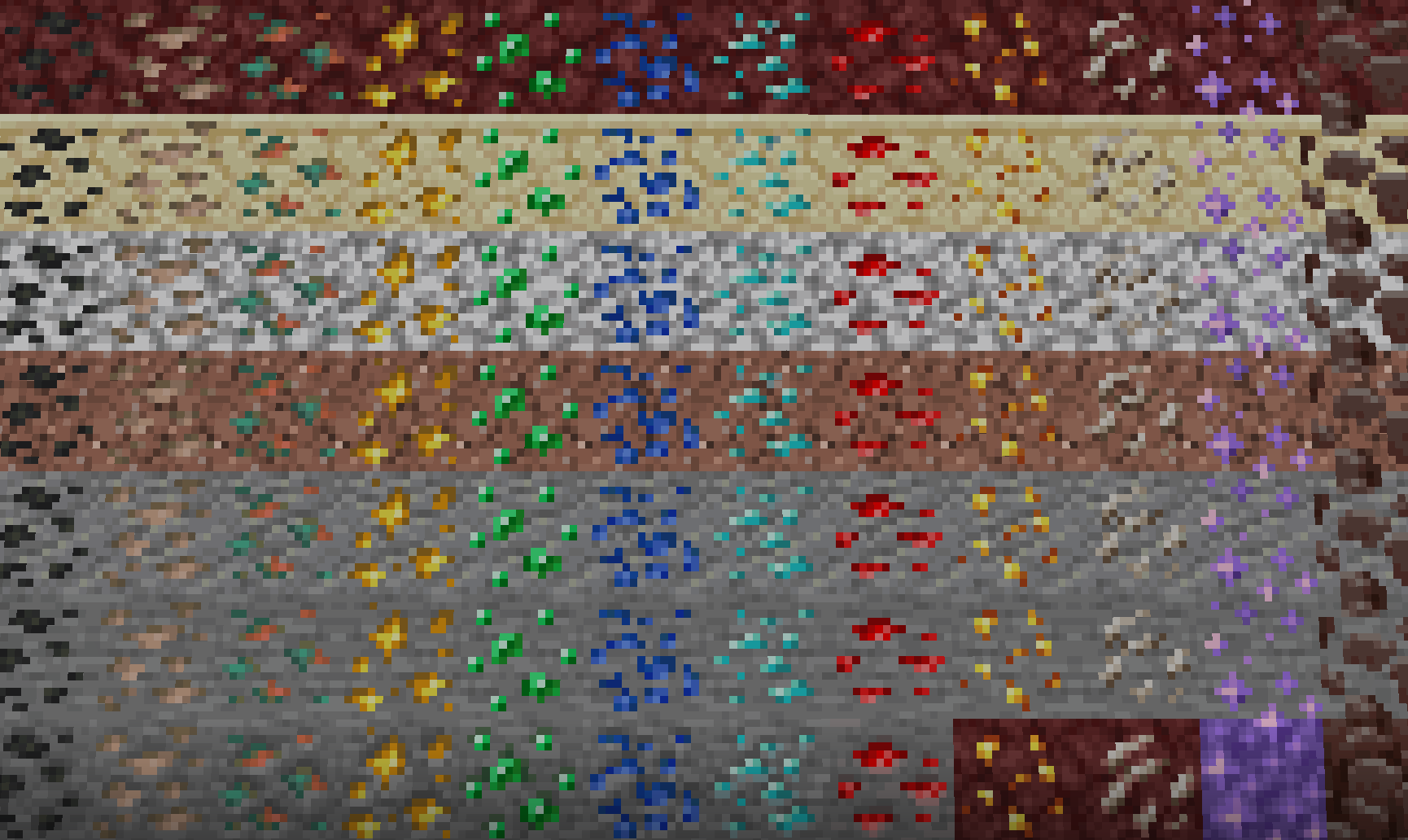
- Ancient debris
- Coal
- Raw iron
- Raw copper
- Raw gold
- Gold nugget
- Emerald
- Lapis lazuli
- Diamond
- Redstone dust
- Quartz
- Amethyst shard
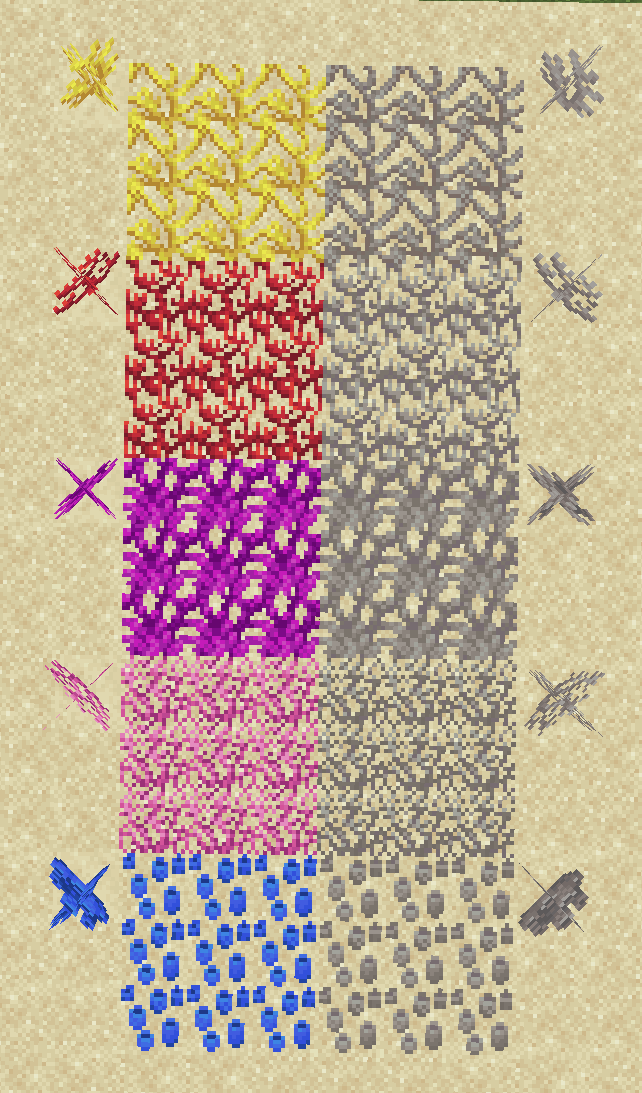
- All corals/dead corals (x10)
- All concrete powders (x16)
- All wool variants (x16)
Notes
Placing Textures

Right clicking any face of a block should apply its texture to that face of the block.
- If the texture isn’t placed where you expected, make sure you’re facing exactly in the direction you’d like the texture to be placed. For example, look straight down to place a texture on the top side of the block.
- If the texture is being placed behind the block you expected, make sure the block you’re targeting is a full block. Textures can’t be placed on things like slabs or stairs.
- If the item in your hand is being placed as a block instead of a texture, get closer to the block. Some of the items already have place functionality, so you’ll need to put yourself in a position where the block can’t be placed.
Removing Textures
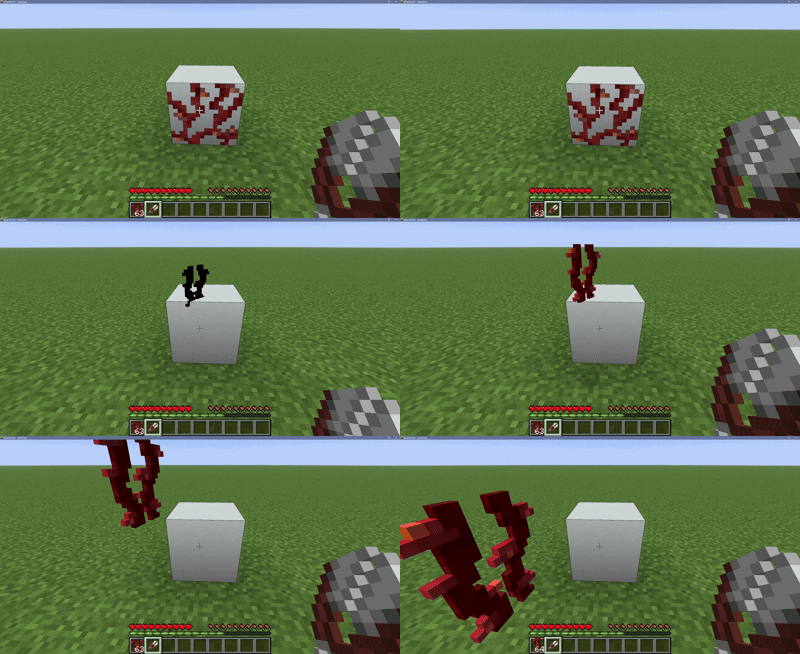
Breaking the block a texture is sitting on will remove all textures from that block. If you want to be more specific, right click any face of a block with shears to scrape only nearby textures off.
Offhand
As of version 1.1.0, you are no longer able to place/remove textures while holding a shield or any other tool with right-click functionality in your offhand. This is to prevent the player from being unable to shield while holding a sword.
Performance
Will adding this datapack to your world impact performance? Not really! Issues begin occuring when roughly 250,000 textures are being rendered at once, or at roughly 60,000 textures if every texture is the same. While this pack offers a lot of potential for decoration, it’s hard to reach the limit! Having other datapacks installed will lower the texture limit.
常见问题
Textures++ 支持哪些 Minecraft 版本?
Textures++ 支持 Minecraft Java 版 1.21.5–26.3,共 12 个版本。下载时注意选择和你游戏版本一致的文件。
Textures++ 怎么安装?
新建世界时在「数据包」里把下载的 .zip 拖进去;已有的存档,把文件放进存档目录下的 datapacks 文件夹,进游戏输入 /reload 即可生效。服务器同样放在世界目录的 datapacks 里。
juniper_garden 的其他作品
查看全部 →
Way(More)Points
Tired of lodestone compasses taking up inventory space? Repurpose them as lodestone waypoints and see important locations on your HUD! Customize each waypoint with over 50 million combinations.

Just Chisel
Use the chisel tool to turn any block into its stair or slab variants!

In-World Dyeing
Right-click blocks with dye to change their color! Use soap to remove dye from blocks.
评论
登录后评论和评分