截图


介绍
Features
🔍 Network-Wide Storage Search
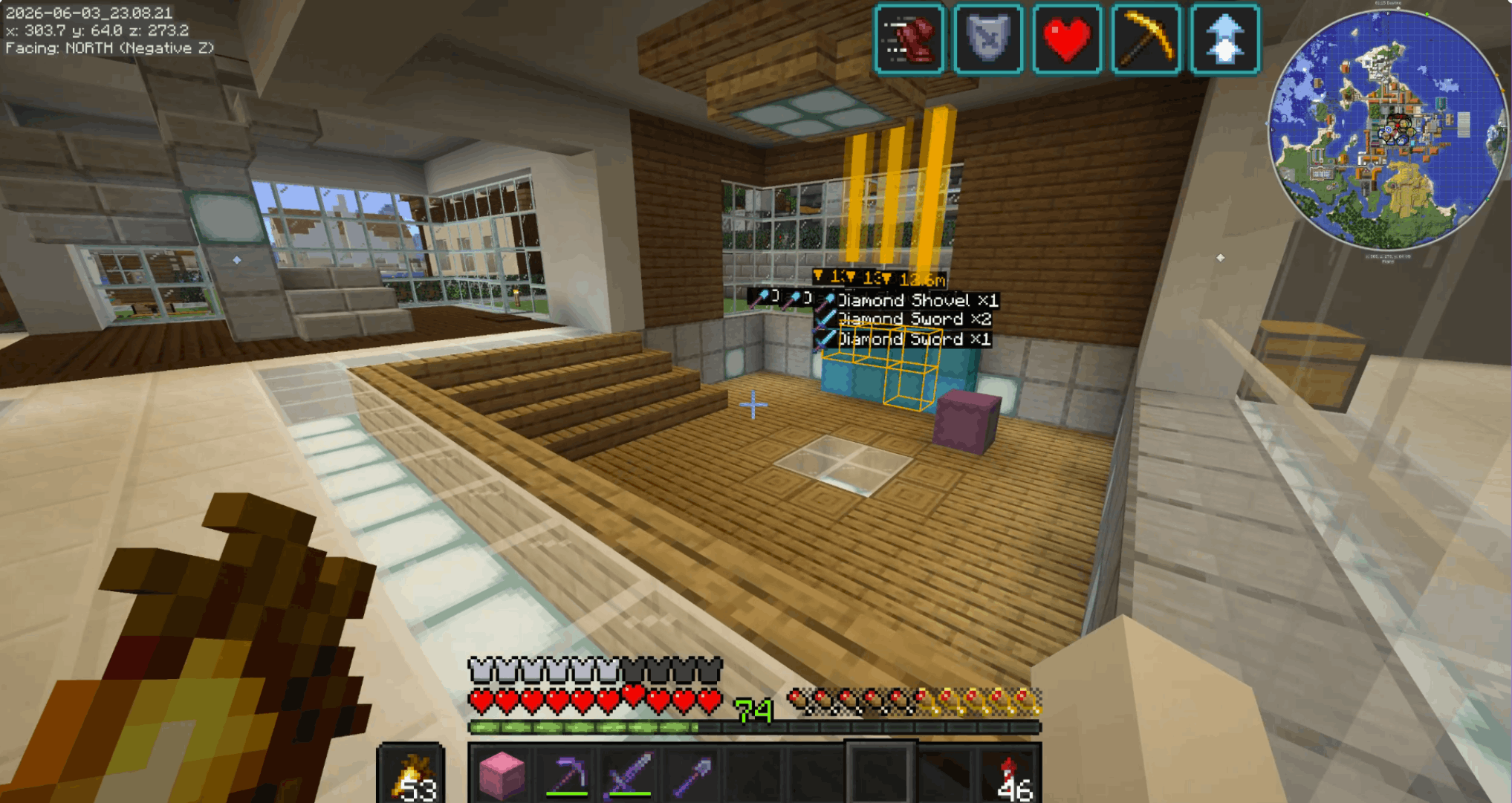
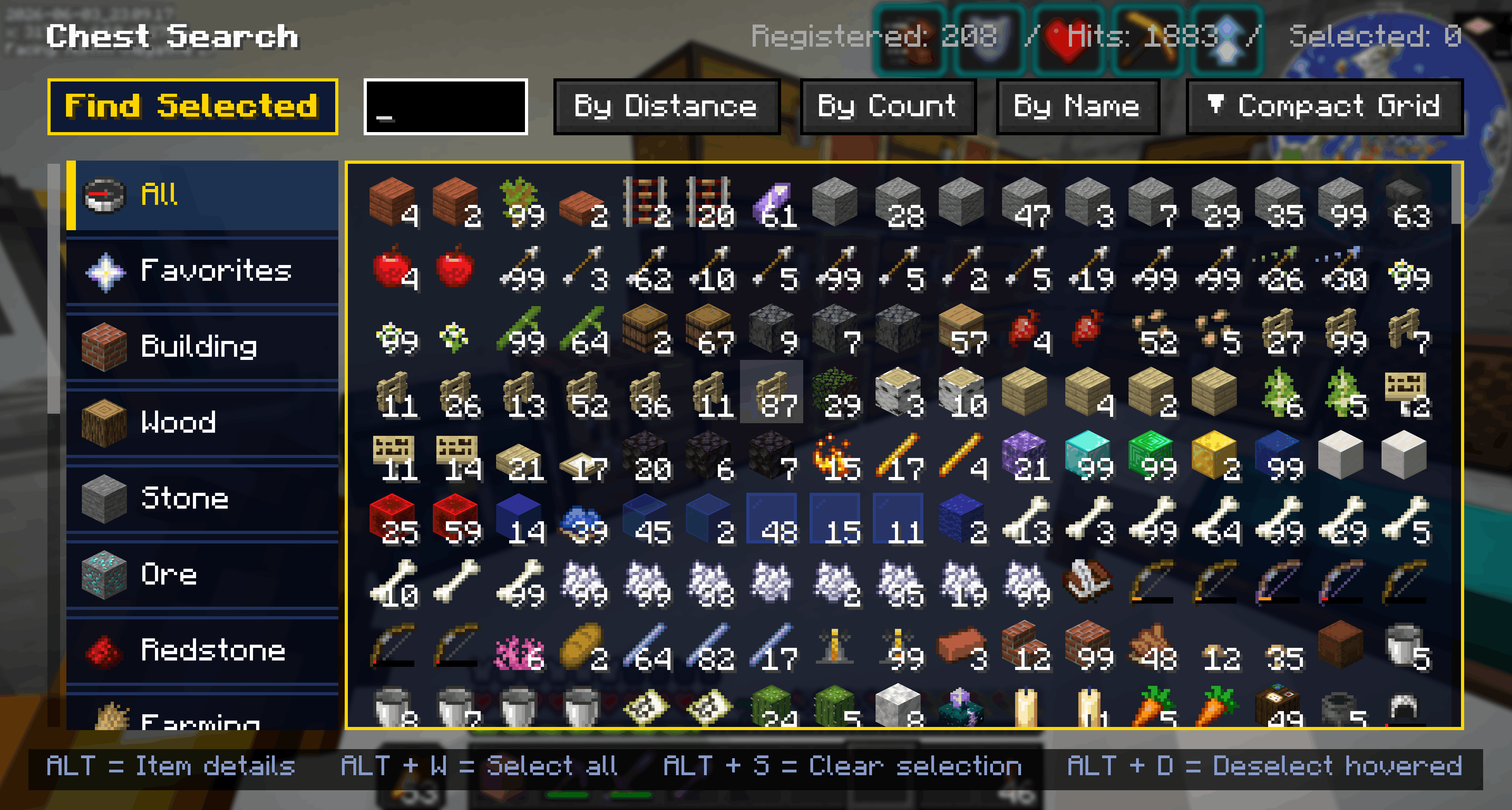
- Search for any item across every chest you’ve ever opened on the server.
- See exactly which chest, where, and how many — then OmniChest drops an in-world pin & beacon beam so you can spot it from a distance.
- Searches inside shulker boxes and ender chests (nested containers supported too)
- Creative-inventory-style category tabs and favorites (★)
🗂️ Category Sort
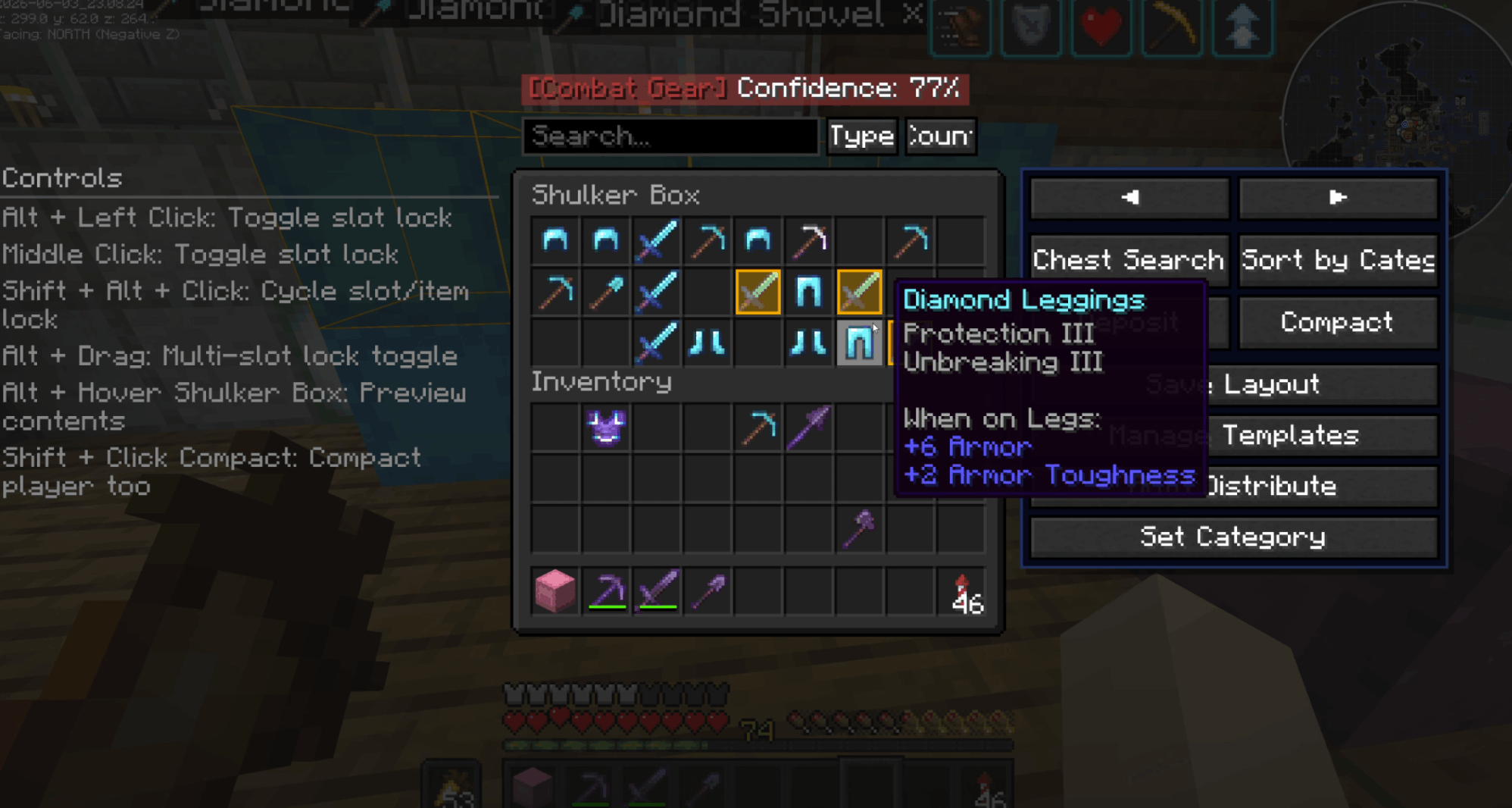
- Automatically sorts a chest’s contents into meaningful categories —
building, wood, ore, food, and more. Respects item tags and Creative-tab ordering,
and merges identical items into single stacks.
📥 Smart Deposit
- Deposits items from your inventory into a chest, **but only the types already stored
there**. Quickly offload your hotbar without messing up an organized chest.
📦 Compact
- Merge half-stacks of the same item into one with a single click — your inventory too,
if you want.
🔒 Slot Lock
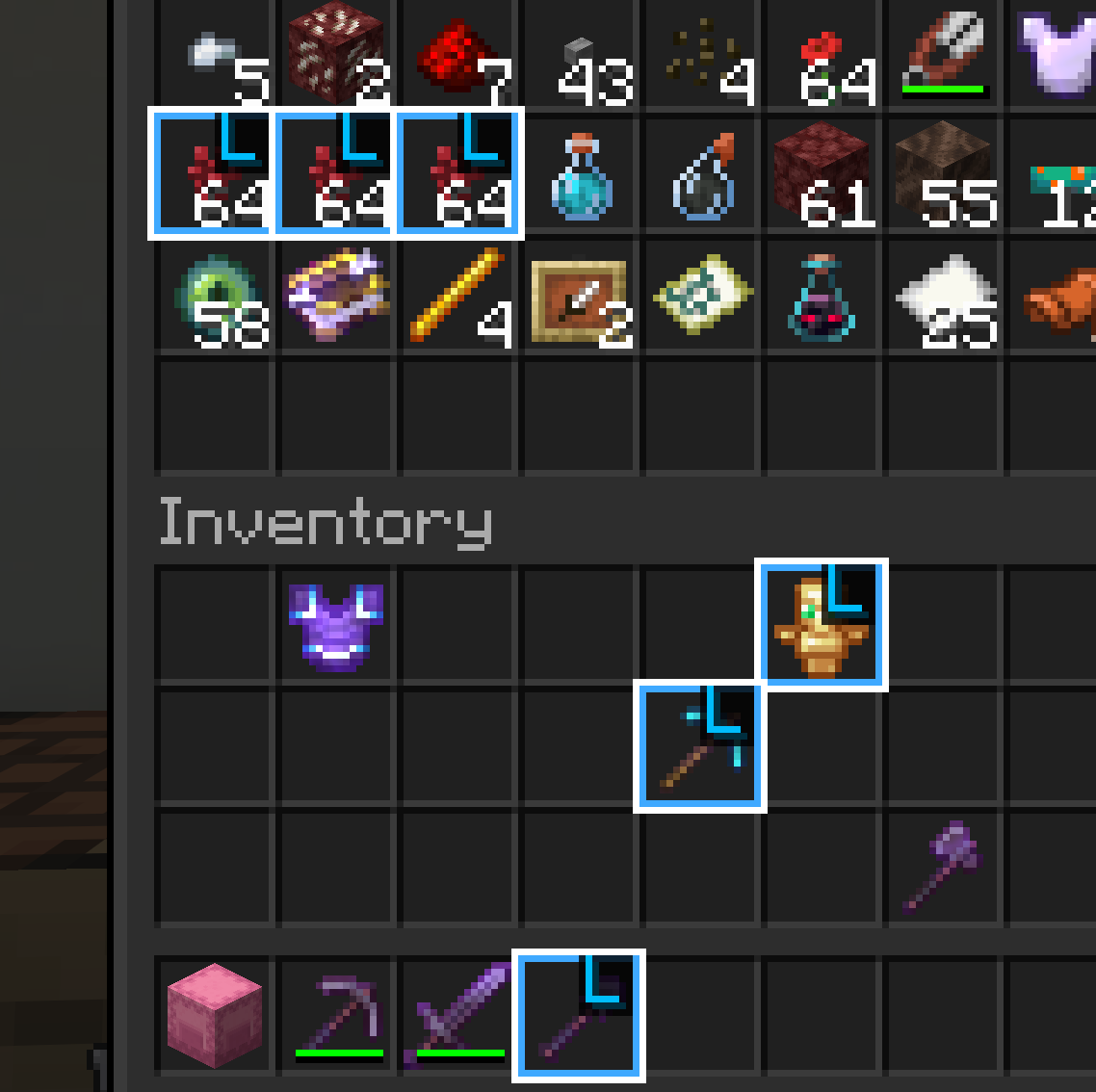
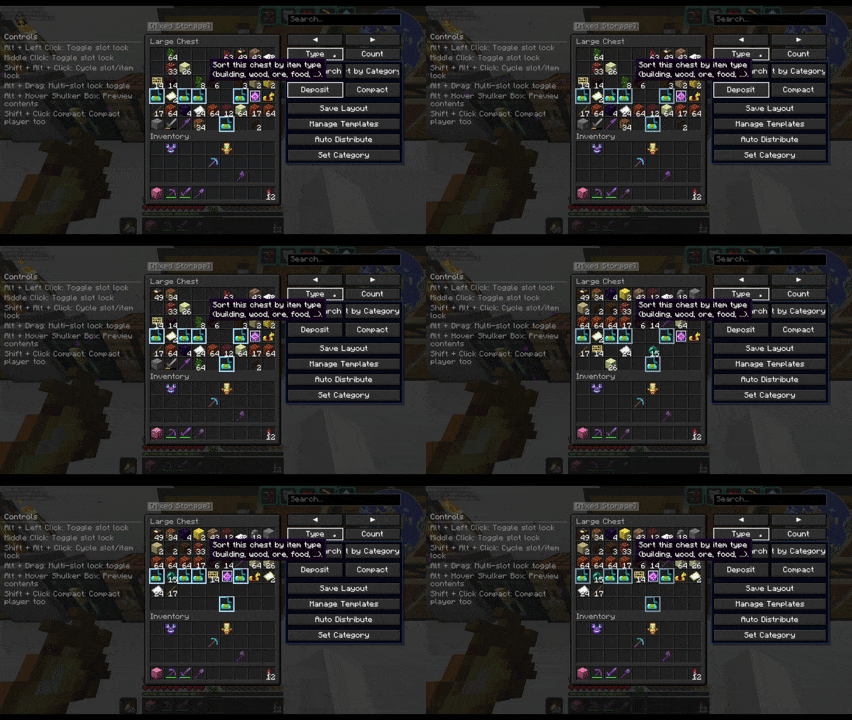
- Protect important items from sorting and deposits. Lock by slot or by item,
and optionally protect your hotbar, offhand, and armor slots by default.
📋 Chest Templates
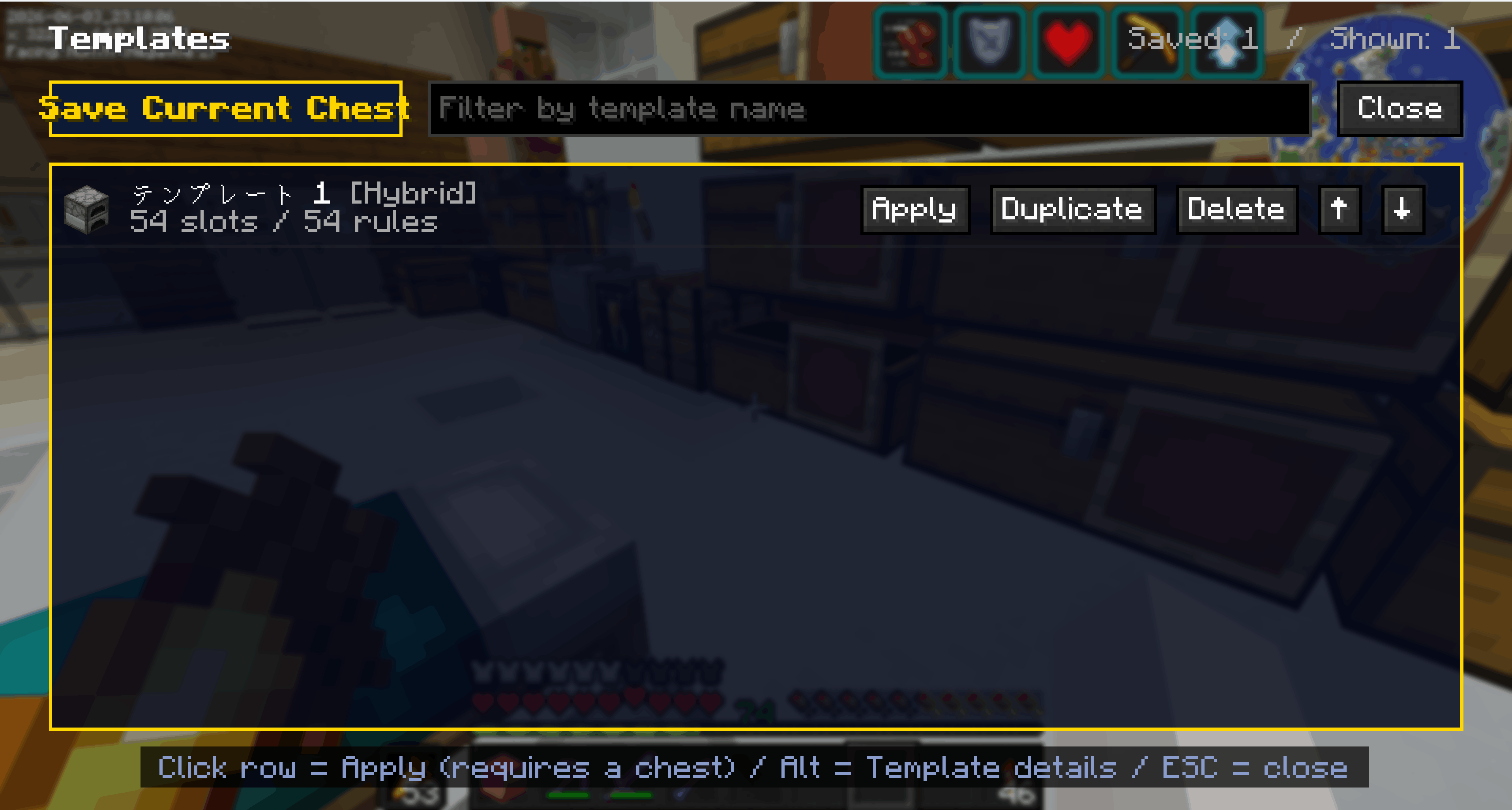
- Save a chest layout you like and reapply it to any other chest in one click.
Choose Exact / Category / Hybrid matching so material storages stay flexible.
🤖 Auto-Sort & Distribution
- Learns each chest’s category from your deposit history, then **automatically routes
items to the right category storage**. Supports queued transfers to distant chests.
Who it’s for
- Players with sprawling storage bases that are impossible to keep tidy
- Anyone who loses track of where their items ended up
- Players who want a fast, vanilla-feeling organization mod
Localization
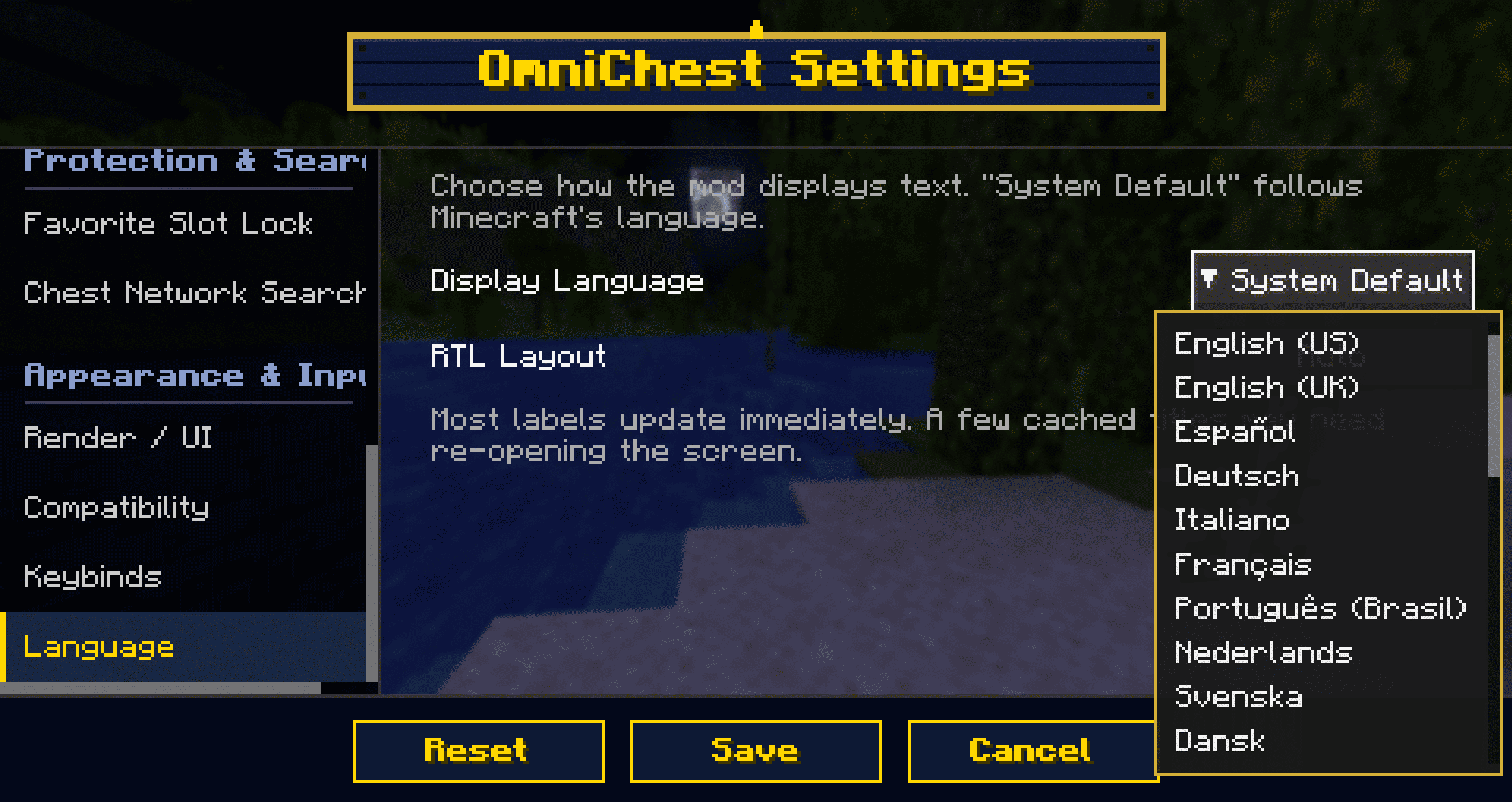
Supports 27 languages + System Default. You can even switch OmniChest’s display
language independently of Minecraft (e.g. keep the game in English but read
OmniChest in your own language).
Compatibility
- Dedicated render path to avoid conflicts with Iris / Oculus (shaders)
- Integrates with REI / EMI / Inventory Profiles and similar mods
- Built-in safety layers for resource packs and Unicode/CJK fonts
Configuration
Every feature can be toggled and fine-tuned from Mod Menu (Cloth Config) —
which buttons to show, sorting speed, search radius, visual effects, and more.
Requirements
| Item | Requirement |
|——|————-|
| Minecraft | 1.21.11 |
| Mod Loader | Fabric |
| Required | Fabric API |
| Recommended | Mod Menu (for the settings screen) |
| Environment | Client-side only (no server install needed) |
License: CC0-1.0
常见问题
OmniChest 支持哪些 Minecraft 版本?
OmniChest 支持 Minecraft Java 版 1.21.10–26.2,共 6 个版本,可用的加载器:Fabric。下载时注意选择和你游戏版本一致的文件。
OmniChest 怎么安装?
先用 PCL2 或 HMCL 启动器安装对应版本的 Fabric,再把下载的 .jar 文件放进游戏目录的 mods 文件夹,重新启动游戏即可。开启了版本隔离的,mods 文件夹在 versions/版本名 下面。运行环境:仅客户端。


评论
登录后评论和评分