
Stats Command
A simple Fabric mod that provides player statistics and leaderboards in one command.
截图
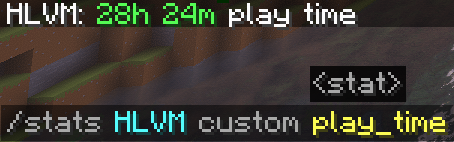
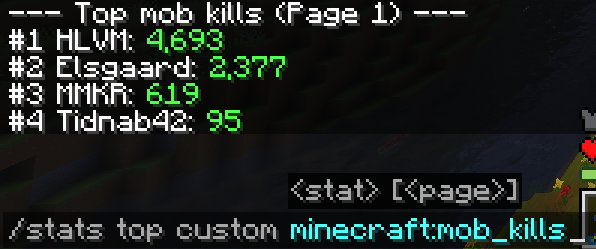
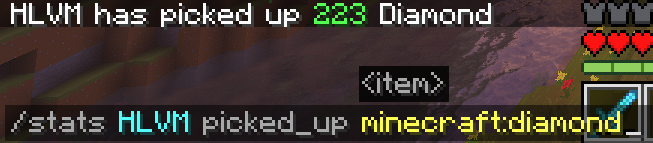
介绍
This mod allows players to view statistics view leaderboards for any tracked metric in the game. It is engineered for scalability, utilizing memory-mapped files and incremental indexing to ensure zero impact on server performance, even with potentially tens of thousands of unique player files. It uses the built-in vanilla stat system and can show stats for any player that have, at any time, been playing on the server.
Features
- Instant Lookups: specific stats for any player (mined, crafted, broken, killed, dropped, etc.).
- Leaderboards: View top rankings for any category with
/stats top. - Custom Stats: Support for custom statistics registered by datapacks.
- High Performance:
- Uses memory-mapped I/O for nanosecond-level access times.
- Non-blocking, incremental indexing system.
- Zero main-thread lag, suitable for large production servers.
Usage
Lookup a player:
/stats <player> <category> <stat>
/stats Steve mined diamond_ore
View leaderboard:
/stats top <category> <stat> [page]
/stats top killed creeper
Installation
Requires Fabric Loader and Fabric API. Place the mod .jar file in your server’s mods folder.
Have been tested on 1.21.11
常见问题
Stats Command 支持哪些 Minecraft 版本?
Stats Command 支持 Minecraft Java 版 1.21.11–26.3,共 6 个版本,可用的加载器:Fabric。下载时注意选择和你游戏版本一致的文件。
Stats Command 怎么安装?
先用 PCL2 或 HMCL 启动器安装对应版本的 Fabric,再把下载的 .jar 文件放进游戏目录的 mods 文件夹,重新启动游戏即可。开启了版本隔离的,mods 文件夹在 versions/版本名 下面。运行环境:仅服务端。

评论
登录后评论和评分