
PinChat
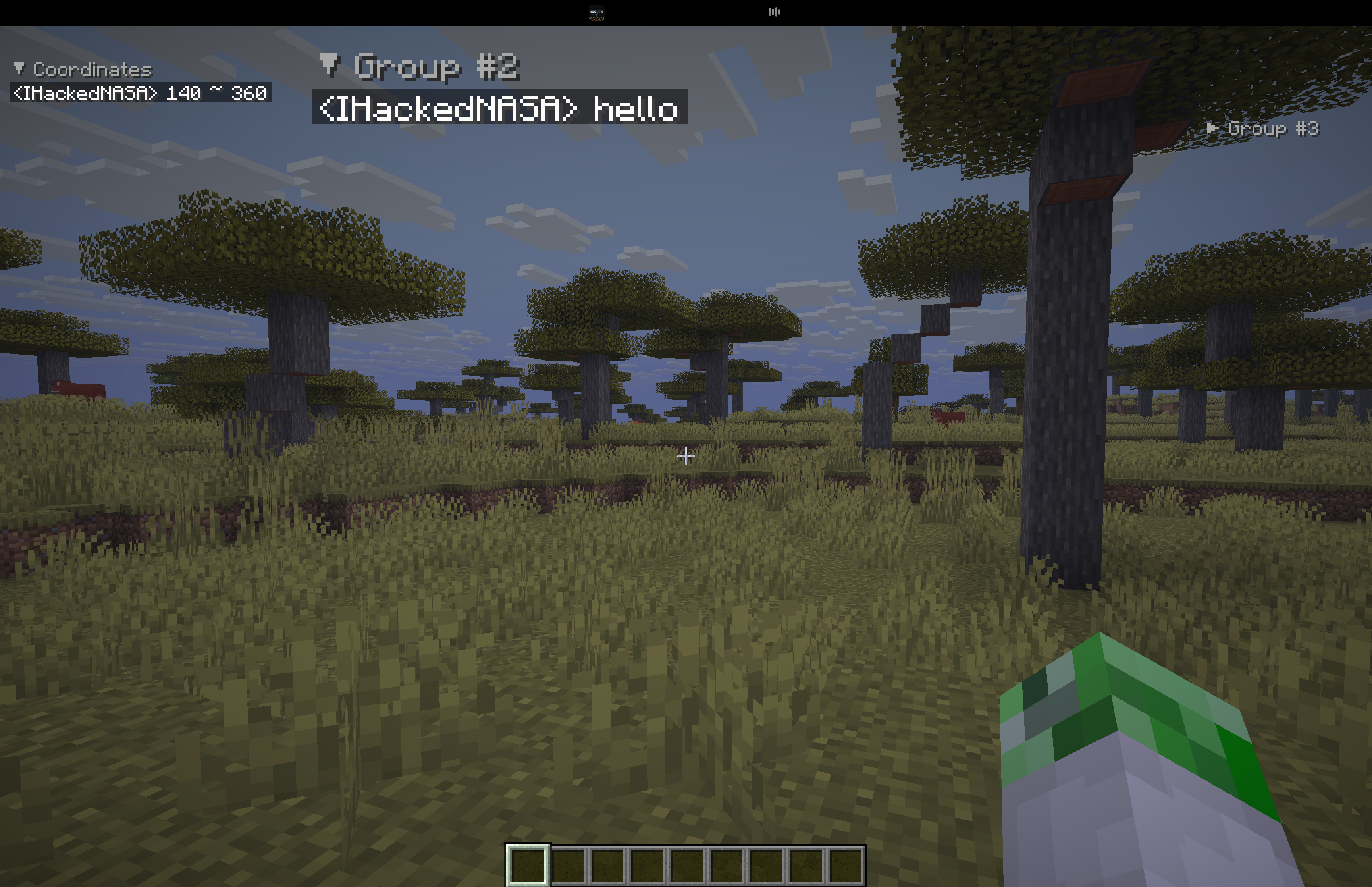
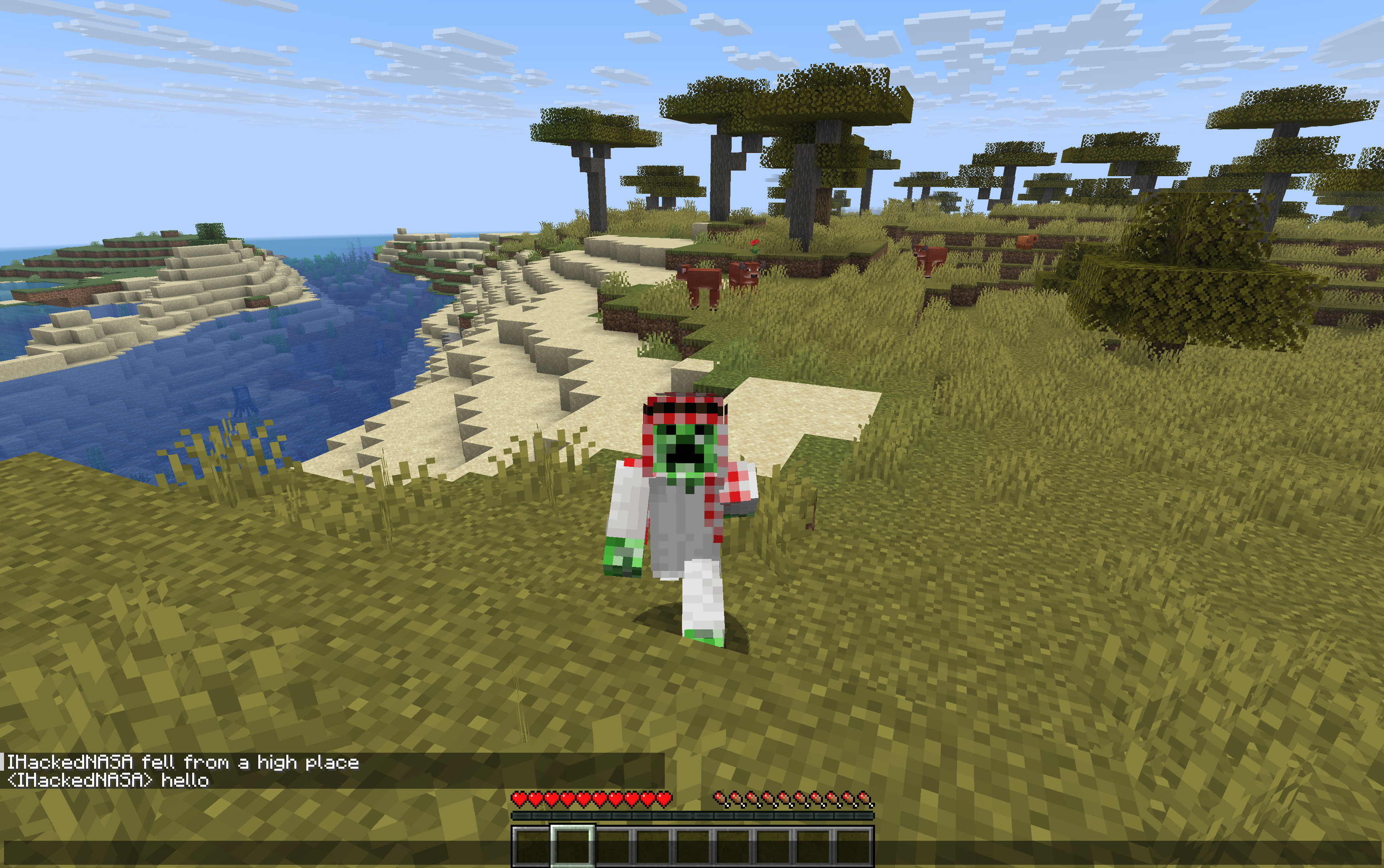
Keep important chat messages on your HUD. Pin, organize, move, and resize message groups—or keep moving with chat open. Client-side, with simple built-in settings.
截图
介绍
PinChat
Keep the messages that matter in view.
Coordinates to your next base. A friend’s instructions. Your server’s next objective. PinChat keeps useful chat messages on your HUD, so you can get back to playing without scrolling through chat.
Pin messages · Organize groups · Move and resize · Move while chatting
Download PinChat · Source code · Report a bug
Your chat, where you need it
- Keep important messages visible. Right-click a message in normal chat to pin it; right-click again to unpin.
- Make room for different tasks. Shift + right-click creates a new group. Keep coordinates, reminders, and conversations together in their own groups.
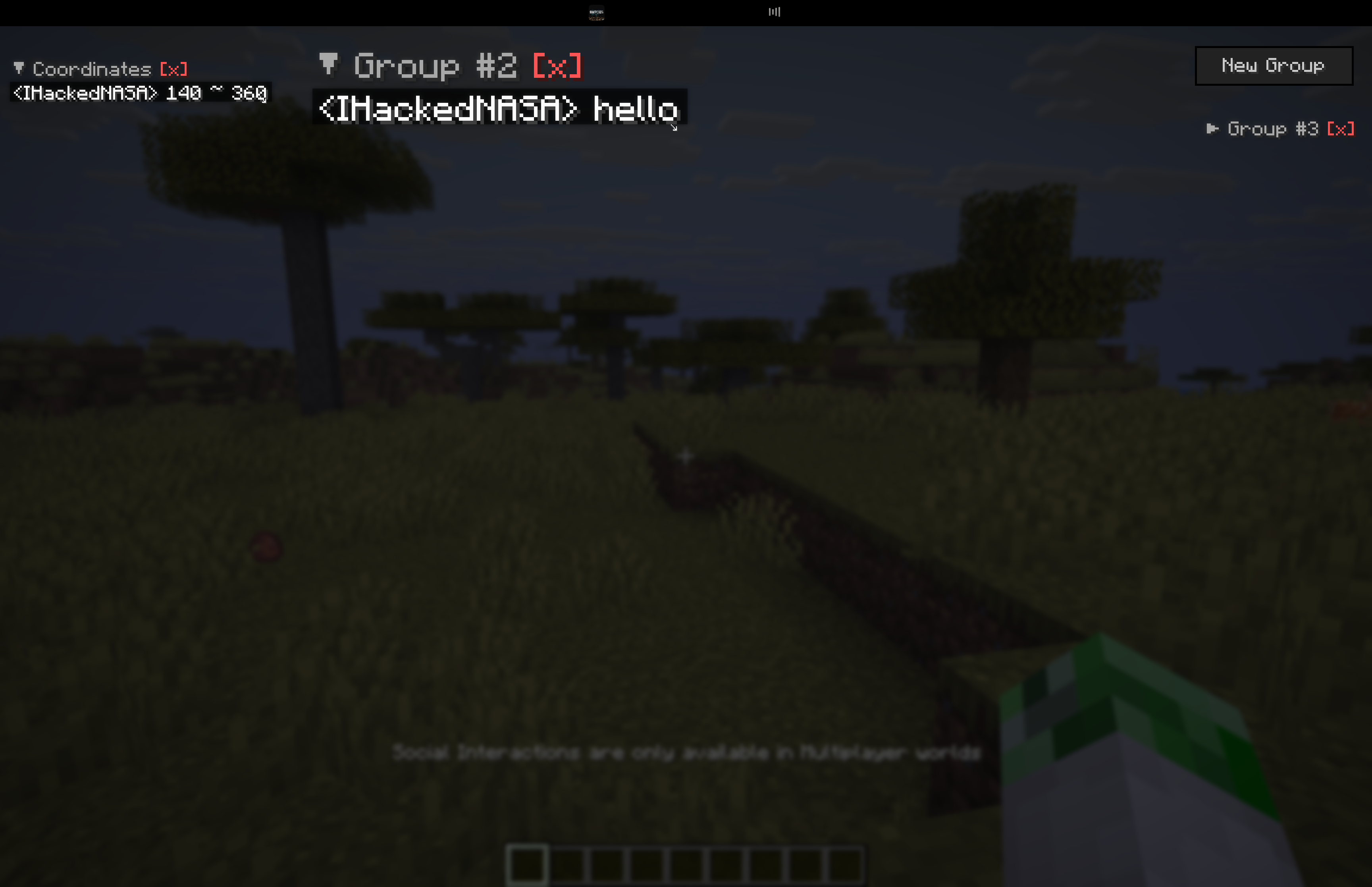
- Arrange your HUD. Drag groups into position and use the ↘ handle to resize them. Collapse a group with its header, rename it with [R], or delete it with [X].
- Keep moving with chat open. Press F9 to open the special chat mode with movement, then F9 or Esc to close it.
- Pick up where you left off. Groups and their positions are saved in
config/pinchat.json.
Choose your version
The current release is PinChat 3.2.0.
| Minecraft | Java | Available loaders |
|—|—|—|
| 1.21.11 | 21 | Fabric, Quilt, Forge, NeoForge |
| 26.1 / 26.1.1 / 26.1.2 | 25 | Fabric, Quilt, NeoForge |
| 26.2 | 25 | Fabric, Quilt, NeoForge |
| 26.3 | 25 | Fabric, Quilt, NeoForge |
Choose the Minecraft version and loader you actually use on the Versions tab. Install one matching PinChat JAR.
The 26.1, 26.1.1, and 26.1.2 downloads share the same binary for each loader. Quilt uses the Fabric-compatible binary. Forge 26.x is not supported. Minecraft 26.3 requires its dedicated JAR and Java 25; NeoForge for 26.3 is currently beta.
Get started
- Install your chosen mod loader for the matching Minecraft version.
- Download PinChat from the Versions tab and put its JAR in your game profile’s
modsfolder. - Fabric and Quilt: also install Fabric API for your exact Minecraft version. Forge and NeoForge: no additional mods are needed.
- Launch Minecraft, open normal chat with T or /, and right-click a message to pin it.
Client only: install PinChat on your own game client; it does not require installation on the server.
Controls at a glance
| Action | Default control |
|—|—|
| Pin / unpin a chat message | Right-click in normal chat |
| Create a group with a message | Shift + right-click |
| Move a group | Left-click and drag |
| Resize a group | Drag the ↘ handle |
| Collapse / expand | Click the group header |
| Rename / delete a group | [R] / [X] |
| Remove a pinned line | Right-click the pinned line |
| Open chat with movement | F9 |
| Close chat with movement | F9 or Esc |
| Open PinChat settings | F8 |
Upgrading? Existing profiles retain saved key bindings. Assign F8 for settings and F9 for special chat, or reset those two actions individually in Minecraft’s Controls → PinChat.
Simple settings
The built-in settings screen has a single switch for chat with movement. No configuration mod is required. ModMenu can also open this screen on Fabric.
The default limit is 5 messages per group. PinChat saves its data in config/pinchat.json. Controls and settings in older releases may differ; check the changelog for your download.
Need a hand?
Open an issue with your Minecraft version, loader, PinChat version, and any relevant logs.
常见问题
PinChat 支持哪些 Minecraft 版本?
PinChat 支持 Minecraft Java 版 1.21.10–26.3,共 7 个版本,可用的加载器:Fabric / Forge / NeoForge / Quilt。下载时注意选择和你游戏版本一致的文件。
PinChat 怎么安装?
先用 PCL2 或 HMCL 启动器安装对应版本的 Fabric / Forge / NeoForge / Quilt,再把下载的 .jar 文件放进游戏目录的 mods 文件夹,重新启动游戏即可。开启了版本隔离的,mods 文件夹在 versions/版本名 下面。运行环境:仅客户端。
评论
登录后评论和评分