
截图
介绍



Status
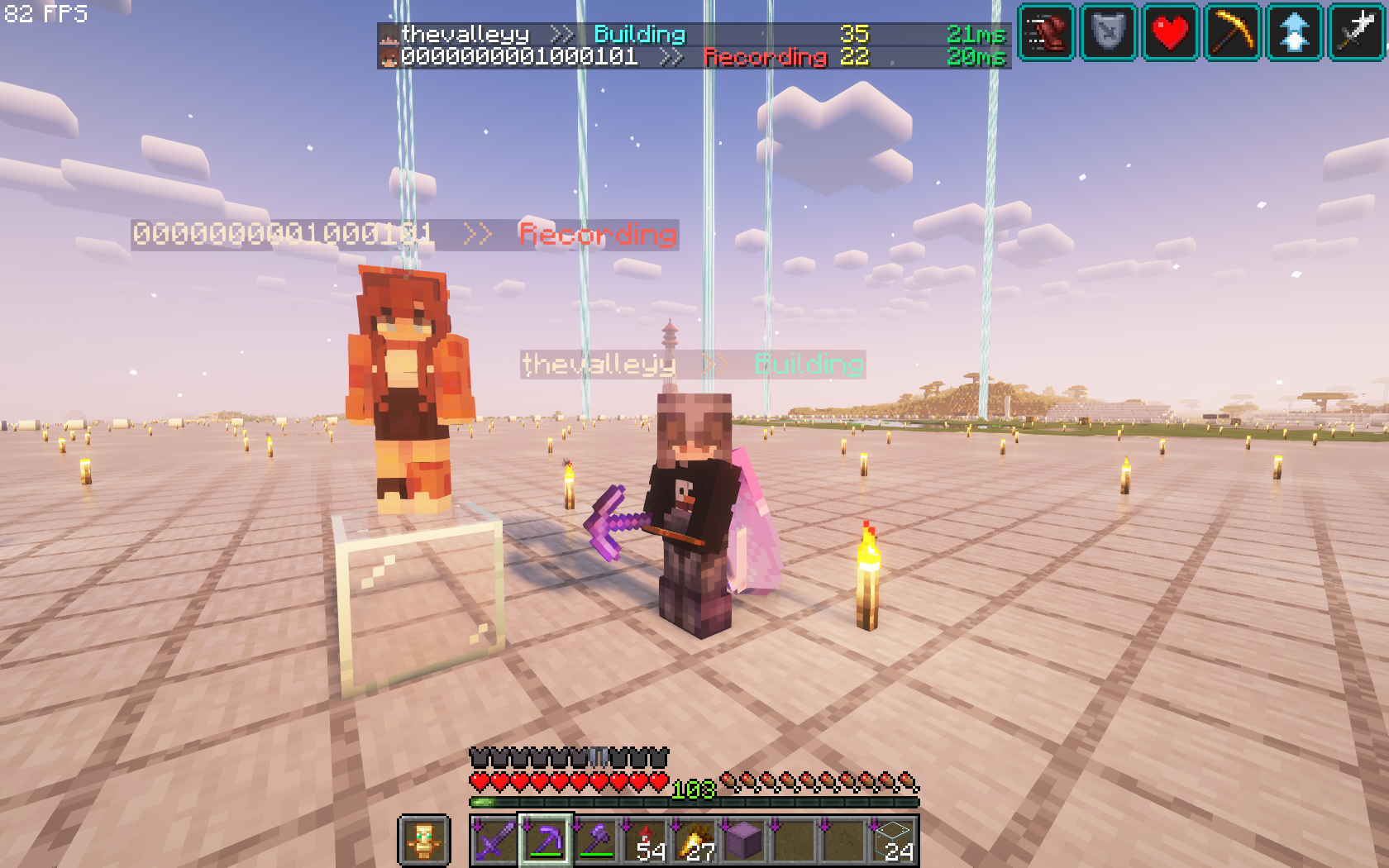
A Minecraft datapack which adds a suffix to your name in the tablist. Just because, why not?
Screenshots
| Multiplayer | Singleplayer |
| :——————————————————–: | :——————————————————–: |
|  |
 |
Table of contents
- Features
- Installation
- Usage
- Uninstallation
- Support / Feature request
- Authors
- Acknowledgements
- License
Features
- Lightweight
- No configuration needed
- Animated suffixes
- Visible to everyone
- Runs on every vanilla based server and in singleplayer
Installation
- Stop the server or
- Download the latest
Status.zip - Paste it in
world/datapacksorsaves/<world>/datapacks - Start the server
- Enable it by typing
/datapack enable "file/Status.zip"\ If nothing happens, run/function default:firststart
If there are any problems, create an issue.
Usage
Basics
_All of these commands can be accessed by anyone using the status panel or the chat._
| Command | Displays |
| :————————– | :—————– |
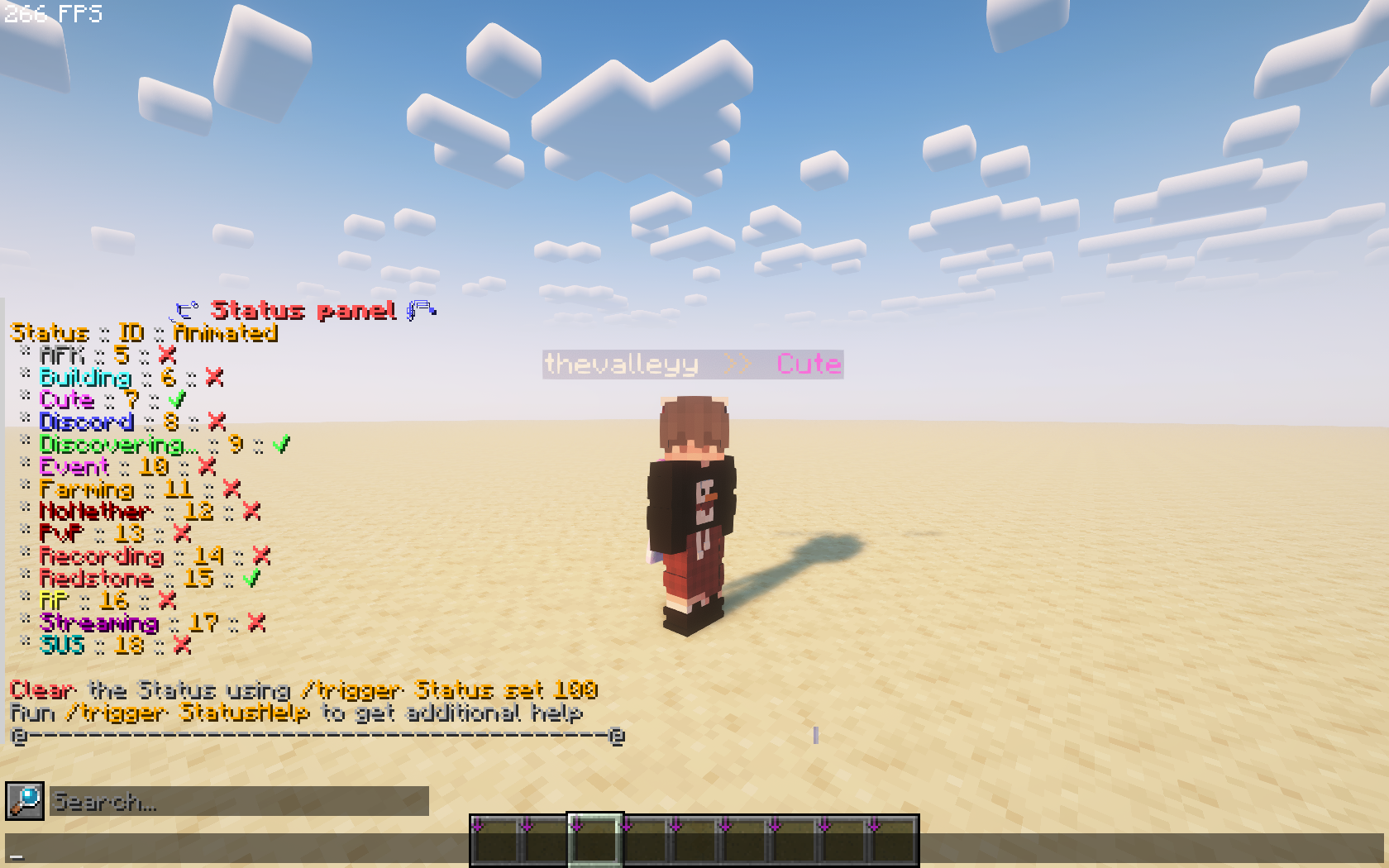
| /trigger Status | status panel |
| /trigger StatusAnimated | animation menu |
| /trigger StatusHelp | help menu |
| /trigger Statushelp set 2 | credits |
Teams
To join a team, either click it on the status panel or use the command below.
trigger Status set <ID>| ID | Suffix | Animated | Color | XXX |
| :— | :————— | :——- | :————————————————————————————————————- | — |
| 5 | AFK | ❌ | 
| 6 | Building | ❌ | 
| 7 | Cute | ✅ | 
| 8 | Discord | ❌ | 
| 9 | Discovering... | ✅ | 
| 10 | Event | ❌ |
| 11 | Farming | ❌ | 
| 12 | NoNether | ❌ | 
| 13 | PvP | ❌ |
| 14 | Recording | ❌ | 
| 15 | Redstone | ✅ |
| 16 | RP | ❌ | 
| 17 | Streaming | ❌ | 
| 18 | SUS | ❌ | 
| 19 | Vibing | ❌ |
| 20 | Fishing | ❌ |
| 21 | Mapping | ❌ | 
To clear your status, run /trigger Status set 100
Animation
You can manage animations by selecting your preference in the animation menu.
trigger StatusAnimatedAdmin
_These commands can only be used by players with operator status._
/function setup:reinstallresets all data and reboots the datapack/function setup:remove/trigger StatusKeepaborts the process/trigger StatusRemovedeletes everything
To completely disable the datapack, run /datapack disable "file/Status.zip" to disable autostart on reload.
Uninstallation
- Run
/function setup:remove - To confirm run
/trigger StatusRemove - Run
/datapack disable "file/Status.zip" - Delete the
Status.zipfrom the datapacks folder (optional)
Support / Feature request
Feel free to create an issue over here on GitHub.
Authors
Acknowledgements
- Partice-Converter
- Inspired by: CraftAttack Status Plugin
License
常见问题
Status 支持哪些 Minecraft 版本?
Status 支持 Minecraft Java 版 1.15–26.3,共 43 个版本。下载时注意选择和你游戏版本一致的文件。
Status 怎么安装?
新建世界时在「数据包」里把下载的 .zip 拖进去;已有的存档,把文件放进存档目录下的 datapacks 文件夹,进游戏输入 /reload 即可生效。服务器同样放在世界目录的 datapacks 里。
评论
登录后评论和评分