
NBT Data Exporter
Minecraft Mod: Export the /data command output to the clipboard or file
截图


介绍
NBT Data Exporter
Introduction
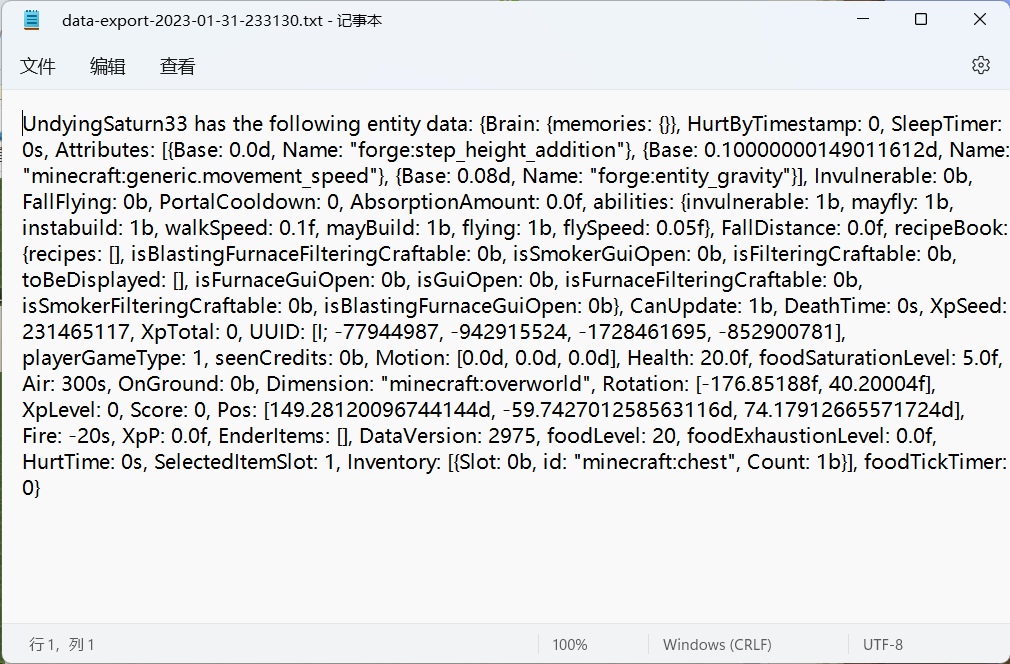
As one of the most common commands, /data get command can read off the NBT data from the targeted block position or entity to the executor.
However, the NBT data cannot be exported to the clipboard/file automatically. This mod aims to solve the problem.
Usage
After installing the mod, there will be two more game rules.
They can be set to true on the world creation interface or using the commands /gamerule exportToClipboard true and /gamerule exportToFile true.
Then, when the player enters the /data get command, the NBT data will be exported to the clipboard or file, according to the game rules. The exported file is in the folder .minecraft/export, named the time when the command is executed.
External Links
- Github (also the issue tracker): https://github.com/QWERTY770/DataExporter
- MCMOD: https://www.mcmod.cn/class/9061.html
- MCBBS: https://www.mcbbs.net/thread-1424236-1-1.html
The mod was made on Lxazl5770’s commission.
Temporarily, the mod does not support Fabric, but it is welcomed for other developers to port the mod to Fabric/Quilt.
常见问题
NBT Data Exporter 支持哪些 Minecraft 版本?
NBT Data Exporter 支持 Minecraft Java 版 1.16–1.20.1,共 12 个版本,可用的加载器:Forge。下载时注意选择和你游戏版本一致的文件。
NBT Data Exporter 怎么安装?
先用 PCL2 或 HMCL 启动器安装对应版本的 Forge,再把下载的 .jar 文件放进游戏目录的 mods 文件夹,重新启动游戏即可。开启了版本隔离的,mods 文件夹在 versions/版本名 下面。运行环境:客户端和服务端都要装。
QWERTY770 的其他作品
查看全部 →
Monument Data Fix
API support for custom data fixers!

Sweet Potato Reborn
New and better Sweet Potato Mod! (Minecraft 1.20 and above)

Client Export Helper
A client-side mod that lets you export client-side data including advancements and statistics.
评论
登录后评论和评分