
VillEdit
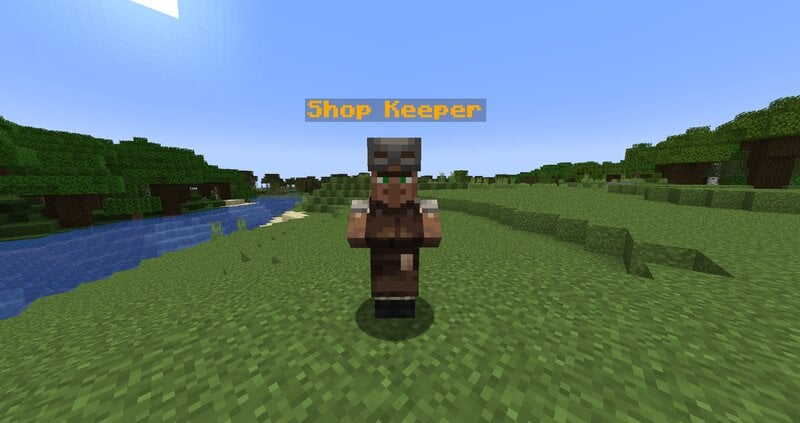
Create custom villagers with the VillEdit datapack! This is an easy custom villager creator which works without mods.
截图
介绍
VillEdit – Create your own custom villagers
This Datapack was inspired by CommandGeek: https://youtu.be/MmDHKOZLkBc
Description
VillEdit is a Datapack which allows you to create and edit your own custom villagers. You can edit the trades, profession, biome, level and even the name with a fancy menu in no time. At the end, you will get a spawn egg to spawn your custom villager anywhere in the world.
How to use
Spawning the editor
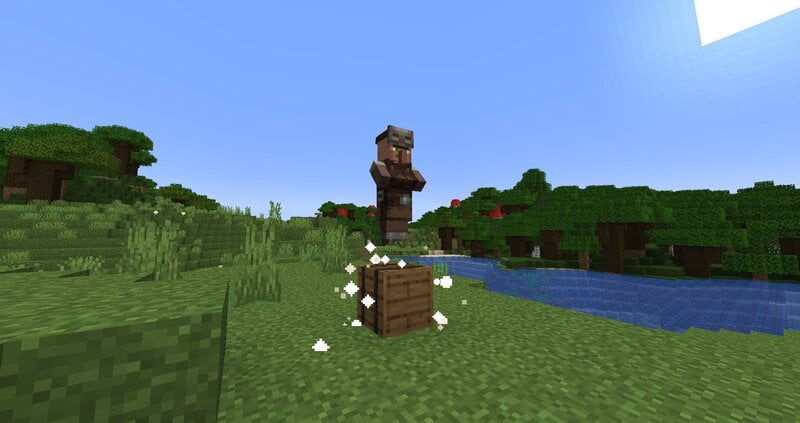
Place down a chest, and then use a villager spawn egg on top of it (sneak and right click the top). This will spawn a Villager Editor. Right click the barrel to open the menu.
Using the editor
To use the editor, simply open the barrel and click the buttons. Each button will explain what it does when you hover over it. There are 5 appearance options:
- Cycle Profession
- Cycle Biome
- Cycle Level
- Toggle Static (NoAI)
- Toggle Glow
- Toggle Silent
- Change Custom Name
Adding a trade
To add a trade, click the green “Add Trade” button. This opens a new menu where you can create the trades by putting items in the UI. You need at least one input item, and an output item, for it to work. You can also toggle whether you want the trade to reward any XP to the player.
Removing trades
To remove trades, you can click the redstone to remove the last trade you added. You can also click on the redstone block twice to reset and remove all the trades.
Saving and exiting
Once you’re done, open the editor and press Save. This will give you the spawn egg to spawn your custom villager. You can use it wherever and whenever you want, but make sure to keep the egg safe. The spawn egg will work even if the datapack is uninstalled. The spawn egg will display the villager’s data in the lore of the item (hover over it in the inventory)
To remove the editor, just break it.
常见问题
VillEdit 支持哪些 Minecraft 版本?
VillEdit 支持 Minecraft Java 版 1.17–1.21.11,共 23 个版本,可用的加载器:Fabric / Forge / NeoForge / Quilt。下载时注意选择和你游戏版本一致的文件。
VillEdit 怎么安装?
新建世界时在「数据包」里把下载的 .zip 拖进去;已有的存档,把文件放进存档目录下的 datapacks 文件夹,进游戏输入 /reload 即可生效。服务器同样放在世界目录的 datapacks 里。
Silabear 的其他作品
查看全部 →
Realistic Item Drops
This datapack makes dropped items display with physics and rest nicely on the ground (using fun stuff with armor stands)!

BearEdit
A worldedit datapack for 1.20.2+ which is easy to use - no commands required! :D

Potato PC
Adds a literal potato pc with a literal potato operating system

Drawing
Draw things in your Minecraft world!
评论
登录后评论和评分