
截图


介绍
Main Mod Features
1. Shaders
Works only in conjunction with Iris Shaders. Quickly enable your disable shaders.
2. Gamma
Tired of caves being too dark but can’t be bothered to dig through game settings? Gamma lets you instantly brighten things up so night looks like day!
3. Kill Effects
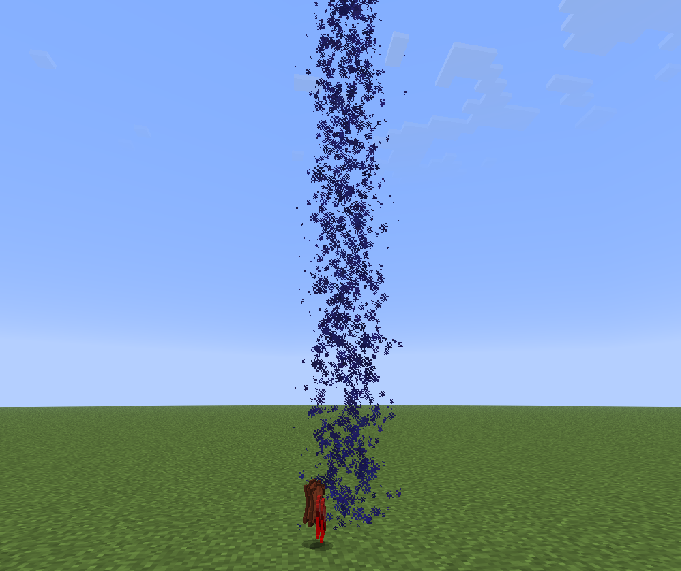
Bored of defeating mobs or players? Kill effects will spice things up!
4. Better Near
Playing on a server and want to know who’s nearby, but lack the necessary rank or find it too expensive? This feature lets you instantly see which players are within a 200-block radius.
5. Markers
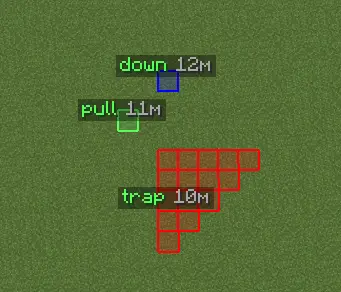
New to Minecraft and constantly forgetting where your base is? Or are you a trapper who can’t remember where you placed that pressure plate? With markers, you’ll never lose track of anything again!
6. Configs
Love having multiple setting presets but hate the hassle of switching between them? Configs let you create various presets and switch between them instantly.
7. Inventory Animations
Find it boring when crafting tables, furnaces, or chat messages just pop up instantly? This feature makes things more fun!
8. Favorites

Do you have specific settings you want quick access to? The Favorites section will open automatically whenever you launch the Glitch Visuals menu!
Sound Guide
Our visuals support custom sounds. Here’s how to set them up:
- Choose your sound
- Convert it to .ogg format using an online converter
- Move your sound file to
.minecraft/config/glitchvisuals/sounds - Select your sound in the “Player” section
常见问题
Glitch Visuals 支持哪些 Minecraft 版本?
Glitch Visuals 支持 Minecraft Java 版 1.20.1–1.21.11,共 7 个版本,可用的加载器:Fabric / Forge。下载时注意选择和你游戏版本一致的文件。
Glitch Visuals 怎么安装?
先用 PCL2 或 HMCL 启动器安装对应版本的 Fabric / Forge,再把下载的 .jar 文件放进游戏目录的 mods 文件夹,重新启动游戏即可。开启了版本隔离的,mods 文件夹在 versions/版本名 下面。运行环境:仅客户端。
评论
登录后评论和评分