音符盒调教师NoteBlockTweaker
原版大型红石音乐的建造需要一次次地右击音符盒、一个方块一个方块地摆放延音电路,此模组专为解决这两个痛点而生。 Building large-scale redstone music in vanilla Minecraft requires right-clicking note blocks one by one and placing delay circuits block by block — this mod is designed to solve those two pain points.
截图
介绍
一键调音 + 一键生成延音电路 + 批量调音
One-Click Tuning + One-Click Delay Circuit Generation + Batch Tuning
功能/Function
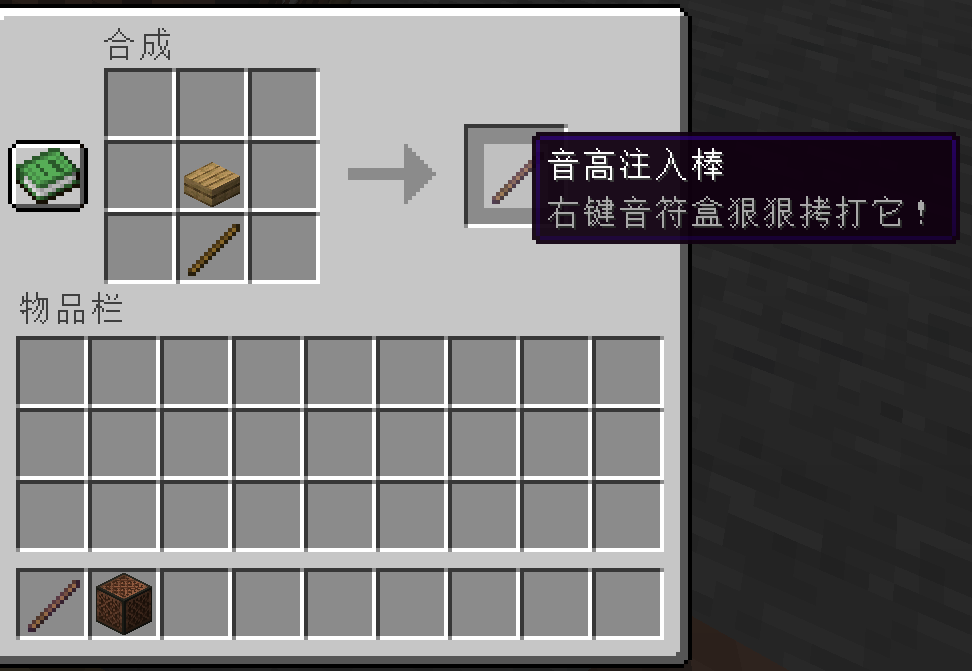
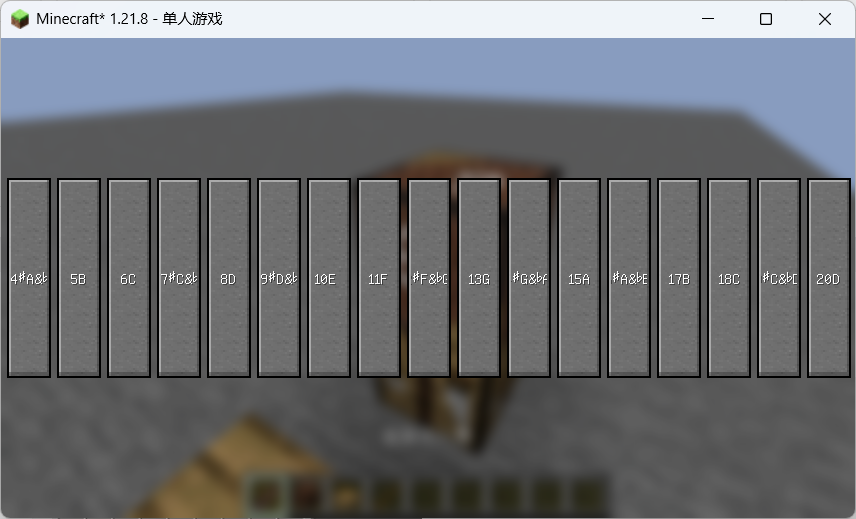
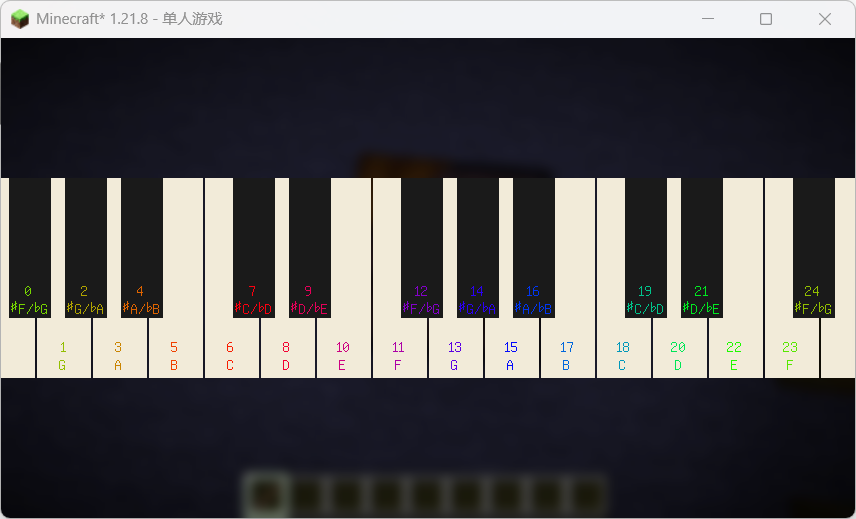
1、音高注入棒:右键音符盒打开调音界面,黑白键调音、切换垫块音色;
2、延音生成器:一键生成延音红石电路(音符盒+红石线+垫块),支持直线、贝塞尔、弦乐三段包络与三视图预览;
3、批量联动:同组(identicalTag)音符盒同步调音/换垫块,开关控制;
4、同组高亮:手持注入棒对准音符盒,同组显示浅蓝边框;
5、多语言:简繁英日 + 文言文。
1.Pitch Injector Rod: Right-click a note block to open the tuning screen; tune with white/black keys and switch supporting-block timbres.
2.Delay Generator: One-click generation of a delay redstone circuit (note block + redstone dust + supporting block); supports straight-line, Bézier, and string-style three-segment envelopes, with a three-view preview.
3.Batch Linkage: Note blocks in the same group (identicalTag) sync tuning and block swapping, controlled by a toggle.
4.Group Highlight: Hold the injector rod and aim at a note block to highlight all same-group note blocks with a light blue outline.
5.Multi-language: Simplified/Traditional Chinese, English, Japanese + Classical Chinese.
使用/Usage
1、手持音高注入棒右键音符盒 → 调音 → 换垫块、开延音开关批量联动
2、手持延音生成器右键音符盒 → 设参数 → 预览 → 放置
1.Hold the Pitch Injector Rod and right-click a note block → tune → swap supporting block / enable batch linkage via the delay toggle.
2.Hold the Delay Generator and right-click a note block → set parameters → preview → place.
常见问题
音符盒调教师NoteBlockTweaker 支持哪些 Minecraft 版本?
音符盒调教师NoteBlockTweaker 支持 Minecraft Java 版 1.21.8,可用的加载器:Fabric。下载时注意选择和你游戏版本一致的文件。
音符盒调教师NoteBlockTweaker 怎么安装?
先用 PCL2 或 HMCL 启动器安装对应版本的 Fabric,再把下载的 .jar 文件放进游戏目录的 mods 文件夹,重新启动游戏即可。开启了版本隔离的,mods 文件夹在 versions/版本名 下面。运行环境:客户端和服务端都要装。
wh_ive 的其他作品
查看全部 →显示音高noteDisplay
显示音符的右击次数和下方垫块。 Display the number of right-clicks for the note and the block beneath it.
音符盒钢琴notePiano
替换木板、羊毛、荧石、黏土和金块五种乐器的音色为钢琴,荧石右击6下的音高为中央C,音高从左往右升高,每个乐器采样间距一个八度。 Replace the timbres of five instruments—wood planks, wool, glowstone, clay, and gold blocks—with piano.
更好的原版音色noteBetterSample
替换玻璃、沙子和石头的音色为相对真实的音色。其他部分乐器加了混响。 Replace the timbres of glass, sand, and stone with relatively realistic ones. Reverb has been added to some of the other instruments.
评论
登录后评论和评分