
截图
介绍
⭐ Description
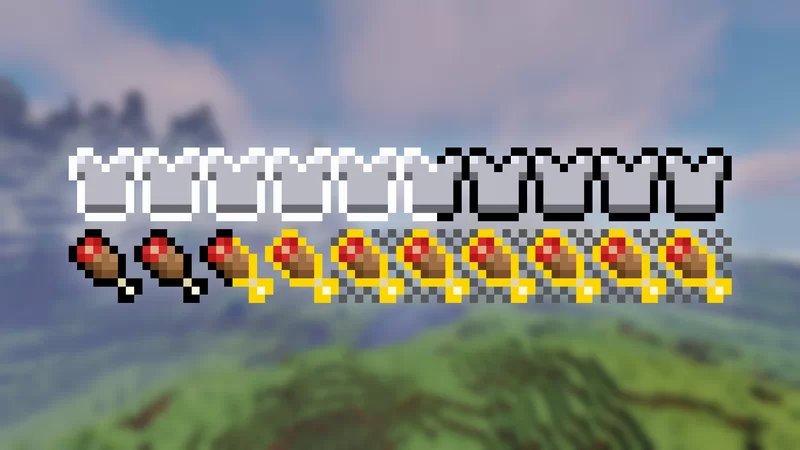
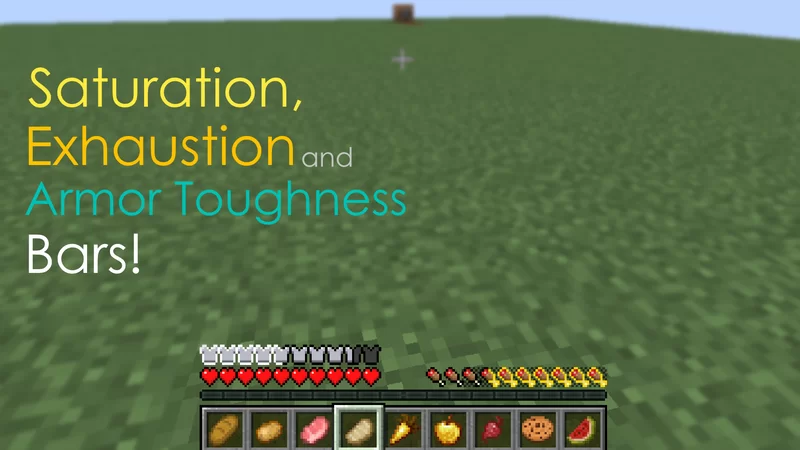
Inspired by AppleSkin Mod, This datapack adds saturation, exhaustion, and armor toughness bars to the game!
You can fully customize what bars to display in the settings menu (see commands section).
ℹ️ Bars Info:
Saturation Bar: It shows how much food is left before the player’s food starts to decay. It is like a secondary hunger bar.
Exhaustion Bar: Shows how long it takes for the food bar or saturation to decrease by one.
Armor Toughness Bar: Explaining armor toughness is a bit complicated, but basically is an extra resistence. You can see more information in the wiki.
🪄 Commands:
/trigger satb_settings – Opens the personal settings menu, where you can activate or deactivate the bar display individually for yourself.
/function satb:global_settings – Opens the operator settings. Can enable and disable global settings (force settings for everyone).
/function satb:uninstall – Remove all scoreboards and data used by the datapack from the world
#
About the Resourcepack
This datapack _requires_ a resourcepack to work. All players that are playing must have the resourcepack installed. If you are running on a dedicated server, you can configure it to force the use of resourcepack.
What the resourcepack changes:
- Add new fonts to the game.
- Add new translations for EN_US and PT_BR languages (for the chatmenu)
Players not using the resource pack won’t see the bars.
_Needs assistance or report some bug? Please contact me! I’m active on Discord: nodenotjs_
常见问题
SATB 支持哪些 Minecraft 版本?
SATB 支持 Minecraft Java 版 1.16–26.3,共 40 个版本。下载时注意选择和你游戏版本一致的文件。
SATB 怎么安装?
新建世界时在「数据包」里把下载的 .zip 拖进去;已有的存档,把文件放进存档目录下的 datapacks 文件夹,进游戏输入 /reload 即可生效。服务器同样放在世界目录的 datapacks 里。

评论
登录后评论和评分