
Cave Clean-Up
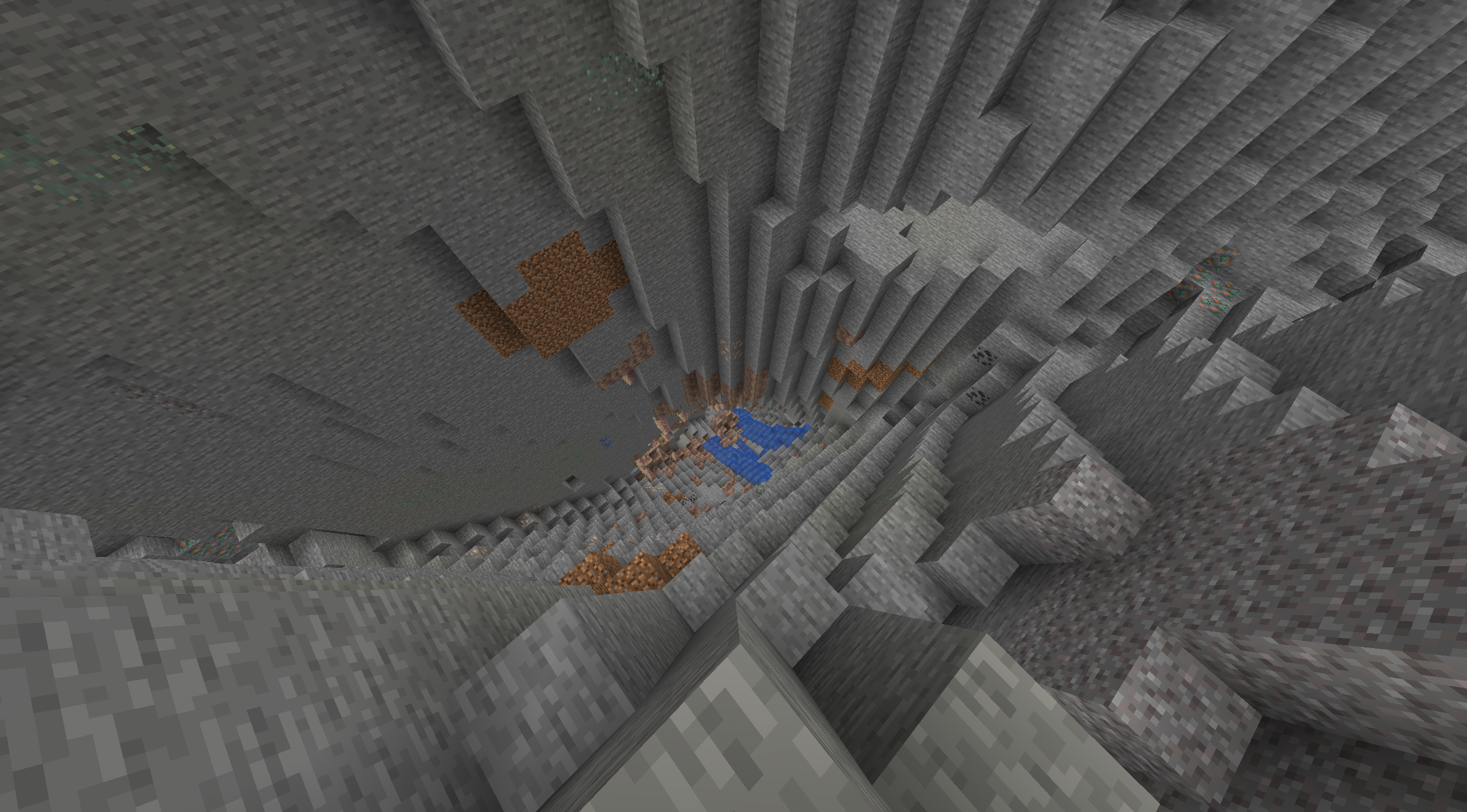
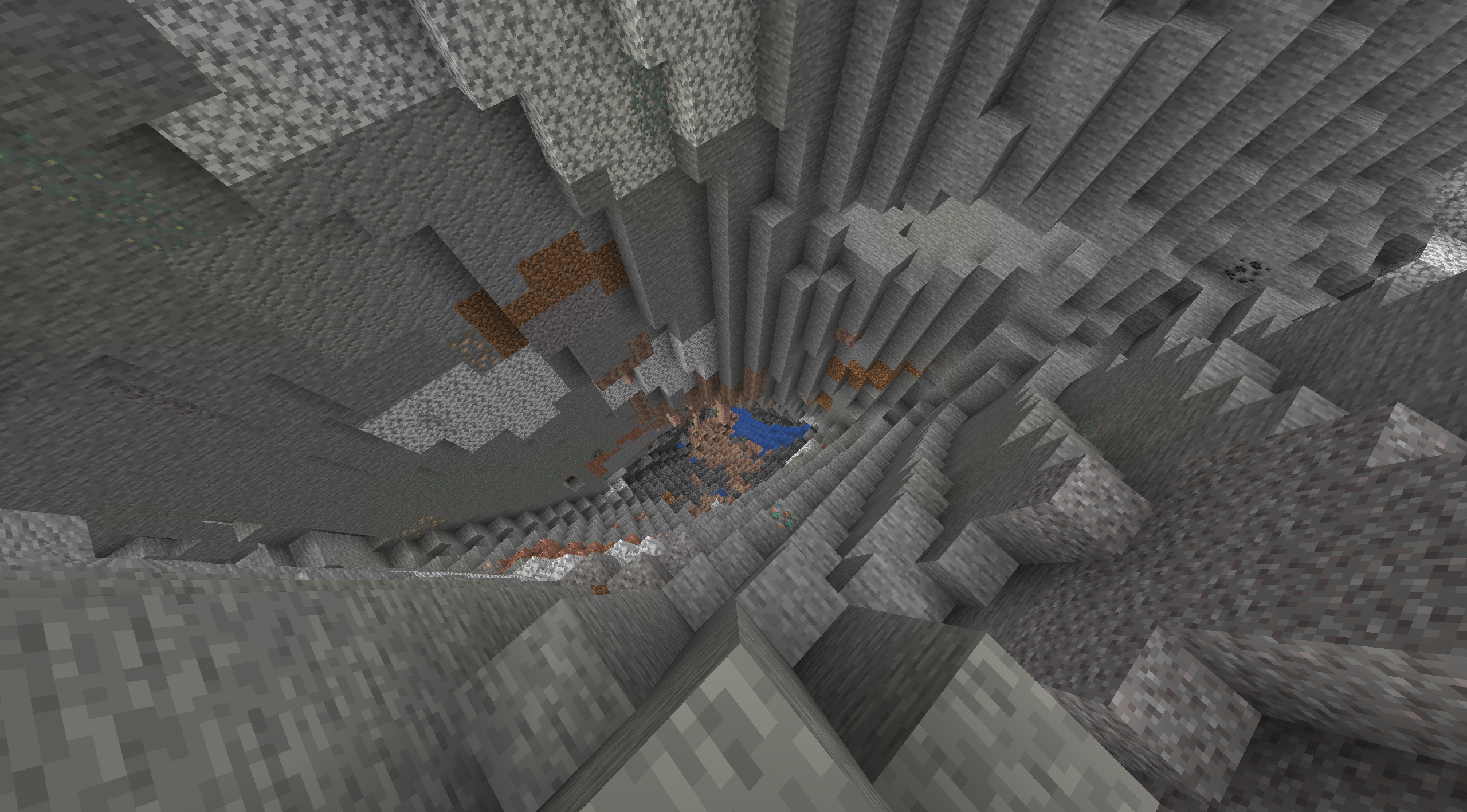
Removes Diorite, Andesite, Granite and Tuff from world gen and replaces Deepslate with stone
截图

介绍
Cave Clean-Up
Tired of caves now looking ugly? Tired of half your inventory being filled up with junk blocks? Wish things were simpler like the old days? Well this is the data pack for you, cleans up caves by removing Diorite, Andesite, Granite and Tuff from world gen. This also replaces Deepslate with regular Stone while keeping all the cool new world generation of 1.18.
Features:
- Removes Diorite from world generation
- Removes Andesite from world generation
- Removes Granite from world generation
- Removes Tuff from world generation
- Replaces Deepslate with Stone
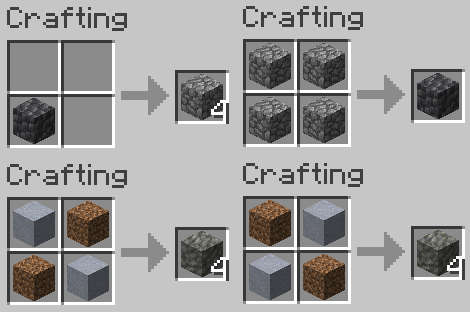
- Adds crafting recipe for Cobbled Deepslate
- Adds crafting recipe for Tuff
Installation:
When creating a new Minecraft world click on the “Data Packs” button, then click on the “Open Pack Folder” button, place the Cave Clean-Up data pack into the folder opened, in Minecraft move the Cave Clean-up data pack from “Available” to “Selected”, click the “Done” button, then create you Minecraft as you normally would. You will get a warning when creating or joining your world with this data pack, this is to be expected. Just click either “Proceed” or “I Know What I’m Doing”
常见问题
Cave Clean-Up 支持哪些 Minecraft 版本?
Cave Clean-Up 支持 Minecraft Java 版 1.18–1.20.4,共 13 个版本。下载时注意选择和你游戏版本一致的文件。
Cave Clean-Up 怎么安装?
新建世界时在「数据包」里把下载的 .zip 拖进去;已有的存档,把文件放进存档目录下的 datapacks 文件夹,进游戏输入 /reload 即可生效。服务器同样放在世界目录的 datapacks 里。
评论
登录后评论和评分