
TQs Chairs Data Pack
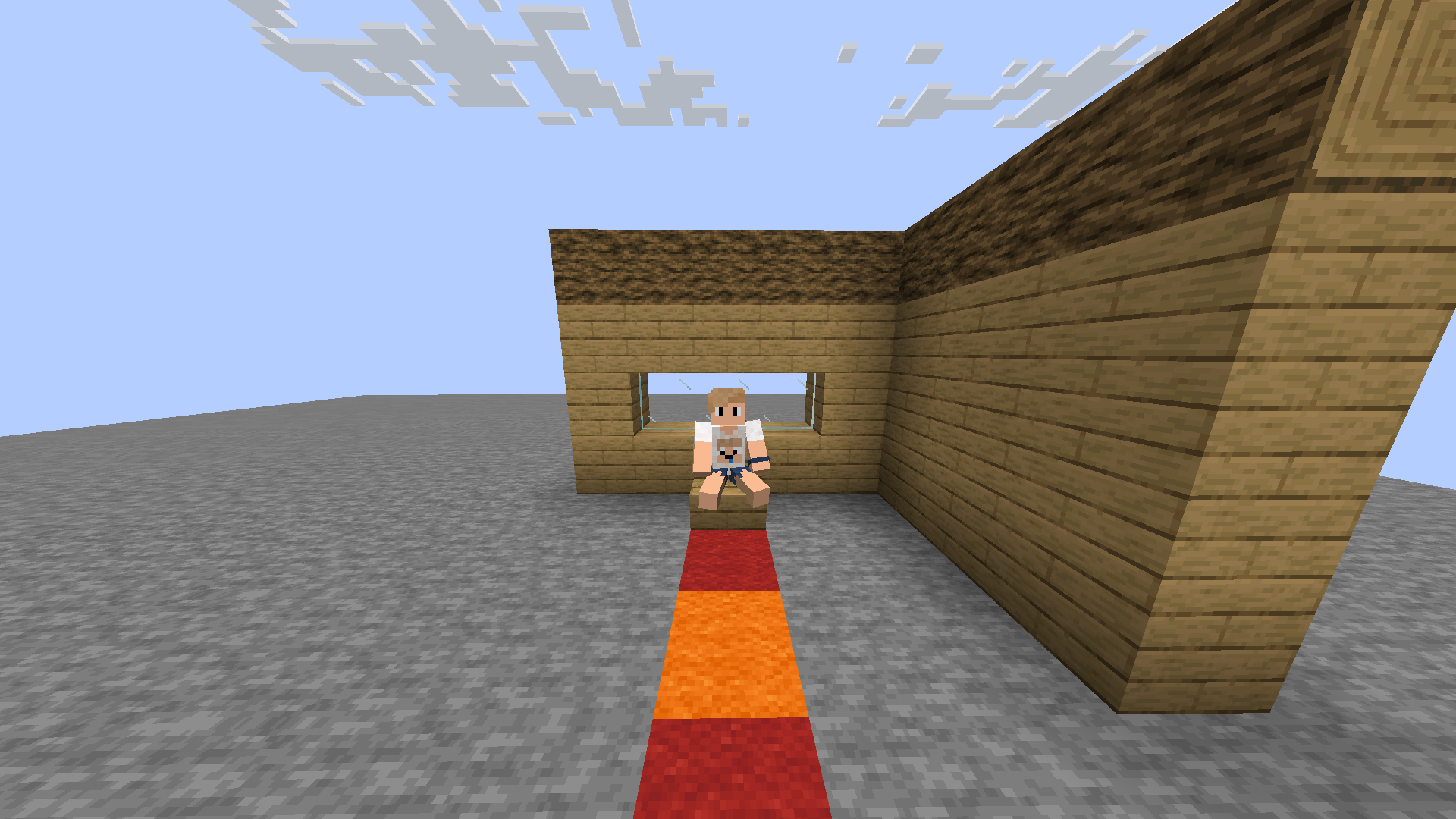
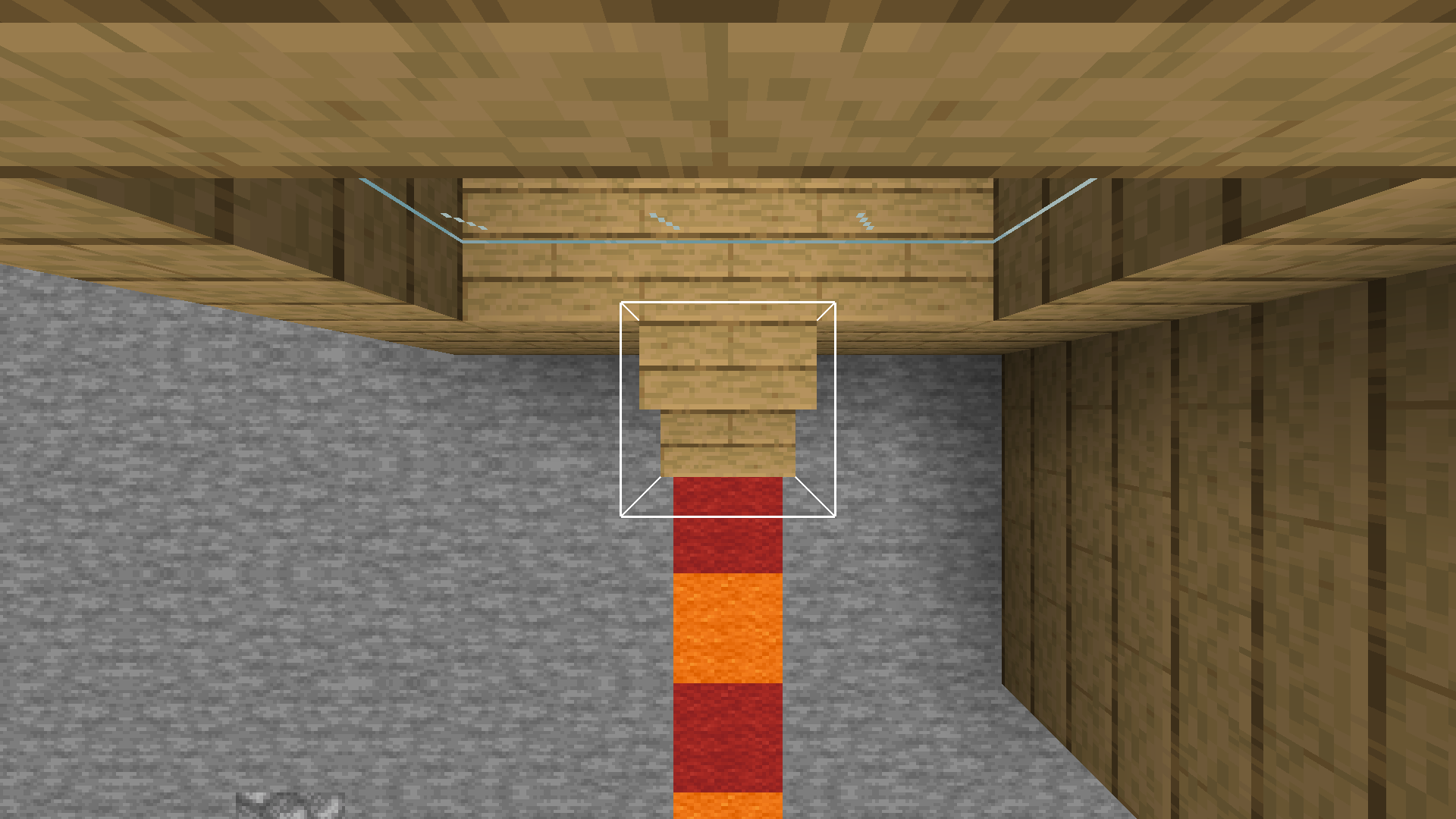
Looking straight down on a slab or stair converts it into a chair. If you go away from it, it does lose its functionality, for lag maintenance. If you want to make the chair permanent, put a sign on the side. Right click to sit in it.
截图
介绍
This chairs Data Pack introduced the ability to make chairs. By looking straight down at a slab or stair when on top of one, it will become clickable as a chair. This is meant for socialising, realism, and general cosy vibes. If you want to make the chair permanent, put a sign on the side. Otherwise, the chair gets removed when no player is within 6 blocks of the chair. Multiplayer compatible and right click to sit in it.
Will not be updated past 26.3 due to cushions being added.
Video showcase: https://youtu.be/T4z7r9kJNWY
Apart from left clicking on the hitbox to remove the chair, you can also use /trigger toggle_no_chair_creation to disable the making of chairs for you.
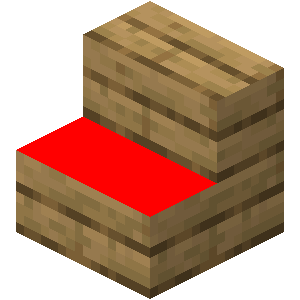
1.21.2+ Hitbox Change
I had to shrink the hitbox height by a block to accommodate 1.21.2 riding mechanics changes. Because of these changes and to keep compatibility as simple as possible, the hitbox to click on a stair had to change to the red part in the image:
notice
- If you want to support small creators like me, you can turn off ad blocker.
- Check out my profile for more creations: https://modrinth.com/user/TQNL
Keep in mind:
- Ensure you’re familiar with installing data packs.
Verify compatibility with your Minecraft version.
Terms of use:
Do:
- Use and modify the data pack for private use.
- Credit me (ThijquintNL) as the creator when using the data pack in public, such as in video showcases, or when editing and redistributing the original material.
Don’t:
- Redistribute the data pack for commercial purposes.
Under CC-BY-NC-SA 4.0 license
常见问题
TQs Chairs Data Pack 支持哪些 Minecraft 版本?
TQs Chairs Data Pack 支持 Minecraft Java 版 1.19.4–1.21.11,共 20 个版本。下载时注意选择和你游戏版本一致的文件。
TQs Chairs Data Pack 怎么安装?
新建世界时在「数据包」里把下载的 .zip 拖进去;已有的存档,把文件放进存档目录下的 datapacks 文件夹,进游戏输入 /reload 即可生效。服务器同样放在世界目录的 datapacks 里。
TQNL 的其他作品
查看全部 →
Armor Trim Abilities
Adds a base power and full set power to every Armor Trim. Each power tackles a different gameplay mechanic.

TQs Full Bright
Full Bright with one command: /trigger night_vision_command

No Creeper & Ghast Explosions
Prevents Creepers and Ghasts exploding blocks, but they still do damage. Very lag friendly and optimised.

Enhanced Allays
This data pack makes allays teleport to the player or to their noteblock, much like how dogs and cats teleport. It also adds the option to make allays immortal.
评论
登录后评论和评分