
截图



介绍
Graves




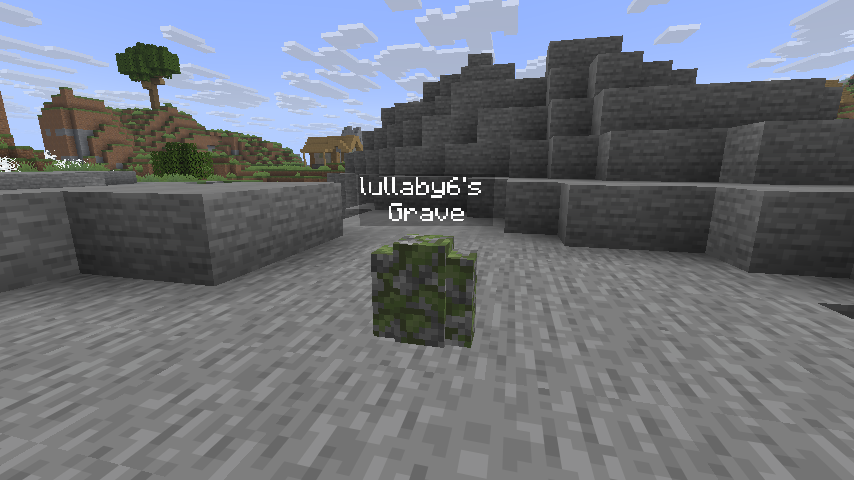
📖 Description
A fully customizable grave to save your loot upon death!
The graves in the end’s void generate at Y = 1, and the graves that are under the lava will rise to the surface of the lava!
Keep Inventory is setted true to work.
❗ Compatibility
- Compatible with Soulbound Enchantment!
- NOT compatible with curios or accessories.
⌨️ Commands
Player
See trigger commands:
/trigger graves.helpSee last grave:
/trigger graves.last_graveSee nearest grave:
/trigger graves.nearest_graveSee all graves:
/trigger graves.all_gravesAdmin
Config options:
/function graves:config/optionsShow Options
Despawn (default: enabled)Despawn Time (default: 100000 ticks)Owner (default: enabled)Auto Equip (default: enabled)Loot In Position On Sneak (default: enabled)Glowing (default: enabled)Glowing Items (default: disabled)Visible Name (default: enabled)Name (default: enabled)XP (default: enabled)Death Message (default: enabled)Triggers (default: enabled)Effects (default: enabled)Suffocable (default: disabled)Lava Protect (default: enabled)Water Protect (default: enabled)Void Protect (default: enabled)End Protect (default: enabled)
Config commands:
/function graves:config/commandsShow Commands
Loot Nearest GraveLoot Nearest Grave In InventoryLoot All GravesClear Nearest GraveClear All GravesTP To Nearest GraveReset Options
Prevent player generating graves (The player will keep the items in their inventory):
/tag <player> add graves.player.no_graveUninstall:
- Run
/function graves:uninstall. - Run
/datapack disable <datapack>. - If there any entity of Graves left, run
/kill @e[tag=graves.entity].
🪪 License
👾 Bugs/Issues
Please report any problem/bug/issues in the Discord Server.
💌 Donate
🎁 Server Hosting
Creating your own server can be a very lengthy, tedious and costly process.
But with BisectHosting, you get your own server in just a couple of clicks! With their 24/7 support and fast-response time, no issues shall stand in your way!
Interested? Then we’ve got a deal for you!
https://bisecthosting.com/lullaby

常见问题
Graves 支持哪些 Minecraft 版本?
Graves 支持 Minecraft Java 版 1.21–26.3,共 17 个版本,可用的加载器:Fabric / Forge / NeoForge / Quilt。下载时注意选择和你游戏版本一致的文件。
Graves 怎么安装?
新建世界时在「数据包」里把下载的 .zip 拖进去;已有的存档,把文件放进存档目录下的 datapacks 文件夹,进游戏输入 /reload 即可生效。服务器同样放在世界目录的 datapacks 里。
lullaby 的其他作品
查看全部 →
Backpacks
非常简单且高性能的背包!

Clumps
合并经验球并瞬间拾取经验球以减少卡顿!

Lucky Blocks
原版 Minecraft 中的幸运方块! (无需资源包!)

Chunky Offline
An add-on/extension of Chunky to generate chunks when no players are online.
评论
登录后评论和评分