
截图

介绍
🎮 Minecraft Discord Rich Presence (RPC) Mod
Enhance your Discord experience with our Minecraft Discord Rich Presence (RPC) mod! This mod integrates Discord RPC with Minecraft, allowing you to display detailed in-game information on your Discord profile. 🖥️
✨ Features
- 📝 Customizable Rich Presence: Display information such as the world you’re in, dimension, or activity.
- 🎨 Custom Icons: Set large and small icons for a personalized touch.
- 🔄 Real-time Updates: Automatically updates your status as you play.
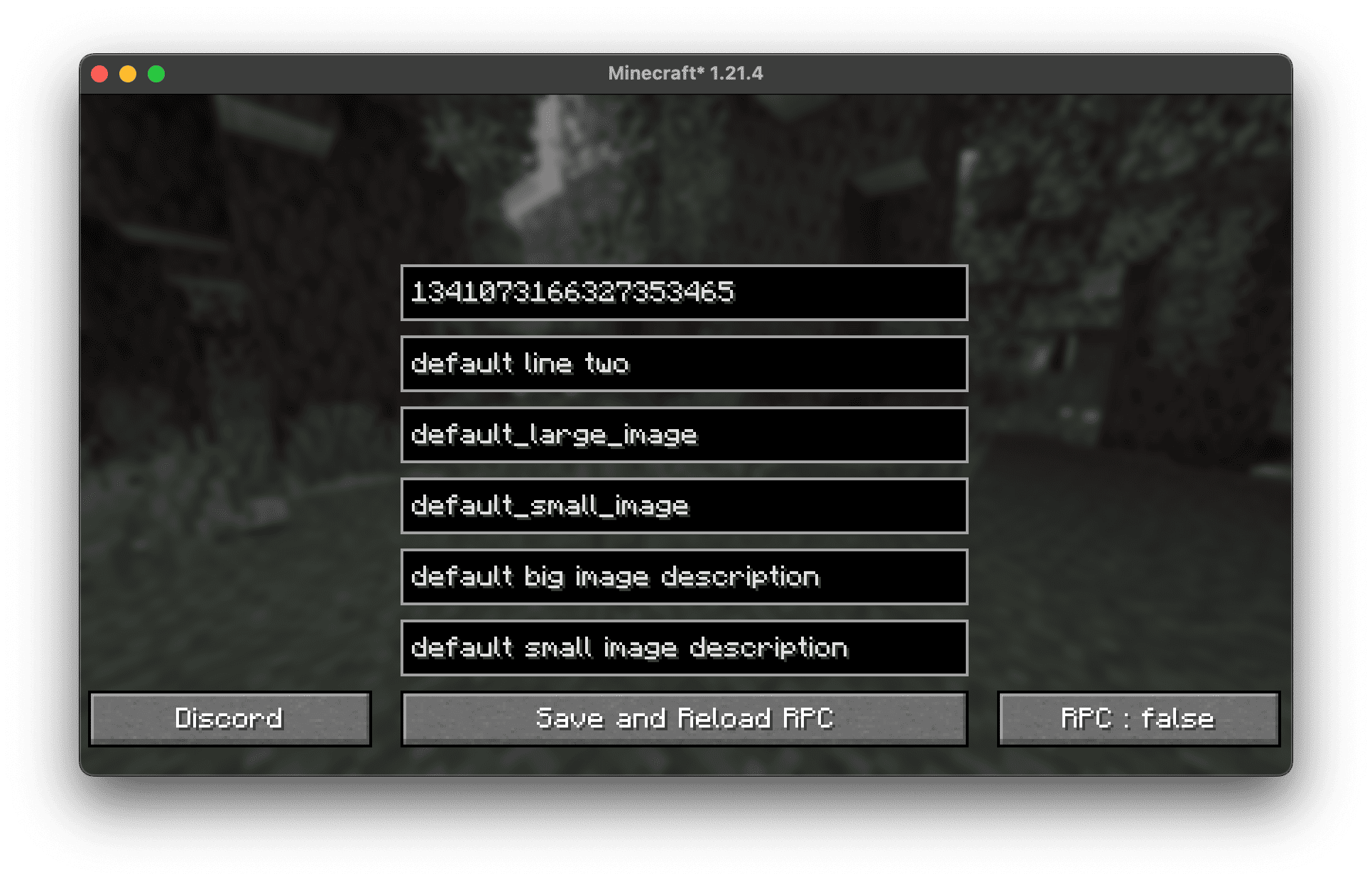
- ⚙️ Easy Configuration: Modify settings directly in the mod’s GUI.
- 🔘 Toggle On/Off: Enable or disable RPC at any time.
📥 Installation
- 📌 Download the mod from Modrinth.
- 🛠️ Install Fabric or Forge(Soon) (depending on the mod version).
- 📂 Place the mod
.jarfile in yourmodsfolder. - 🚀 Launch Minecraft and configure the RPC settings in the mod menu.
⚙️ Configuration
Navigate to the in-game mod settings to customize:
- ✏️ First and second text lines
- 🖼️ Large and small images
- 📝 Image descriptions
- 🔘 Enable/Disable RPC
🔧 Compatibility
- Minecraft Version: 1.21.4
- Mod Loaders: Fabric, Forge(Soon)
- Platforms: Windows, macOS, Linux
🖼️ Screenshots
💬 Support
Join our Discord server for help, feature requests, and updates! 🎧
📜 License
This mod is licensed under CC-BY-4.0. Feel free to modify and contribute! 🛠️
常见问题
Blackdev’s Discord RPC 支持哪些 Minecraft 版本?
Blackdev’s Discord RPC 支持 Minecraft Java 版 1.21.4,可用的加载器:Fabric。下载时注意选择和你游戏版本一致的文件。
Blackdev’s Discord RPC 怎么安装?
先用 PCL2 或 HMCL 启动器安装对应版本的 Fabric,再把下载的 .jar 文件放进游戏目录的 mods 文件夹,重新启动游戏即可。开启了版本隔离的,mods 文件夹在 versions/版本名 下面。运行环境:仅客户端。
_blackdev_ 的其他作品
查看全部 →
Black Guns and Weapons ModPack
Guns weapons and parkour

Black Medieval ModPack
Medival Dungeons and Dragons AddItems World Generation

Chat-Ping
Pings you if someone writes your name in to the Chat

Black Mobs Survival ModPack
adds more mobs and better dungeons to minecraft
评论
登录后评论和评分