
RPdepent
This is a simple Minecraft mod that checks whether the resource pack dependencies are present in your installed mods.
截图
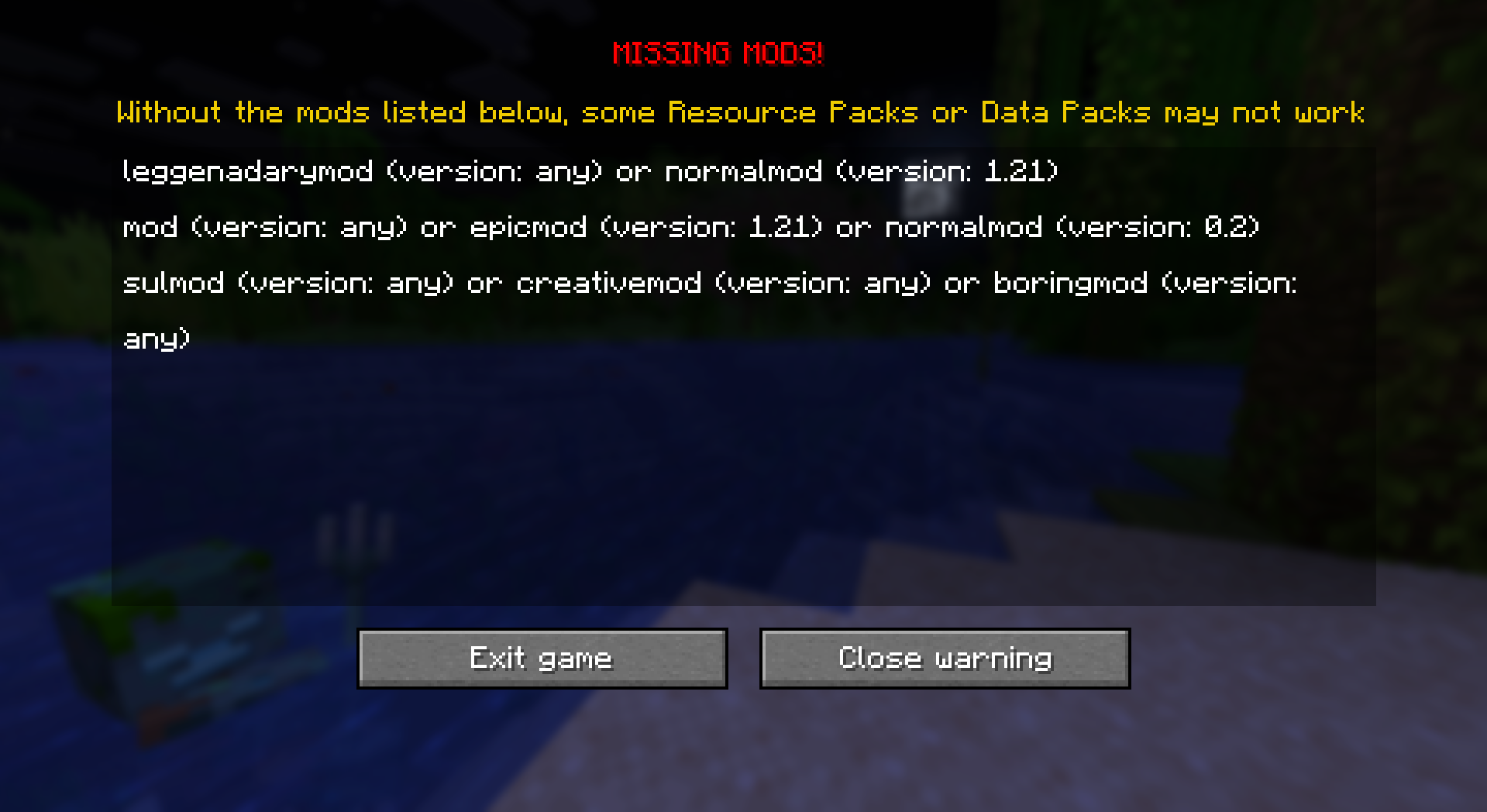
介绍




#

for resource pack and data pack creators:
you just need to put in the root of your resource pack/data pack a file named “RPD.toml”, like this:

and inside the file you need to do something like this:
[[Mods]]
id = "coolMod"
version = "1.2"

[[Mods]]
id = "anotherCoolMod"
version = "3.23"
to be noted:
the empty line between one mod and another is necessary, so configs like:
[[Mods]]
id = "coolMod"
version = "1.2"
[[Mods]]
id = "anotherCoolMod"
version = "3.23"
and
[[Mods]]
id = "coolMod"
version = "1.2"
id = "anotherCoolMod"
version = "3.23"
are WRONG!
you can also write “any” instead of the version to allow any mod version to be used
[[Mods]]
id = "coolMod"
version = "any"

[[Mods]]
id = "anotherCoolMod"
version = "3.23"
Mods alternatives
with this you can have multiple alternatives for a mod
[[Mods]]
id = "coolmod"
version = "any"

    [[Mods.Alternatives]] #the indentation is highly suggested
    first = {id = "mod", version = "1.21"}
    second = {id = "boringmod", version = "0.2"}


[[Mods]]
id = "leggenadarymod"
version = "any"

[[Mods.Alternatives]] # but as shown here, not necessary
potato = {id = "normalmod", version = "1.21"}
i suggest to use the indentation because it’s more understandable for you and whoever read the file after you
this is the legacy config to allow alternative mods
i highly suggest you to use the new method, this one is here only for retro-compatibility
[[Mods]]
id = "coolMod||lessCoolMod"
version = "any"

[[Mods]]
id = "boringMod||epicMod||suckerMod"
version = "any"
so RPdepent will check if there is at least 1 of the mods
be aware that it’s suggested to just put “any” in the version field since you can’t decide (yet) the version for each of them
TO BE NOTED:
it’s highly suggested to just use “any” in the version field since there is no “>”, “=”, “<=" operator, it's impossible to do with mods versions
how to build
You just need to clone the repository on your IDE and run the gradle task “build”
#
Icons made by Cyber, thank you Cyber :p
常见问题
RPdepent 支持哪些 Minecraft 版本?
RPdepent 支持 Minecraft Java 版 1.20.1–26.3,共 18 个版本,可用的加载器:Fabric。下载时注意选择和你游戏版本一致的文件。
RPdepent 怎么安装?
先用 PCL2 或 HMCL 启动器安装对应版本的 Fabric,再把下载的 .jar 文件放进游戏目录的 mods 文件夹,重新启动游戏即可。开启了版本隔离的,mods 文件夹在 versions/版本名 下面。运行环境:仅客户端。
axolotl_cpp 的其他作品
查看全部 →
Punched Books!
这是一个 Punchy! 与各种添加 3D 书本的资源包和模组之间的兼容资源包。

Better, Fresher 3D books X HMI compat
This resource pack is for compatibility between Better fresher 3D books and Hold My Item mod

Axo’s Optimizations
Optimization modpack based on sodium without ANY clutter

Axo’s Optimizations [Vulkan]
Axo's Optimization but with Vulkan mod
评论
登录后评论和评分