
World Editor
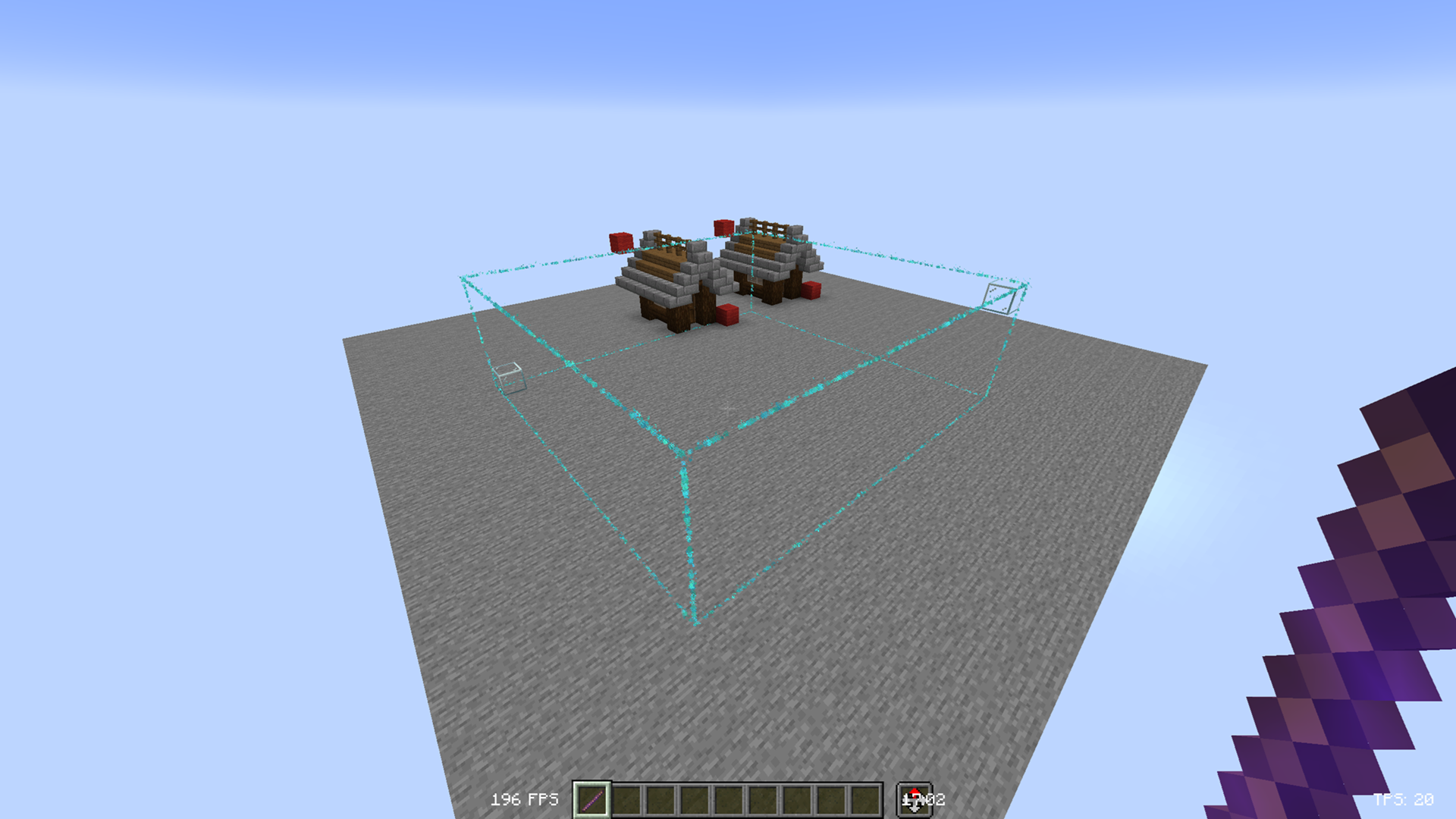
Make building easier with the World Editor datapack! Datapack has singleplayer and multiplayer support.
截图


介绍


📖 Description
This datapack adds commands to make building way easier!
Explore the seamless functionality in both single-player and multiplayer modes.
Commands
Operator permission is required to use this datapack/mod.
V2.4.0+
/function we:tools/cut
/function we:tools/set {block:stone}
/function we:tools/outline {block:dirt}
/function we:tools/replace {old:dirt, new:stone}
/function we:tools/copy
/function we:tools/paste
/function we:tools/move
/function we:tools/rotate {degrees:90}
/function we:tools/undo
/function we:tools/redo

/function we:movement/up {amount:1}
/function we:movement/down {amount:1}

/function we:give/wand
/function we:give/brush

/function we:misc/outline
/function we:misc/deselect_area
/function we:misc/phasing
How to use:
Use “/function we:give/wand“ to get the selector item.
When you have selected two positions named #1 and #2, you can start using the tools.
Use “/function we:give/brush“ to get the brush item.
Instructions are on the item description.
Use “/function we:misc/outline“ to enable/disable the outline particles that appear when you select two positions.
Use “/function we:misc/phasing“ to enable/disable the player being able to phase through blocks when flying.
Copy-Paste info
You must have an area already copied to use the paste function.
Pasted areas will be pasted facing up and south-east. You can also use F3. Make sure that the X, Y, and Z axis lines are all facing away from you. The build is also facing that way.

常见问题
World Editor 支持哪些 Minecraft 版本?
World Editor 支持 Minecraft Java 版 1.20.2–26.3,共 18 个版本,可用的加载器:Fabric / Forge / NeoForge / Quilt。下载时注意选择和你游戏版本一致的文件。
World Editor 怎么安装?
新建世界时在「数据包」里把下载的 .zip 拖进去;已有的存档,把文件放进存档目录下的 datapacks 文件夹,进游戏输入 /reload 即可生效。服务器同样放在世界目录的 datapacks 里。
Vanderflys 的其他作品
查看全部 →
Better Waypoints
A simple, fast, and user-friendly waypoint system for vanilla Minecraft.

Custom Guns
A fully customizable datapack & mod for Minecraft 1.20.5+ that features custom guns that fully integrate with the surrounding world. Anyone can make their own gun with a straightforward command setup.
Better Pets
Customize your Minecraft experience with new pets, offering unique abilities and companionship during your adventures.
Stackable Totems
Totems now stack up to 64
评论
登录后评论和评分