
截图
介绍
DESCRIPTION
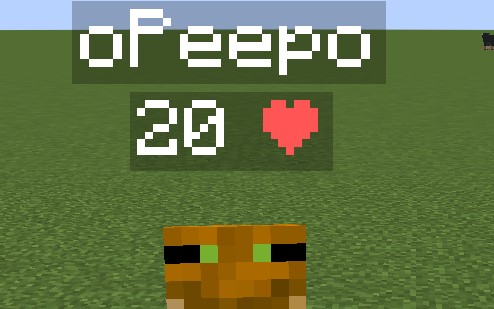
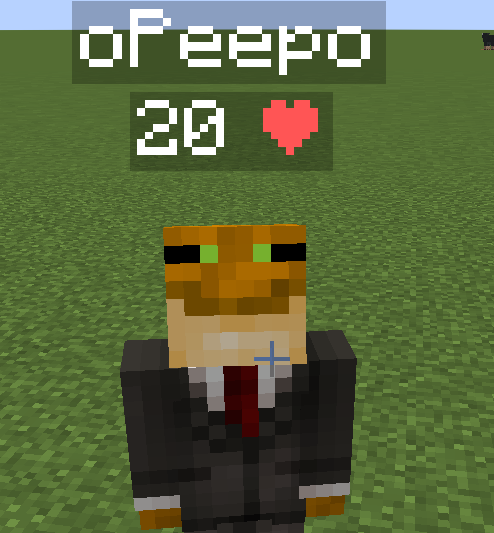
This data pack displays every player’s health above their head. This can be useful on pvp servers, or any multiplayer server where you need to see other players’ health for whatever reason.
INSTALLATION GUIDE
go to your saves folder located here on Windows:
C:\Users(your name)\AppData\Roaming\.minecraft\savesput the zipped file in the data packs folder, and either restart your world or execute /reload
UNINSTALLATION GUIDE
run this command /function hp:uninstall, and then delete the data pack. Make sure to not reload (/reload or by restarting your world) after running the uninstall command until the data pack is deleted!
OTHER THINGS TO NOTE
- Keep in mind the number shown are health points and not hearts, 1 heart = 2 health points.
- this data pack only displays PLAYER health, not MOB health.
- for feedback, bug reports, or other help, join the discord server from the links section of this page!

常见问题
Health Indicator 支持哪些 Minecraft 版本?
Health Indicator 支持 Minecraft Java 版 1.14–26.3,共 48 个版本,可用的加载器:Fabric / Forge / NeoForge / Quilt。下载时注意选择和你游戏版本一致的文件。
Health Indicator 怎么安装?
新建世界时在「数据包」里把下载的 .zip 拖进去;已有的存档,把文件放进存档目录下的 datapacks 文件夹,进游戏输入 /reload 即可生效。服务器同样放在世界目录的 datapacks 里。
o-Peepo 的其他作品
查看全部 →
Dynamic Lights
为玩家、物品、生物等添加动态光源。

Fullbright [Permanent Night Vision]
服务器上每位玩家都可切换全亮!单人游戏同样适用。

Timber
Automatically break the whole tree by breaking one log and disable it at will by shifting!

TNT Timer
Adds a timer above tnt which displays the time until it explodes.
评论
登录后评论和评分